The Best Walking Apps for Weight Loss in 2026
Tech

Key Findings
The best walking apps help you build a routine you can maintain. Pacer suits everyday tracking and challenges, WalkFit provides structured walking programs, and MapMyWalk focuses on outdoor routes and workout statistics. Walk at Home offers guided indoor videos, StepsApp keeps daily step goals simple, and Samsung Health combines walking with broader health records. Several offer useful free features, while guided programs often require payment. No app guarantees weight loss: its value depends on whether it helps you stay active alongside sustainable eating, sleep and recovery habits.
Walking can fit into a lunch break, a journey to the shops or a few minutes at home. The harder part is making it a regular habit, particularly when the weather changes or your schedule fills up.
A walking app can help, but different apps solve different problems. Some count movement automatically. Others provide a workout to follow, record outdoor routes or introduce friendly competition.
This guide compares six options by what they help you do, what remains free and when paying might make sense. For tools that place greater emphasis on food logging and coaching, our broader guide to weight-loss apps covers those needs separately.
Best Walking Apps for Weight Loss: At a Glance
Choose according to the support you need most. These recommendations reflect each app’s features and practical fit, rather than evidence that one produces greater weight loss than another.
App | Best For | Standout Features | Free or Paid? |
Tracking and challenges | Steps, GPS walks, community challenges | Free basics; optional Premium | |
Structured walking plans | Personalized programs, intervals, indoor workouts | Subscription for programs | |
Outdoor walk statistics | Route maps, distance, pace, workout history | Free basics; optional MVP | |
Guided indoor walking | Follow-along videos, monthly calendars | Paid; trial available | |
Simple daily goals | Step counting, goals, streaks, charts | Free basics; optional Pro | |
Broader health tracking | Steps, walking workouts, food and weight logs | Free core features |
Features and subscription arrangements checked against official websites, support pages and developer listings on November, 2026. Prices, offers and availability can differ by platform and country.
The Best Walking Apps for Weight Loss Reviewed

The most useful question is what would make your next walk easier to start. Each of these apps offers a different answer, from a simple daily target to a guided session already picked out for you.
Pacer: Best for Walking Challenges and Everyday Tracking
Pacer combines everyday step counting with GPS walks and social challenges. It is a useful starting point if you want to see how active you are and give yourself a reason to move more regularly.
Its free tools cover the essentials, including step tracking, recorded routes and community challenges. Pacer Premium adds guided programs and other extras. That makes it sensible to try the basic routine first before deciding whether additional coaching would help.
Key Features
Automatic step counting: Monitor everyday movement as well as deliberate exercise.
GPS walks: Review the distance and route of outdoor sessions.
Community challenges: Add shared goals and friendly competition to your routine.
Premium guided programs: Follow more structured walking and fitness content with a subscription.
Drawbacks
Guided programs and some additional challenges require payment.
Phone-based counting depends on carrying your phone, unless you use a supported wearable connection.
Social features may feel unnecessary if you only want a quiet, simple step counter.
Who Is It Best For?
Choose Pacer if challenges would encourage you to keep walking and you want useful tracking before committing to a subscription.
WalkFit: Best for a Personalized Walking Plan
WalkFit is worth considering when deciding what to do is the main obstacle. Its walking programs offer more direction than a daily step total, with indoor sessions and interval-based options alongside outdoor walking.
However, access to its programs requires a subscription. Downloading the app does not provide the complete experience for free. Before subscribing, check the total charge, billing period and renewal price presented at checkout, especially when an introductory offer is involved.
Key Features
Personalized plans: Follow a schedule shaped around your goals and starting information.
Indoor workouts: Keep a session available when going outside is inconvenient.
Interval walking: Use structured changes in pace to add variety.
Tai Chi walking content: Explore slower, guided movement as another workout option.
Drawbacks
The main programs sit behind a subscription.
Advertised offers can use different billing periods, making headline prices difficult to compare.
Personalization does not mean the program provides an individual medical assessment.
Who Is It Best For?
Choose WalkFit if you want a routine to follow and expect to use the guided content regularly. Its subscription help center explains cancellation by purchase channel; deleting the app does not cancel a subscription.
MapMyWalk: Best for Tracking Outdoor Walks
MapMyWalk suits people who want a record of where they walked and how the session went. Route maps, distance and pace are particularly useful when comparing a familiar neighborhood loop or gradually extending weekend walks.
The Map My Walk app offers basic workout recording without MVP. Its current App Store listing also identifies personalized walking plans and live tracking as premium features, so an upgrade can add structure as well as more analysis.
Key Features
GPS route recording: Save an outdoor walk on a map.
Workout statistics: Review distance, duration and pace after a session.
Workout history: Compare repeated routes and changes in your walking routine.
MVP extras: Access personalized walking plans and live location sharing with a subscription.
Drawbacks
Walking plans, live tracking and additional analysis require MVP.
Recording an outdoor route depends on location access and a usable GPS signal.
The map-focused experience is less useful for someone primarily following indoor videos.
Who Is It Best For?
Choose MapMyWalk if you enjoy outdoor routes and want a clear record of your walks, with the option to add a plan later.
Walk at Home: Best for Guided Indoor Walking Workouts
Walk at Home offers video-led workouts you can follow indoors. Its appeal is straightforward: select a session and move along with the instructor without planning a route or checking the weather.
The subscription library and monthly calendars provide a ready-made choice of workouts. This format may suit you better than GPS statistics if instruction and an exercise appointment are what help you follow through. You still need enough clear space to perform the movements comfortably.
Key Features
Follow-along videos: Watch demonstrations while completing a session.
Monthly calendars: Reduce the decision-making involved in choosing workouts.
Different session lengths: Find something that fits the time available.
Indoor format: Keep a walking workout available throughout the year.
Drawbacks
Full access to the subscription library is paid.
The service emphasizes guided workouts rather than outdoor route analysis.
You may need to pause or adapt movements to match your ability and available space.
Who Is It Best For?
Choose Walk at Home if you prefer an instructor-led session at home. Its subscription page lists a seven-day trial, followed by US pricing of $7.99 monthly or $79.99 annually, plus tax.
StepsApp: Best for Simple Step Tracking
StepsApp makes daily movement easy to check through step totals, goals and visual progress. It is a strong fit if a complicated workout dashboard would put you off opening the app.
Its main contribution is awareness: you can see whether you have been moving regularly and decide what to change. The free version covers basic tracking, while Pro expands the tools available. Counting steps remains one part of a weight-management routine rather than a complete program.
Key Features
Automatic counting: Keep a record of movement through the day.
Step goals: Set a target you can work toward consistently.
Progress displays: Review activity without navigating a detailed training dashboard.
Streaks: Add a simple incentive to return to your routine.
Drawbacks
The app does not replace a structured walking or nutrition plan.
StepsApp’s Pro guidance places advanced insights, map tracking and Apple Health importing behind the upgrade on iOS.
Protecting a streak can become unhelpful if it encourages activity when you need rest.
Who Is It Best For?
Choose StepsApp if your main question is whether you are moving regularly, rather than which workout to complete next.
Samsung Health: Best for Combining Walking and Health Tracking
Samsung Health brings walking into a wider health dashboard. It is particularly useful for people with compatible Android phones who want activity, food records and weight tracking in one place.
You do not need a Galaxy Watch simply to use phone-based step counting. Additional wearable measurements depend on compatible hardware, however, and the broader dashboard can require more setup than a dedicated step counter. Its core tracking features are free.
Key Features
Daily step tracking: Monitor routine movement using a compatible phone.
Walking workouts: Record dedicated exercise separately from everyday steps.
Food and weight logs: Review other habits and measurements alongside activity.
Together challenges: Share goals and introduce a social element to walking.
Drawbacks
Hardware, software version and region affect which features are available.
More advanced wearable measurements require additional devices.
Some partner content has separate charges, even though core Samsung Health tracking is free.
Who Is It Best For?
Choose Samsung Health if you want a broader health record without paying for basic walking tracking. Check the current Android listing for phone requirements before installing.


How to Choose the Right Walking App for You

Start with the problem you want the app to solve. Choosing one clear priority is usually more useful than comparing the longest feature lists.
Do You Need a Walking Plan or a Step Counter?
A step counter records what you do. A plan helps you decide what to do next.
If you already enjoy walking but lose track of inactive days, basic tracking may be enough. If you repeatedly intend to exercise without choosing a session, guided programs or a workout calendar may justify the extra cost.
Will You Walk Outdoors, Indoors or on a Treadmill?
Outdoor walkers benefit from route maps and distance records. Indoor walkers may prefer video instruction. Treadmill users should look for an indoor workout mode or compatible step recording, because an outdoor GPS map cannot measure the distance traveled on a stationary treadmill.
Check how the app records the activity you actually do, rather than assuming every walking mode works the same way.
Is a Free Walking App Enough?
A free walking app can be enough if your main goals are counting steps, recording walks and checking consistency.
Pay when there is a specific feature you expect to use, such as a scheduled program or instructor-led sessions. Compare the renewal charge and billing period, and judge a trial by how often you use the app during an ordinary week.
Does It Work With Your Phone and Wearable?
Check both device compatibility and the information that actually syncs. A connection that imports steps may not also import routes or workout details.
For example, WalkFit documents Apple Watch step syncing through Apple Health. StepsApp also uses Apple Health for supported wearable data, but importing is listed among its iOS Pro features. A connection can therefore depend on another app, permissions and a paid tier.
If you want to walk without carrying your phone, check how your chosen watch records and transfers activity. Our guide to fitness trackers for beginners can help you assess whether additional hardware would be useful.
What Will Keep You Coming Back?
The most fun walking apps are the ones whose motivation suits you. Friendly challenges may help one person; a quiet progress chart may suit another.
Consider whether you respond to reminders, shared goals, streaks or an instructor. If fitting movement into your day is the bigger challenge, habit-coaching apps offer another approach to organizing a routine. Avoid turning a missed goal into a reason to abandon the week.
How to Use a Walking App to Support Weight Loss

The app’s value comes from the habits it supports. Keep your first changes manageable enough to repeat when motivation is ordinary rather than unusually high.
Start With Your Current Activity Level
Record several typical days to understand your existing routine. Notice where movement already fits and which days are particularly sedentary.
Choose a realistic addition, such as a short lunchtime walk, rather than immediately adopting someone else’s daily target. Your starting point, comfort and schedule should shape the goal.
Build Consistency Before Increasing Your Target
Give the walk a place in your day and review whether you completed it across the week. If the routine feels manageable, gradually extend a session or add another walking opportunity.
If you keep missing it, adjust the time or duration first. A smaller routine you can repeat provides a more useful starting point than an ambitious target you regularly avoid.
Look Beyond Steps and Estimated Calories
Calorie figures in walking apps are estimates, not precise measurements of energy used or predictions of weight loss. Avoid treating the number as an exact food allowance.
Review walking frequency, time spent active and how comfortable familiar routes feel. Our explanation of fitness-tracker accuracy provides more context for interpreting device estimates.
Connect Walking With Nutrition, Sleep and Recovery
The CDC’s guidance on healthy weight loss includes eating patterns, activity, sleep and stress management. Walking contributes to that wider picture, but increasing steps does not guarantee a particular change on the scale.
Use a nutrition-tracking app if food records would be helpful, and protect a sustainable sleep routine. Choose changes you can maintain without making every meal or walk a test of willpower.
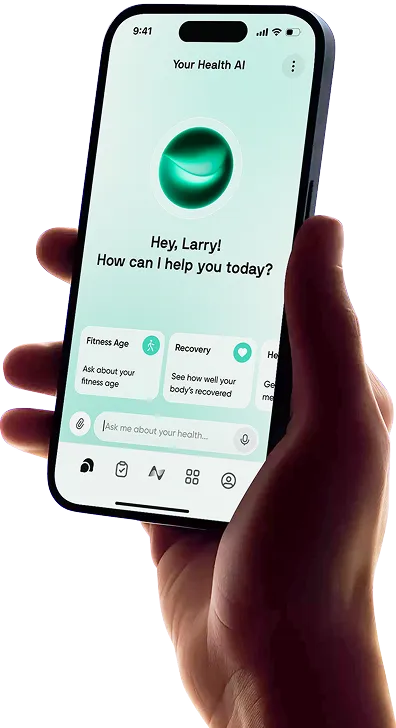
Connect Your Walking Routine With Your Wider Health Goals Using Neura
Walking apps are useful for recording movement or providing a workout. Neura Health serves a broader planning role for people who want to consider activity alongside other aspects of their health.
Bring Activity and Health Data Together
Neura’s approach uses supported health-data integrations to bring information from compatible sources together. That can provide context when you are considering activity alongside sleep, nutrition and recovery.
Check the supported sources before assuming that a particular walking app connects directly. The apps reviewed here have their own tracking and workout tools; Neura’s role is helping you consider the wider routine.
Put Walking Into a Broader Health Plan
A personalized Neura Health Plan can help organize goals across activity, nutrition and other habits.
For example, someone who keeps missing an evening walk could discuss their schedule with Neura’s AI health coach and consider a shorter lunchtime option. Walking can then sit alongside strength sessions, regular meals and sufficient sleep in a plan that fits their week. This supports planning without guaranteeing weight loss or replacing individualized clinical advice.
Final Thoughts: Which Walking App Is Best for Weight Loss?
Choose Pacer for tracking and challenges, WalkFit for a structured routine, or MapMyWalk for outdoor walk statistics. Walk at Home suits indoor video workouts, StepsApp suits simple daily goals, and Samsung Health suits a broader health dashboard.
The best walking app for weight loss is the one that helps you follow through consistently at a price you can justify. Start with the feature you need most, try it during a normal week and build from there.
Article FAQ
What Apps Pay You for Walking?
WeWard offers walking-related rewards that can include cash withdrawals, gifts and charitable donations, subject to eligibility and redemption conditions. Sweatcoin offers rewards too, but its cash-out guidance says ordinary sweatcoin balances cannot simply be transferred to a bank account or PayPal. Check regional availability and thresholds; these apps provide incentives, not a guaranteed income from walking.
What Are the Best Running and Walking Apps?
Strava is worth considering if you want to record both activities and share them socially. Pacer also supports recorded walks and runs. MapMyWalk is a more walking-focused choice for people primarily interested in route and pace records. Choose according to whether social activity, everyday movement or dedicated workout statistics matter most.
What Is the Best Free Walking App?
Pacer is a useful starting point for tracking and challenges, while StepsApp suits straightforward step goals. Samsung Health provides free core activity tracking alongside other health records on compatible devices. The best free option depends on which tools you need; advanced programs, importing or analysis may still require payment.
Can a Walking App Help You Lose Weight?
A walking app can help you organize activity, notice patterns and maintain a routine. Whether you lose weight also depends on eating patterns, total activity, health conditions and other factors. Judge the app by whether it helps you make sustainable changes rather than by a promised number of pounds lost.
Do You Need to Walk 10,000 Steps a Day to Lose Weight?
No. There is no universal daily step count that guarantees weight loss. A suitable target depends on your current activity, capabilities and wider routine. Start with a manageable increase and assess consistency, comfort and longer-term progress instead of treating 10,000 steps as a pass-or-fail threshold.
Is There a Tai Chi Walking App?
WalkFit currently offers a Tai Chi walking program within its wider app. It may appeal if you want guided, slower movement at home. Check the available sessions and subscription terms before paying, and avoid assuming that Tai Chi walking guarantees greater weight loss than other forms of activity.