
Zepp App for AmazFit: Complete Review (2026)
Tech

Key Findings
Zepp is Amazfit’s companion app for reviewing health and workout data, managing compatible devices and following training guidance. Its core experience is free, including access to recorded device data, Zepp Coach plans and Food Log. Food logging also works without an Amazfit watch. Zepp Aura adds optional paid wellness features, while recovery tools such as BioCharge and HybridCharge depend on the device and software. Zepp is a strong fit for Amazfit owners; people using several health platforms should check which data actually transfers before relying on it as their main health dashboard.
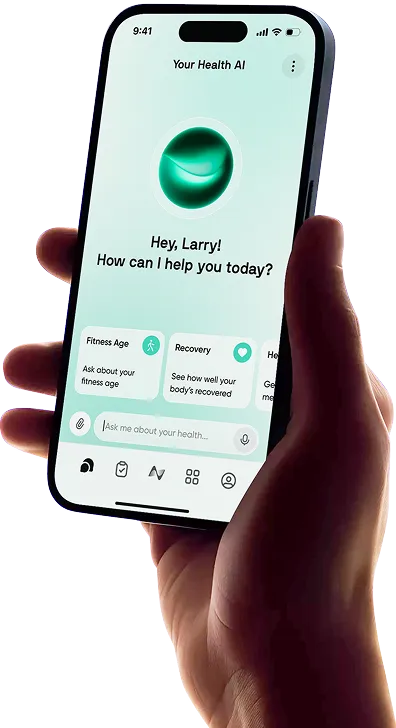
An Amazfit wearable collects information throughout the day, but its usefulness also depends on what happens when you open the phone app. Can you understand last night’s sleep, review your training and decide what to do next without navigating a collection of unexplained scores?
That is the practical question behind this Zepp app review. The software now combines device management, workout analysis, recovery information, nutrition tracking and optional wellness coaching.
Here is what the Zepp app for Amazfit offers in 2026, where hardware and subscription requirements matter, and when another service might help you connect your wider health information.
What Is the Zepp App?

Zepp is the phone app that accompanies supported Amazfit watches and other wearables. It receives their recorded information, presents trends and gives you access to device settings and updates.
There are three related names to understand:
Amazfit is the wearable brand, covering devices such as smartwatches and fitness trackers.
Zepp is the companion phone app. Download the Zepp app for Android from Google Play or the iPhone version from the App Store.
Zepp OS is the software platform running on compatible wearables. Its developer documentation covers watch faces and mini apps built for those devices.
A phone-app update and a watch-firmware update are different things. Installing the latest Zepp app does not automatically give an older watch every capability advertised for a newer model.
Zepp App: Key Features at a Glance
This summary covers the main experience. Specific measurements, training tools and integrations depend on your device, region, permissions and software version.
Feature | What Zepp Offers |
Price | Free core app; optional Zepp Aura Premium |
Platforms | iPhone and Android |
Health Tracking | Activity, heart rate, stress and sleep from compatible devices |
Training | Workout analysis and free Zepp Coach plans |
Recovery | Sleep insights and supported energy or readiness scores |
Nutrition | Free Food Log with photo and manual entry |
Integrations | Connections including Strava, Apple Health and TrainingPeaks |
Feature details checked against official documentation on September 26, 2026. Subscription examples below use the US iPhone listing; offers and availability vary.
Zepp vs Zepp Life: Which App Do You Need?
The Zepp Life app, previously called Mi Fit, is a separate download. Its official listing identifies support for particular bands, scales and older wearables.
Zepp and Zepp Life are not interchangeable ways to unlock the same features on every device. Follow the pairing instructions or QR code supplied with your exact model. If it specifies Zepp Life, installing Zepp instead may leave you looking for a device the app does not support.
For someone choosing new hardware, this is one reason to check the software requirements alongside the specifications in a beginner fitness-tracker comparison.


Zepp App: In-Depth Review
Zepp’s main advantage is the breadth of its free companion features. The more difficult part is understanding which tools apply to your device and how the various health, training and wellness services fit together.
Getting Started and Everyday Usability
Setup begins with installing the correct app, signing into a Zepp account and pairing your wearable. For example, the T-Rex 3 Pro instructions describe scanning the watch’s pairing QR code from Zepp and checking for firmware updates afterward.
A practical setup sequence is:
Confirm the model and required app. Use the instructions for your device.
Pair and update it. Complete the app’s pairing prompts and any available firmware update.
Review permissions. Enable Bluetooth connectivity and the permissions needed for features you want, such as route recording or watch notifications.
Check monitoring settings. Some overnight or continuous measurements require particular settings to be enabled.
Confirm a completed sync. Check that the date and latest records match the activity you expect to see.
For daily use, start with the health overview, workout history and device-management area. A useful morning check is your sleep duration and recent trend, followed by the day’s plan if you use Zepp Coach. After exercise, open the individual session rather than judging everything through a single score.
Keeping these functions together is convenient. The trade-off is that a new user must learn several types of information, particularly where energy scores, training load and Aura recommendations overlap.
Health, Sleep and Recovery Tracking
With compatible hardware, Zepp brings together activity, heart-rate trends, stress estimates and sleep information. Depending on the device and enabled settings, you may also see HRV, blood oxygen, breathing-related information and additional recovery metrics.
The wearable supplies sensor data. Zepp and the device’s algorithms then organize measurements and generate interpretations, including estimated sleep stages or an energy score. The app does not independently measure these simply because it is installed on your phone.
For everyday decisions, sleep timing and duration can be more useful starting points than trying to optimize every stage estimate. If a pattern suggests that late evenings repeatedly shorten your sleep, consider your sleep habits and evening routine alongside the chart.
Understanding BioCharge, HybridCharge and Other Recovery Scores
BioCharge estimates energy and recovery on supported hardware. For example, the T-Rex 3 Pro manual describes a score from 0 to 100, with inputs including heart rate, HRV, sleep, stress and activity. It changes across the day as new information becomes available, so consistent wear matters.
The naming has evolved in 2026. Zepp’s release notes describe an upgrade from BioCharge to HybridCharge, while Amazfit’s Balance 3 and Balance Ultra announcement explains HybridCharge as a combination of BioCharge, LifeLoad and Training Load. These represent recovery, everyday demands and exercise load within its system.
Check the explanation attached to the score on your own device. A BioCharge reference in an older manual and HybridCharge in current marketing do not mean every watch has an identical implementation. Neither score is a literal measurement of stored energy or a medical assessment.
How Useful and Accurate Are the Insights?
Two separate questions matter: how reliably the wearable estimates a measurement, and whether the app presents it in a way that helps you make sensible decisions.
Useful trend displays do not establish that every heart-rate reading or sleep-stage estimate is correct. Accuracy depends on the particular hardware, wear conditions, activity and algorithm. Our guide to fitness-tracker accuracy explains why results should be interpreted by measurement type.
Use Zepp to notice patterns and compare them with how you feel. An unusual score can prompt you to look closer; it should not override symptoms or replace professional assessment.
Workout Analysis and Zepp Coach
Zepp’s workout history helps you review individual sessions and follow changes over time. Supported devices can supply information such as pace, distance, heart rate, routes, training load and recovery estimates. The available detail depends on the sport and hardware, so a running watch’s analysis should not be assumed to exist on every Amazfit product.
Zepp Coach adds training guidance, with Amazfit explicitly describing its plans as free. It is separate from the optional Aura subscription.
On compatible devices, you can create a plan in Zepp Coach, provide information about your recent exercise and preferred schedule, then review planned sessions in the app or on the watch. Record completed workouts and sync them so the plan has current information. Available goals and plan controls vary by model.
This is appealing if you want guidance without maintaining a separate training subscription. Its practical value depends on whether the available plan matches your sport and schedule. A generated recommendation still needs to fit real commitments, recovery and any instructions from your own coach or clinician.
Food Logging and Nutrition Tracking
The Zepp Food Log is free and does not require an Amazfit watch. It supports photo-based and manual logging, with calorie and macronutrient estimates and nutrition trends.
That gives Zepp a useful role even for someone who wants to explore the app before buying hardware. For existing owners, recording meals alongside activity reduces the need to switch between unrelated dashboards.
Photo entry can reduce the effort of starting a log, but the result still needs checking. A photograph cannot reliably reveal every ingredient, cooking oil or portion weight. Review the identified food and quantity, and use manual entry where the estimate needs correction.
The practical test is whether logging common meals remains convenient after those corrections. For more detailed nutrition workflows, compare Zepp with dedicated nutrition-tracking apps, particularly if recipes or detailed nutrient records are central to your goal.
What Is Free, and What Does Zepp Aura Add?
There are three things to distinguish: the core Zepp app, the free portion of Zepp Aura and Aura Premium. Seeing an upgrade offer does not mean that basic access to your device data requires payment.
What You Can Use Without a Subscription
The free core experience includes viewing recorded device information, reviewing workouts, managing supported hardware and installing software updates. Food Log and Zepp Coach’s supported training plans are also free. Some downloadable watch faces or mini apps may have separate prices.
Amazfit’s Aura page describes free access to sleep music, guided meditation and one daily message to its AI sleep assistant. Availability can vary by region.
For many owners, that is enough to understand their activity and sleep patterns. There is no need to subscribe simply because you want to keep using your watch’s ordinary tracking functions.
Is Zepp Aura Premium Worth Paying For?
Aura Premium expands the wellness experience with unlimited AI-assistant interactions, more sleep and meditation content, and detailed weekly and monthly sleep reports. It is most relevant if you expect to use those services regularly.
At the September 26 check, the US iPhone listing included a $9.99 monthly subscription option and annual offers ranging from $29.99 to $49.99. These are publicly listed in-app purchase options, not a single guaranteed price for every account. Check the offer, renewal amount, billing period and trial terms shown at your own checkout.
Start with the free tools if you mainly want workout records, sleep summaries and device management. Consider Premium if its additional reports or guidance solve a specific problem for you, such as making a weekly review easier to follow through on. Paying does not upgrade the sensors in your watch or turn wellness advice into medical care.
Integrations and Data Sharing
Zepp can share information with established fitness services, but each connection has its own purpose. A linked account does not imply that every metric moves in both directions.
Connection | Useful Data Flow | Main Limitation |
Strava | Recorded Amazfit activities pass from Zepp to Strava | This is not a general import of your Strava history into Zepp |
Apple Health | Supported Zepp health and activity records can be shared on iPhone | Permissions and supported data types determine what appears |
TrainingPeaks | Completed workouts upload; structured sessions can reach supported devices | Compatibility depends on the Amazfit hardware and workout support |
Strava’s setup guide describes authorizing activity uploads through Zepp. It also states that Amazfit devices cannot connect directly to the Strava mobile app as heart-rate sensors.
TrainingPeaks’ documentation specifically names the T-Rex 3 Pro for automatic workout uploads and delivery of structured workouts. Confirm support for your own model before buying it for that workflow.
On iPhone, Apple Health can provide a route to other apps that read the same supported records. It does not automatically reproduce Zepp’s proprietary scores in another service.
What About Zepp App Google Fit Integration?
Amazfit still lists Google Fit among its supported app connections. The connection options shown in your current Zepp app remain the place to confirm the setup available to you.
Health Connect is also relevant on Android. Google’s current partner guidance describes Zepp sharing through Health Connect, while Google Fit’s instructions explain enabling “Sync Fit with Health Connect.” Where both apps expose the required permissions, Health Connect can act as the bridge between them.
This is different from assuming that an older direct Google Fit sign-in tutorial still matches your app. Check that Zepp can write the records you want and that the receiving app can read them. Google Fit, Google Health and Health Connect are separate names and should not be treated as interchangeable settings.
Zepp App Pros and Drawbacks
The strongest reasons to use Zepp are its free core tools and its close connection to Amazfit hardware. The main compromises concern compatibility and the complexity of interpreting several overlapping services.
Pros
Useful features without mandatory membership: Ordinary access to recorded device data does not depend on an Aura subscription.
Broad everyday coverage: Training, sleep and nutrition information can sit within one app.
Device management included: Settings, updates and supported customization are available alongside health records.
Established fitness connections: Strava and TrainingPeaks support useful training workflows, while health-data sharing can connect selected records elsewhere.
Drawbacks
Device and region differences: A feature advertised for one watch may not exist on another.
Several concepts to learn: BioCharge, HybridCharge, training load, Zepp Coach and Aura need clear distinctions.
Optional costs add complexity: Premium wellness features and some store downloads sit alongside the free core experience.
Incomplete data transfer: Connecting accounts does not guarantee that every measurement, historical record or proprietary score will move.
Alternative Apps for Health and Fitness Insights
The right alternative depends on whether you want different hardware, a different interpretation of existing records or broader health planning. These options do not all replace Zepp’s role in managing an Amazfit device.
Garmin Connect
Garmin Connect is worth comparing if you are considering Garmin hardware and its training ecosystem. Its value comes from pairing compatible devices with activity analysis, planning and progress tracking.
The free service and optional Connect+ subscription are separate. Garmin’s explanation of Connect+ distinguishes the existing free tools from premium additions. Moving to Garmin’s full device-specific experience generally means choosing compatible Garmin hardware, rather than using Connect as a replacement pairing app for an Amazfit watch.
Bevel
Bevel offers another way to organize recovery, sleep, activity and nutrition on iPhone. It supports several data sources and should not be described as exclusively an Apple Watch app.
Its device-connection guide specifically documents the Amazfit Helio Strap through Zepp and Apple Health. It also identifies limitations, including no daytime HRV on that route and heart-rate-only estimates for Stress and Energy.
That makes Bevel a potential companion for supported users, with Zepp retained for device management. Our full Bevel review covers its wider experience; readers exploring other platforms can compare Bevel alternatives.
Samsung Health
Samsung Health suits readers using compatible Samsung or other Android devices who want everyday activity, food and weight records. Core phone-based features do not require a Samsung watch, while additional wearable measurements depend on compatible hardware.
It can cover similar everyday goals, but it is not an alternative controller for your Amazfit watch. Check any health-data connection separately rather than assuming that installing both apps creates complete syncing.
Neura Health
Neura Health is relevant when the challenge is organizing information across supported apps, devices and health categories. Its emphasis is on considering that information together and helping you build a practical plan.
For an Amazfit owner, the useful question is whether supported records can reach Neura through an available connection. You would continue using Zepp for pairing, updates and device-specific features while considering Neura for broader planning and coaching.
Bring Your Wider Health Picture Together With Neura

Zepp provides useful context around an Amazfit device. Neura’s broader role becomes relevant when you also want to consider information collected elsewhere, such as nutrition records, other activity sources and your own notes.
Connect Activity With Nutrition, Sleep and Other Health Information
Neura lists Apple Health among its supported health-data sources. Since Zepp can share compatible records with Apple Health, that provides a potential route for Amazfit data on iPhone, subject to the permissions and data types available at each step.
Verify the information that arrives before relying on the connection. A sleep or activity record is different from a proprietary HybridCharge score, and access to one does not establish access to the other. Check current Neura connection options on Android rather than assuming the same route applies.
Neura’s customizable dashboards can help you organize supported information around a question that matters to you, such as whether training consistency is becoming harder to maintain during periods of shorter sleep.
Turn Health Information Into a Personalized Plan
A personalized Neura Health Plan brings goals into an everyday routine. For example, someone combining Amazfit workouts with a separate food diary might review training, sleep, meal patterns and symptom notes together before deciding what to adjust.
You could use Neura’s AI health coach to discuss a more realistic schedule or identify questions to raise with a professional. Patterns can inform that conversation without proving that one habit caused a particular symptom or score change.
Final Thoughts: Is the Zepp App Worth Using in 2026?
For existing Amazfit owners, Zepp is the natural starting point. It organizes recorded information and manages the hardware, with a useful free experience that does not require Aura Premium.
For potential buyers, the software is a reason to consider the ecosystem. Free training plans, workout analysis and food logging add value, provided the specific device supports the features you want.
For people using several health platforms, Zepp may be one part of the setup. Verify integrations and consider whether another service, such as Neura, would help connect your broader information and goals.
Zepp’s strongest use case is making supported Amazfit hardware useful day to day. Its main limitation is that the full feature list does not apply uniformly across every device, region or connected service.
Article FAQ
What Is the Zepp App?
Zepp is the companion phone app for supported Amazfit wearables. It displays recorded health and workout data, manages device settings and updates, and provides tools such as training plans and food logging. It is available for iPhone and Android. Zepp OS is the software running on compatible wearables, rather than another name for the phone app.
Is the Zepp App Free?
The core app is free, including viewing supported device data, software updates, Food Log and compatible Zepp Coach plans. Zepp Aura includes limited free access, with Premium available for additional wellness features. Some watch faces and mini apps may also cost extra. An Aura subscription is not required for ordinary device tracking.
What Is the Difference Between Zepp and Zepp Life?
Zepp and Zepp Life are separate apps with different device support. Zepp Life was previously called Mi Fit and supports specified bands, scales and older wearables. Use the app named in your device’s official pairing instructions. The similar names do not mean that every model can switch freely between them.
Can You Use Zepp Without an Amazfit Watch?
Yes. Food Log is free and can be used without an Amazfit watch, including photo and manual meal entry. However, installing the app does not generate the continuous heart-rate, sleep or recovery data that would normally come from a compatible wearable. Check the hardware requirements of any additional feature you want.
Does Zepp Work With Google Fit?
Amazfit lists Google Fit among its supported connections, but the setup available depends on the current app and phone. Health Connect can also provide a route for supported Android data when the required reading and writing permissions are available. Check individual data types and a completed sync rather than assuming every Zepp metric transfers.
Is the Zepp App Accurate?
There is no single accuracy rating for everything in Zepp. Sensor readings depend on the wearable and conditions, while sleep stages, calorie estimates and recovery scores involve additional calculations. Use consistent trends as context, compare them with your experience and treat unexpected results cautiously. Zepp is intended for fitness and general health management, not medical diagnosis.