
Peakwatch App Review: The Best AI Health Coach App?
Tech

Key Findings
PeakWatch is a well-rounded Apple Watch app that combines recovery, sleep, stress, training load, and workout planning in one place. It is best suited to people already using the Apple ecosystem, while Bevel offers a stronger free tier, Athlytic goes deeper on recovery and cardio data, and Neura is better for bringing together health data from multiple platforms.
Your Apple Watch can collect a lot of useful health data, but that does not always mean it is easy to know what to do with it.
Sleep, workouts, heart rate and recovery can all live in different places, leaving you with plenty of numbers but not much context.
The Peakwatch app tries to make that information easier to use. It takes Apple Health data and turns it into recovery, exertion, energy, stress and training insights.
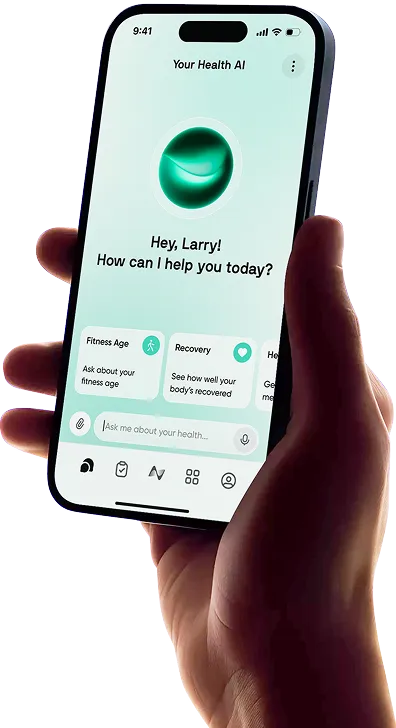
It also includes workout planning, nutrition tracking and an AI coach that can answer questions about your recent data.
That puts PeakWatch in a similar category to apps like Bevel and Athlytic, while Neura takes a broader approach by connecting data from multiple health platforms.
Here is how PeakWatch works, who it suits, and how it compares.
Peakwatch App: Review

PeakWatch is mainly designed for Apple Watch users who want more context around the health and fitness data they already collect.
Recovery and Exertion are at the center of the experience.
Recovery uses metrics such as HRV and resting heart rate to give you an idea of how ready your body is for the day, while Exertion reflects how much activity and training you have completed.
Together, they can help you decide whether to train harder or take things a little easier.
The app also tracks Body Energy, real-time stress, and training load. These features give you a broader look at how sleep, workouts, and everyday activity may be affecting you throughout the day.
PeakWatch goes beyond recovery tracking, too. It offers more than 100 ready-made workouts and over 500 exercises for building your own sessions.
Food logging lets you track calories and macros, while the AI coach can answer questions about sleep, recovery, exertion, and recent performance.
As for the Peakwatch price, there is a free version, while Pro costs $9.99 per month or $69.99 per year.
The free plan covers many of the main daily features, while Pro unlocks more detailed sleep analysis, historical trends, and advanced training insights.
Peakwatch: Key Features
Recovery and Exertion: Daily scores help you compare how recovered you are with how much activity you have completed, making it easier to put training and rest into context.
Body Energy and stress: PeakWatch’s Body Energy feature shows how your energy levels change throughout the day, while stress tracking helps you see when your body may be dealing with more physical or mental stress.
Training load and workout analysis: PeakWatch tracks your recent training volume and provides additional workout information, which can help you see whether your workload is building, staying steady, or dropping.
Workout and nutrition tools: You can choose from 100+ curated workouts, create your own sessions using more than 500 exercises, and keep basic food and macro tracking in the same app.
AI coaching and journal insights: The AI coach can answer questions about your recent data, while the journal lets you record things like travel, illness, alcohol, or late meals and compare them with changes in sleep and recovery.
Who is Peakwatch For?
PeakWatch makes the most sense for people who already use an Apple Watch throughout the day and want more than the standard Apple Health and Fitness experience.
It is particularly useful if you care about both training and recovery. Some apps mainly give you a readiness score and leave it there, while PeakWatch also lets you plan workouts and monitor training load.
That said, it is much less useful if you do not use an Apple Watch. PeakWatch is closely tied to the Apple ecosystem, so people with health data spread across several wearables may prefer a platform with broader integrations.
It can also feel like more information than you need if you only want a simple workout tracker.
Recovery, stress, energy, sleep and training load are most useful if you actually want to check those areas regularly.
Verdict:
PeakWatch sits somewhere between a recovery tracker and a more complete fitness app.
It gives Apple Watch users better context around recovery and energy, while also adding workouts, nutrition and training tools.
The free version is a good place to start, while Pro makes more sense if you want deeper sleep data, longer-term trends and more detailed training insights.


Peakwatch vs Bevel vs Athlytic vs Neura: At a Glance

PeakWatch, Bevel, and Athlytic all make Apple Watch health data easier to understand, while Neura takes a wider approach by combining information from multiple health platforms and using it to create more personalized guidance.
Comparison | PeakWatch | Bevel | Athlytic | Neura |
Best For | Apple Watch users who want recovery insights alongside structured workouts | The most comprehensive free Apple Watch health and fitness experience | Athletes who want detailed recovery, exertion, and workout analytics | People who want to combine data from multiple health platforms into one personalized system |
Price | Free; Pro costs $9.99/month or $69.99/year | Free; Pro costs $14.99/month or $99.99/year | Free; Pro costs $4.99/month or $29.99/year | Free Basic plan; Neura iQ from $29/month |
USP | Combines recovery tracking, Body Energy, training load, workouts and nutrition | Almost every tracking feature is free, including Recovery, Sleep, Strain and Strength Builder | Detailed WHOOP-style recovery and exertion metrics at a relatively low price | Creates adaptive Health Plans using data from multiple wearables, apps and health categories |
Key Features | Recovery, Exertion, Body Energy, real-time stress, training load, food logging, journal and custom workouts | Recovery, Sleep, Strain, Stress, Energy Bank, nutrition, Strength Builder and Biological Age | Recovery, Target Exertion, Battery, Target Sleep, Athlytic Age, Health Monitor and workout analysis | Neura Agent, personalized Health Plans, 360° Health Sync, custom dashboards, Health Feed and supplement tracking |
Device Support | iPhone and Apple Watch | iPhone and Apple Watch | iPhone, iPad and Apple Watch | Not limited to Apple Watch; supports data from numerous apps, wearables and health devices |
Subscription | Optional, but Pro is needed for full sleep analysis, historical trends and advanced training insights | Not required for core tracking; Pro unlocks Bevel Intelligence, Health Records and Biological Age | Optional, but Pro is needed to access the complete experience | Not required for Basic; Neura iQ unlocks unlimited coaching, plans, insights and customization |
Sleep and Recovery | Recovery, sleep stages, sleep trends, Body Energy and lifestyle-impact analysis | Sleep Score, sleep stages, smart alarm, Recovery Score, Stress and Energy Bank | The most detailed Apple Watch sleep analysis, including sleep debt, consistency, latency, efficiency and restorative sleep | Combines sleep and recovery data from connected sources and uses it to adjust broader health plans |
Fitness Tracking | Strong workout-planning tools, with 100+ curated workouts, 500+ exercises and advanced training-load metrics | Strength Builder includes 700+ exercises, custom plans and muscular strain tracking | Excellent cardiovascular training analysis, with Target Exertion, heart-rate zones, Training Load and workout maps | Generates adaptive workout plans based on goals, equipment, schedule, recovery, nutrition and connected health data |
AI Coaching | Answers questions about recovery, sleep, exertion and recent performance | Bevel Intelligence provides coaching, daily check-ins, workout generation and meal-planning support | Ask Athlytic and AI workout insights are available on Apple Intelligence-compatible iPhones | Neura Agent offers conversational coaching, persistent memory, voice support and adaptive daily guidance |
Data Integrations | Primarily Apple Health and Apple Watch | Primarily Apple Health, Apple Watch and compatible data sources | Reads Apple Health data, including information imported from supported third-party wearables | Broadest integration support, with 50+ apps, wearables, medical devices and health-data sources |
Which is the Best All-in-One Fitness App?
These apps overlap in a lot of areas, but each has a slightly different focus. If you are looking for a Peakwatch alternative, the best option depends on whether you care most about workouts, recovery, price, or bringing several parts of your health together.
Peakwatch
PeakWatch stands out because it combines recovery information with actual workout planning.
Once you have checked Recovery, Body Energy, or Exertion, you can choose a ready-made workout or create your own session.
That makes it a good fit for people who want their recovery data to connect directly with their training.
Food tracking adds some extra convenience, particularly if you only need basic calorie and macro information.
Its main limitation is device support. PeakWatch makes the most sense if the Apple Watch is already your main health and fitness device.
If you use several different platforms, the experience becomes more restricted.
Bevel
The Bevel vs PeakWatch comparison is fairly close because both offer recovery, sleep, stress, energy, and training features for Apple Watch users.
Bevel's biggest advantage is its free plan. Recovery, Sleep, Strain, Stress, Energy Bank, nutrition tracking, and Strength Builder are all available without Pro, so you can get a lot out of the app without paying.
It also has a large strength-training library, with more than 700 exercises.
PeakWatch may appeal more if you like its ready-made workouts and training-load approach, while Bevel makes sense if you want a broad range of Apple Watch features for free.
Bevel Pro costs more than PeakWatch Pro, so some users may prefer to stick with Bevel’s free features rather than upgrade.
Athlytic
The PeakWatch vs Athlytic comparison is more about depth versus breadth.
Athlytic is especially focused on Recovery, Exertion and Target Exertion. It also goes deeper into sleep, including areas such as sleep debt, consistency, latency and restorative sleep.
Its workout analysis is particularly useful for cardiovascular training, with heart-rate zones, training load and workout maps.
That makes it a good fit for runners, cyclists and anyone who likes looking closely at training data.
PeakWatch feels a little broader because of its workout builder and nutrition features. Athlytic, meanwhile, is more focused on helping you understand how recovery, sleep and training intensity fit together.
It is also the cheapest paid option in this comparison, which gives it an advantage for anyone who wants detailed fitness data without a higher subscription cost.
Neura
Neura is a little different from the other three because it is not built mainly around the Apple Watch.
Instead, it brings together data from more than 50 apps, wearables and health devices. That can be useful if your sleep comes from one platform, workouts from another and nutrition from somewhere else.
Neura Agent then uses that wider context to provide guidance, while Health Plans can adjust based on changes in areas such as your recovery, schedule, goals and nutrition.
The focus is less on checking a single readiness score and more on helping different parts of your health work together.
That broader approach will not be necessary for everyone. If you only want better Apple Watch recovery data, PeakWatch, Bevel, or Athlytic may be simpler.
Neura makes more sense if you want to connect information from several sources and use it to shape your wider routine.
Rather than adding more health data to check, the goal is to make the information you already collect easier to use.
Final Thoughts: Peakwatch App Review

PeakWatch is a useful option for Apple Watch users who want more context from the health and fitness data they already collect.
Recovery, Exertion, Body Energy, and stress tracking help show how you are doing each day, while the workout and training tools make that information easier to use.
Athlytic may suit people who want deeper recovery and cardio analysis, while Bevel offers a strong free experience. Neura is better suited to people who want to combine data from several health platforms.
For regular Apple Watch users, PeakWatch offers a simple way to bring recovery, workouts, and everyday health information together without adding another wearable.
Article FAQ
What is PeakWatch?
PeakWatch is an Apple-focused health and fitness app that uses data from Apple Health to provide insights into recovery, exertion, sleep, stress, energy, and training. It also includes workout planning, nutrition tracking, and AI-powered guidance based on your health data.
Is PeakWatch any good?
PeakWatch is a good option for Apple Watch users who want more context around their recovery and training data. Its main advantage is that it combines readiness-style scores with workouts, training load, stress, nutrition, and other fitness tools, although it is less useful if you do not rely on the Apple ecosystem.
Is PeakWatch free?
Yes. PeakWatch has a free version that includes many of its core health and fitness features, with an optional PeakWatch PRO subscription for more advanced tools and insights.
How does PeakWatch work?
PeakWatch reads health information such as heart rate, HRV, resting heart rate, sleep, and respiratory data through Apple Health. It uses this information to calculate metrics such as Recovery and Exertion and provide personalized training and recovery insights.
Does PeakWatch require an Apple Watch?
No, PeakWatch does not technically require an Apple Watch. The app runs on iPhone and reads health data from Apple Health, so it can use compatible data already stored there. However, PeakWatch is designed mainly for Apple Watch users, and features such as recovery, stress, workouts, and Body Energy work best when the watch is regularly collecting the health data they rely on.
What does PeakWatch track?
PeakWatch tracks areas including recovery, exertion, sleep, stress, Body Energy, and training load. It also offers workout tracking and planning, food logging, and AI-powered explanations of your recent health and fitness data.