
Calm Free vs Premium: Is the Upgrade Worth It?
Tech

Key Findings
Calm’s free version gives you room to explore meditation, breathing exercises and sleep audio without starting a paid trial. Premium is more appealing if you want the full Sleep Story library, complete programs and fresh daily sessions. The upgrade makes most sense when those extras become part of your routine. If you already enjoy a handful of free favorites, a bigger catalog may give you little reason to pay.
Calm’s free version may already cover the ten minutes you want to spend unwinding after work. Premium becomes more interesting when you want to follow a full program, try different bedtime stories or have a new guided session ready each day.
The decision is partly about content and partly about preference. You might love one narrator and return every evening, or find that simple rain sounds are all you want. This Calm free vs Premium comparison explains what each option offers, how the subscription works and where paying could make a useful difference.
Calm Free vs Premium at a Glance

The main reason to upgrade is access to the wider library. You can get started without subscribing, then decide whether the sessions behind the padlock are ones you want to keep using.
Feature | Calm Free | Calm Premium |
Guided meditation | A selection of free sessions | Broader catalog and complete programs |
Sleep content | Selected stories and sleep audio | Full Sleep Story library |
Daily sessions | A Daily Calm preview | Full daily offerings |
Breathing | Breathe Bubble | Additional guided exercises |
Music and background audio | Selected Scenes and Soundscapes | Full music catalog |
Movement | Sample sessions | Full Calm Body and Movement library |
What is Calm, and what does upgrading change?
Calm brings together meditation, bedtime audio, music and relaxation tools. You can use the main app on supported iOS and Android devices, with content also available through the web. This review focuses on that service, rather than the separate Calm Health product.
Downloading Calm is free. Starting a Premium trial temporarily unlocks paid content, while buying a subscription keeps that access going. Those are separate choices: trying the app doesn’t mean you have to accept an annual subscription.
The quick verdict
Start free if you’re exploring what you enjoy. Consider Premium when you can name the content you’d pay to keep: a particular program, the daily sessions or a wider choice of bedtime stories.
That gives the purchase a purpose. A long list of features is less persuasive if you only want a few quiet minutes after closing your laptop.


What Can You Do With the Calm App for Free?

There is enough free content to make Calm useful beyond a quick preview. The trick is finding a few sessions that fit your day before getting distracted by everything else in the library.
Finding free sessions without starting a trial
Calm’s free-content guide currently lists more than 230 free meditations and eight free sleep sessions, alongside other tools. It also includes the first session of multi-day meditation programs.
Look for the padlock as you browse: locked content requires Premium, while unlocked sessions are free to play. You don’t need to activate a paid trial to explore those options.
If you encounter a trial invitation, take a moment to read it before continuing. Onboarding can differ between devices and offers, but ongoing free access and a trial with automatic renewal are different arrangements.
Making a small free routine work
You could use a breathing exercise after your last meeting, choose a short meditation on another day and return to familiar sleep audio in the evening. There’s no need to discover something new every time.
Familiarity can be part of the appeal. When you already know the voice, length and style of a session, you can settle on it without spending another ten minutes scrolling.
Background audio is worth exploring, too. Calm’s Scenes combine visuals with ambient sounds, and their playback settings let you adjust volume and how long sound continues outside the app. If you want audio while reading or getting ready for bed, those details may matter more than the number of meditation courses available.
Where free access starts to feel restrictive
The limitation becomes clearer when you find something specific you want to continue. You might enjoy the opening session of a program, then want the next installment. Or you may find that the free bedtime selection doesn’t include the voices and story styles you prefer.
That’s a more useful reason to consider upgrading than simply encountering a locked screen. The question is whether what’s behind it adds something you’d use.
Calm Premium Review: What Does the Subscription Add?

Premium opens the wider catalog, but different parts of it will matter to different listeners. Someone using Calm before bed may judge the subscription almost entirely on its sleep audio, while a regular meditator might care more about programs and daily sessions.
Sleep Stories: Is a bigger bedtime library worth paying for?
Sleep Stories combine narration with music and sound design. They offer something to listen to when you’d rather follow a gentle story than concentrate on a meditation instruction.
The Sleep Story collection includes Harry Styles narrating Dream with Me, Matthew McConaughey’s Wonder and Cillian Murphy’s Crossing Ireland by Train. There are different themes and voices to explore, including travel, nature and fiction.
The recognizable names may get you to press play, but the voice you enjoy listening to is the more useful consideration. Try a few styles before deciding. A favorite actor’s bedtime narration won’t necessarily be your favorite, and someone you haven’t heard before might suit you better.
Variety is particularly valuable if you enjoy changing stories regularly. If you’re happiest replaying one familiar recording, the larger catalog has less work to do. And if you find spoken stories too interesting at bedtime, try background audio before paying mainly for this feature.
Daily sessions and complete meditation programs
Calm’s daily offerings include Daily Calm with Tamara Levitt, Daily Trip with Jeff Warren, Daily Jay with Jay Shetty and Daily Move with Mel Mah. They offer different approaches, from meditation to storytelling and gentle movement.
The practical benefit is having a starting point chosen for you. You can open today’s session instead of deciding between dozens of topics. For someone who wants a brief morning practice, that simplicity may matter more than having hundreds of alternatives.
Complete programs provide another kind of continuity. You can move through a sequence such as 7 Days of Calm, rather than sampling unrelated sessions. Masterclasses add longer-form material to explore when you want more depth.
Pay attention to the teacher’s style as well as the subject. If you find the delivery engaging, continuing tomorrow feels like a natural next step. If the tone irritates you, a relevant topic alone may not keep you listening.
Music, movement and listening away from Wi-Fi
Premium includes a broader music catalog for relaxation, focus and sleep. This can appeal if you like choosing audio for different parts of the day, though someone who already has favorite background playlists may find less to add here.
Calm Body and movement content offer gentle sessions that can fit between longer stretches of sitting. Think of them as another way to pause during the day, rather than a reason to replace a workout service.
You can also download supported content before a flight, commute or trip with unreliable internet. Saving a favorite ahead of time is more convenient than searching for something while your connection struggles.
What works well, and what may frustrate you
What could make Premium useful | What to weigh up |
Daily sessions provide a ready-made starting point | You still need a time when you’ll use them |
More narrators and story styles | A larger selection won’t make every voice suit you |
Complete programs offer continuity | You may prefer shorter, independent sessions |
Several kinds of audio in one app | Some may overlap with services you already enjoy |
The strongest part of the offer is the combination of choice and recognizable guides. The potential drawback is paying for breadth when your listening habits are narrow. Both can be true without making the free or paid version the right answer for everyone.
Calm Premium Subscription Cost, Trials and Renewal
The US web annual offer checked for this review was $79.99 per year, equivalent to approximately $6.67 per month, billed upfront. Your displayed price can differ by region, purchase platform and promotion.
How much does Calm Premium cost?
Use the annual price as a reference, then compare it with the offer shown to your account. Calm’s pricing guidance explains that website and in-app prices may differ.
Access route | Price or arrangement | Practical takeaway |
Calm Free | $0 | Explore the available free content without a subscription |
Checked annual web offer | $79.99 per year | About $6.67 per month, paid as one annual charge |
Monthly, family or lifetime offers | Check the options displayed to you | Compare the total cost and terms for that plan |
Employer or eligible partner access | May be included in an existing benefit | Check before buying a personal subscription |
At three listens a week over a year, a $79.99 subscription works out at roughly $0.51 per session. That can be reasonable for something you enjoy regularly. If you only open the app a few times, the annual commitment is harder to justify.
How the free trial works
The web plan checked showed a seven-day trial, while other Calm offers can have different durations. The useful details are on the offer you accept: how long access lasts, what you’ll be charged afterward and when it renews.
An annual subscription may be charged in full when the trial ends. The monthly equivalent shown on a pricing screen doesn’t necessarily mean you can pay that amount each month.
Choose a few things to try during the trial: a daily meditation, the next sessions of a program and a couple of bedtime recordings. That will tell you more about the upgrade than trying to cover the whole catalog.
Canceling without confusion
Cancel through the platform that manages your payment. For a direct website purchase, use your Calm account. For an Apple or Google Play subscription, use that platform’s subscription settings. Deleting the app doesn’t stop renewal.
Calm’s cancellation guide explains the routes. Its trial guidance recommends canceling at least 24 hours before the trial ends if you don’t want to be charged. Check for a cancellation confirmation rather than assuming the process is finished when you leave the screen.
Check whether Premium is already included
Some employers, health plans and partners provide Premium access. Look at the benefits you already have before buying separately, particularly if your workplace promotes Calm as part of its wellness offering.
Use the account associated with that access. Paying for an additional personal plan won’t unlock a second, more complete library.
Is Calm Premium Worth It for Your Routine?
Premium is easiest to recommend when you can identify how you’ll use the extras. Free access is a sensible choice when the available content already does what you want.
Stay free if a few favorites cover your needs
If you want an occasional breathing pause or familiar evening audio, start with what’s available. You can give Calm a place in your day without committing to a new bill.
This is also a good way to learn your preferences. Perhaps you enjoy short guided sessions but rarely finish longer ones, or discover that background sound suits you better than narration. Those are useful things to know before subscribing.
Consider Premium when you keep wanting the paid content
The case for paying is stronger if you want to continue a particular program, follow a daily offering or regularly choose new bedtime stories. You have something specific to come back for.
During the trial, notice which features you reach for without browsing first. If most of your listening comes from the same free recordings, that tells you something too.
Why you open Calm | A useful starting choice |
An occasional breathing break | Free tools |
Familiar background audio before bed | Explore the free selection first |
A wider choice of Sleep Stories | Consider Premium |
Continuing a full meditation program | Check the paid access for that program |
Planning around broader health habits | Consider additional guidance alongside audio |
Want more free audio? Consider Insight Timer
Insight Timer offers a substantial free library of meditation and sleep audio, alongside optional paid features. It’s worth exploring if you’re looking for more teachers or different styles before taking out a subscription.
If your main interest is learning to meditate, our Headspace vs Waking Up comparison looks at other approaches. Finding a style you enjoy is a better starting point than choosing solely by catalog size.
Where Neura fits alongside Calm
Audio can be one enjoyable part of an evening routine. You may also want help deciding where exercise fits, how to keep meals manageable during a busy week or how to work toward a more consistent bedtime.
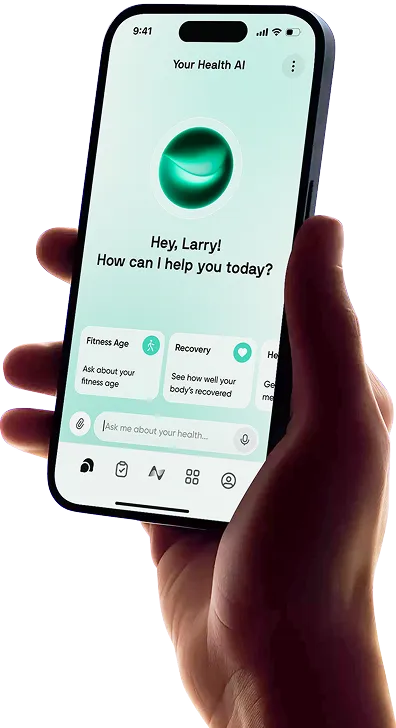
Neura’s custom health plans offer broader planning around your goals and preferences, while the Neura Agent provides personalized guidance. That serves a different purpose from choosing a story or meditation.
For example, you might keep Calm for the recordings you enjoy and use Neura to help organize the habits around them. You can build on something that’s already working without expecting one app to provide every part of the routine.
Final Thoughts: Should You Upgrade to Calm Premium?
Start with Calm’s free content and see what you actually enjoy using. Premium is worth considering when you want to keep listening to specific programs, daily sessions or bedtime stories that the free version doesn’t cover.
The best reason to upgrade is that you’ve found something you want to return to. If that happens to be a free favorite, you can keep enjoying it. If the paid library gives you a routine you look forward to, the subscription has a clear role.
Article FAQ
What is Calm Premium?
Calm Premium is paid access to the main Calm app’s full content library. It unlocks the broader selection of meditations, Sleep Stories, music, daily offerings, Masterclasses and movement content. Access can come through a personal subscription, an eligible benefit or another supported membership arrangement.
How much is Calm Premium?
The US web annual offer checked for this review was $79.99, equivalent to about $6.67 per month paid upfront. Prices and trial offers can vary by region, purchase platform and promotion, so use the total and renewal terms displayed at checkout.
What does Calm Premium include?
It includes the full Sleep Story library, complete meditation programs, daily offerings such as Daily Calm and Daily Trip, the wider music catalog, Masterclasses and Calm Body and Movement content. Availability can vary by language and region.
Is the Calm app free?
Yes. Calm is free to download and offers ongoing free content, including selected meditations, sleep audio and breathing tools. You can use that selection without starting a Premium trial. Locked content requires paid access or an eligible trial or benefit.
Is Calm Premium worth it for sleep?
It can be worthwhile if you regularly enjoy the paid stories, music or guided wind-down sessions. Try the styles that interest you first. Someone happy with familiar free audio may get less from upgrading than someone who likes exploring different recordings.
What happens when you cancel Calm Premium?
Canceling stops renewal, with Premium access continuing until the end of the applicable billing or trial period under Calm’s current guidance. After that, you can continue using the free content. Cancel through the platform that manages your subscription, and keep the confirmation.