
Apple Fitness Plus Review: Is it Worth the Upgrade?
Tech

Key Findings
Apple Fitness+ is good value for iPhone users who enjoy guided classes and want an easier way to organize home workouts. It costs $9.99 a month or $79.99 a year in the US, with strength, Pilates, yoga, cardio and meditation among its options. An Apple Watch is optional. The main question is how you like to train: Fitness+ suits a varied routine, while detailed lifting progression or specialist race preparation may call for additional tools.
Apple Fitness+ makes a fairly simple offer: choose a workout, follow the trainer and get on with your day. Whether that is worth another subscription depends on how much help you want choosing and organizing your exercise.
If finding a workout takes longer than doing one, a ready-made schedule could be useful. If you already have a program you enjoy, another library of classes may add less than you expect. This Apple Fitness Plus review looks at what the subscription includes, where it works well and who should consider paying.
Apple Fitness Plus Review at a Glance

Fitness+ makes its strongest case as a convenient home workout service. You can mix activities, choose a manageable session length and follow a trainer without planning every exercise yourself.
What you want to know | The short answer |
Best suited to | iPhone users who enjoy guided classes and varied workouts |
Main strength | Making a workout easier to choose, schedule and follow |
Main limitation | Less focused on detailed lifting progression than a dedicated strength app |
US subscription price | $9.99 monthly or $79.99 annually |
Apple Watch required? | No |
Places to watch | Compatible iPhone, iPad and Apple TV setups |
Apple Fitness, Fitness+ and Apple Health: What’s the difference?
The names are similar, but they serve different purposes. The Fitness app shows your activity and supported workout information. Apple Fitness+ is the paid service for guided workouts and meditations. Apple Health brings supported health information together, including data from compatible apps and devices.
You can use ordinary activity tracking without paying for Fitness+. The upgrade is about having workouts to follow and tools to organize them.
Your priority | What paying for Fitness+ adds |
Keep track of activity | You can continue using supported tracking without subscribing |
Have someone lead a workout | Trainer-led classes and meditations |
Decide what to do during the week | Custom Plans and scheduled sessions |
Who will get the most out of it?
Fitness+ is an appealing option if you like the idea of a class but need it to fit around your day. A short strength session before work or Pilates after dinner is easier to arrange when the workout is ready to play.
It also suits people who enjoy variety. You can explore different activities without taking out separate subscriptions for each one. For a beginner, that can be a useful way to discover which forms of exercise they want to keep doing.


What Does Apple Fitness Plus Include?

The subscription combines a workout library with ways to arrange those sessions into a routine. The variety gets your attention, but the planning tools may be what keeps you using it.
Strength, Pilates, yoga, cardio and more
Apple Fitness+ offers 12 workout types alongside meditation, with new sessions added weekly and activities ranging from 5 to 45 minutes. Options include strength, HIIT, yoga, Pilates, kickboxing, dance, core, treadmill workouts, cycling and rowing.
That mix is useful when your week doesn’t follow a single training style. You might want dumbbell work on Monday, yoga on Wednesday and something energetic at the weekend. Everything sits within the same service.
Equipment depends on the class:
Session type | What to have available |
Bodyweight workouts | Enough clear space to move |
Floor-based sessions | A mat or comfortable surface |
Dumbbell strength classes | Weights suited to the selected session |
Cycling, rowing and treadmill workouts | Access to the relevant machine |
Check the equipment listed before starting. A few minutes spent choosing the right class is more useful than discovering halfway through that the trainer expects dumbbells you don’t own.
Custom Plans, Programs and Stacks
These features solve slightly different problems. Custom Plans put sessions into a schedule. Programs offer a sequence around a particular theme or goal. Stacks line up workouts or meditations so you can move from one to the next.
For example, a Stack could combine strength with a short cooldown. A Custom Plan is more useful when you want your workout days decided ahead of time.
Apple’s ready-made options include Get Started, Stay Consistent and Push Further. You can also build a Custom Plan around your preferred days, activities, duration, trainers and music. This gives you more structure than choosing an unrelated class each time you open the app.
There are specific training programs, too. Strength Basics in 3 Weeks includes nine sessions covering upper-body, lower-body and total-body work. It introduces dumbbell movements before adding variety and different tempos.
That makes the common criticism that Fitness+ offers “no structure” too broad. The more useful question is whether its structure matches your goal. Learning movements and building consistency is different from tracking exactly how much you lifted last Tuesday and choosing your next increase.
On-screen metrics and the Burn Bar
With a compatible Apple Watch, you can see workout metrics and Activity ring progress on the screen. Supported heart-rate devices, including AirPods Pro 3, Powerbeats Pro 2 and compatible Bluetooth monitors, can also provide selected metrics.
The Burn Bar compares your effort with people who completed the same workout in supported cardio sessions. It’s an optional motivational feature rather than a live leaderboard, and you can turn it off.
If seeing your rings move helps you keep going, the integration has a clear appeal. You can follow the class and see your activity feedback together, without repeatedly checking your wrist.
Music, outdoor audio and offline workouts
You can choose sessions around trainers and music you enjoy, with audio settings that let you emphasize the trainer’s voice or music. A separate Apple Music subscription isn’t required to hear the class soundtrack; listening to its playlist separately through Apple Music is another feature.
Time to Walk and Time to Run add audio-led options for outdoor activity. Meanwhile, you can save and download workouts on an iPhone or iPad before traveling. That makes a hotel-room session less dependent on the quality of the Wi-Fi.
What Is Apple Fitness+ Like to Use?

A workout service earns its place when choosing and starting a session feels straightforward. Fitness+ has useful tools for that, although a large library still benefits from a little direction.
Choosing something that fits the time you have
Filters for activity, duration, trainer and music help narrow the options. Recommendations in For You develop around your preferences, and saved sessions give you a familiar place to return.
The practical approach is to decide your available time first. If you have 20 minutes, find a session that fits and save the longer options for another day. Otherwise, it’s easy to turn a short workout window into a browsing session.
Once you find trainers you enjoy, save a few favorites. A dependable session can be especially useful on days when making one more decision feels like work.
Following the instruction
Trainer demonstrations, spoken cues and modifications where available can make unfamiliar exercises easier to approach. Previews are useful for checking whether a class matches your starting point and equipment.
The pace matters as much as the workout label. If transitions feel rushed, pause and get set before continuing. For someone learning strength exercises, feeling comfortable with the movements is more useful than trying to match every repetition immediately.
The trainer can’t see your technique, so Fitness+ suits people comfortable following a demonstration. Someone who wants individual feedback may prefer a few coached sessions alongside their home workouts.
A phone is convenient; a bigger screen can be easier
An iPhone makes the service portable, but screen placement deserves a little thought. During floor exercises, a phone propped across the room can be difficult to follow.
A compatible iPad or Apple TV setup gives you a larger view. That can be particularly helpful when you’re learning a movement or changing positions frequently. Apple TV hardware and an Apple TV streaming subscription are separate things; paying for entertainment streaming doesn’t unlock Fitness+
.
Where it works well, and where it has limits
What works well | What to weigh up |
Several activities within one service | You may need to choose a program to give the variety direction |
Short sessions that fit smaller gaps | Allow some time to clear space and set up |
Plans and saved favorites | Recommendations still need to suit your training goals |
Integrated workout metrics | They don’t replace tracking lifting loads and repetitions |
If your main goal is getting stronger, look at how you will measure progress. Fitness+ can supply the session, while a logbook or dedicated strength-training app may be better for recording weights and reps over time.
How it could fit into an ordinary week
For someone who already walks or runs, Fitness+ could add two short strength sessions and a yoga or Pilates session on another day. A cooldown can be added when there’s time.
That’s an illustration of how to use the library, rather than an official Apple program. The useful part is assigning a purpose to each session. You know what you’re opening the app to do, and a busy week doesn’t require abandoning the whole routine.
Apple Fitness Plus Cost: Is the Subscription Good Value?
The US Apple Fitness Plus cost is $9.99 per month or $79.99 per year. Annual billing works out at about $6.67 a month, with the full amount paid upfront.
Monthly, annual and bundled options
Subscription route | Current US arrangement | Who it suits |
Monthly | $9.99 per month | Someone still deciding how often they’ll use it |
Annual | $79.99 per year | A regular user ready to commit |
New-subscriber trial | One month for eligible subscribers | Someone trying the service for the first time |
Eligible device offer | Three months for eligible new subscribers | Someone who recently bought a qualifying device |
Apple One Premier | Fitness+ included in the bundle | Someone already using several Apple services |
Check Apple’s current subscription and trial offers before signing up. You can share Fitness+ with up to five other family members through Family Sharing, which can make the price more appealing in a household where several people will use it.
If you already pay for Apple One Premier, check your included services before buying a separate subscription. Fitness+ isn’t included in every Apple One tier.
What does it cost per workout?
At two sessions a week for a year, the annual subscription works out at roughly $0.77 per session. That’s a useful way to assess value if those classes become part of your routine.
Annual billing is cheaper than paying monthly for nine or more months. However, a monthly subscription can still be the sensible choice if you only want extra home workouts during winter or while traveling. The cheaper commitment is the one that matches how long you’ll use it.
Make the trial resemble your actual week
Try a class on a busy weekday, as well as when you have a free afternoon. Follow a plan, save a favorite and check whether the setup works in your home.
By the end, you should have a clear reason to return. Liking the idea of a workout library is different from finding sessions you look forward to doing.
Subscriptions renew unless canceled. You can manage renewal through your Apple subscription settings; check the deadline shown for your particular trial.

Apple Fitness+ Alternatives: Which App Fits Your Routine?
Fitness+ is one way to make workouts easier to follow. Other apps put more emphasis on free access, a different class experience or planning around your wider health goals.
Nike Training Club: A free place to start
Nike Training Club offers free guided training across activities such as strength, yoga and bodyweight exercise. It’s worth considering if you’re still finding out whether you enjoy following workouts on a screen.
Try it before assuming a subscription is necessary. If it gives you sessions you enjoy and a routine you can repeat, you’ve already found something useful. Fitness+ becomes more appealing when its particular trainers, scheduling or Apple integration give you a reason to pay.
Peloton App: Another class-focused option
The Peloton App is a relevant comparison if the instructor and class atmosphere matter to you. Its activities include strength, yoga, Pilates, outdoor exercise and cardio-equipment classes.
Membership choice matters. App One limits cardio-equipment classes to three a month, while App+ offers unlimited access to those classes. If you’re mainly choosing something to follow on a gym bike or treadmill, compare the relevant tier rather than just the entry price.
App memberships are also distinct from the All-Access membership used with Peloton equipment. Check the plan that matches where you’ll actually exercise.
Neura: For planning around the rest of your health
Sometimes the workout itself is the easy part. The harder question is where it fits around work, meals, sleep and the other exercise you enjoy.
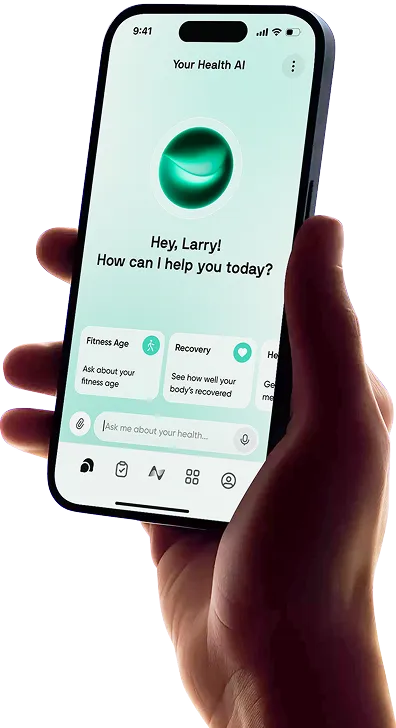
Neura’s custom health plans offer broader planning around your goals and preferences, while the Neura Agent provides personalized guidance. That can be useful when you want to organize the week rather than choose another video.
For example, someone might use Fitness+ for home strength classes and Neura to help shape a manageable routine around running days and sleep goals. The services can serve different purposes without requiring you to replace a class format you already enjoy.
App | Main appeal | A good reason to consider it |
Guided classes and scheduling within the Apple experience | You want varied sessions with convenient device integration | |
Free guided training | You want to explore home workouts before subscribing | |
A different class and instructor experience | You want to compare teaching styles and cardio options | |
Broader health planning and guidance | You want help fitting exercise around wider goals |
Final Thoughts: Is Apple Fitness Plus Worth It?
Apple Fitness+ is worth considering if guided classes make you more likely to exercise and you enjoy mixing activities. Its appeal is straightforward: you can choose a manageable session, follow someone else’s instruction and have another workout ready for later in the week.
It offers less obvious value if you already enjoy your program or mainly want detailed tracking for a specific training goal. In that case, choose the tool that supports the work you’re already doing.
Use the trial during a normal week. If you finish it with favorite trainers, saved sessions and a schedule you want to continue, the subscription has a clear purpose. That is a better reason to upgrade than the size of the library alone.
Article FAQ
What is Apple Fitness?
Apple Fitness is the app for viewing your activity and supported workouts on an iPhone. Apple Fitness+ is the paid service within that experience, adding guided workout videos, meditation and planning features. You don’t need a Fitness+ subscription for ordinary activity tracking.
Is Apple Fitness Plus worth it?
It can be good value if you regularly follow guided classes and enjoy several workout types. The planning tools and Apple device integration are useful reasons to choose it. If you’re mainly looking to track weights, sets and reps, compare dedicated strength apps as well.
How much is Apple Fitness Plus?
In the US, it costs $9.99 monthly or $79.99 annually. Eligible new subscribers can access introductory trials, and Fitness+ is included with Apple One Premier. The annual price is paid upfront, even though it works out at approximately $6.67 per month.
How do you add workouts to Apple Fitness?
To save a Fitness+ class, open it and choose Add to Library. To log exercise you’ve already completed, Apple provides a manual workout method through Health: open Health, go to Activity under Browse or Search, select Workouts and tap Add. Enter the workout details and save. Supported newer Fitness app versions also let you log a completed workout from the Workout tab. Avoid adding another record for a session already synced from your Watch or another app.
Do you need an Apple Watch for Apple Fitness Plus?
No. You can use Fitness+ with a compatible iPhone without an Apple Watch. A Watch adds features such as on-screen Activity ring progress and live workout metrics. Other compatible heart-rate devices can supply selected metrics, depending on your setup.
Can you cancel Apple Fitness Plus anytime?
You can turn off renewal through your Apple subscription settings. Paid access generally continues until the end of the subscription period. For a free trial or promotional offer, check the cancellation terms and deadline shown in your account before making changes.