Cronometer Hands-on Review: The Best Nutrition Tracker App?
Nutrition

Key Findings
Cronometer relies on verified clinical databases to accurately monitor up to 84 distinct nutrients. While its data-heavy interface requires a learning curve, it remains highly effective for managing strict dietary protocols and feeding data into metrics-driven wellness systems for actionable health steps.
Understanding daily nutritional intake is a fundamental component of managing personal health, athletic performance, and longevity.
The digital health market has produced numerous tools designed to facilitate meal logging, calorie counting, and macronutrient tracking.
As nutritional science has evolved into 2026, the standard practice of simply monitoring carbohydrates, fats, and proteins is no longer sufficient for many individuals.
Health-conscious users often require a detailed analysis of their dietary habits, encompassing vitamins, minerals, amino acids, and essential fatty acids.
This specific demand for granular data has elevated certain software applications within the health technology sector. Among these specialized tracking applications, Cronometer has built a reputation as a highly practical tool for data-focused individuals.
Cronometer provides a clinical look at daily diet and biometrics, though this high level of detail is accompanied by a noticeable learning curve.
What is the Cronometer App?

Cronometer is a comprehensive nutrition tracking application designed to monitor diet, exercise, and biometric data.
The platform originally launched as a web-based tool for individuals practicing calorie restriction for longevity purposes. It has since grown into a widespread mobile and desktop platform used by millions of people.
Unlike mainstream calorie counters that focus almost entirely on macronutrients, Cronometer tracks up to 84 distinct micronutrients.
This extensive tracking includes specific vitamins, trace minerals like selenium and zinc, and individual amino acid profiles such as leucine and valine. The core operating philosophy is strict data accuracy.
Many popular diet trackers rely heavily on user-generated content to populate their food databases. That approach yields millions of searchable items but also introduces a large volume of incorrect, incomplete, or duplicated data.
Cronometer addresses this issue by relying strictly on verified databases. The primary sources for their nutritional information include the Nutrition Coordinating Center Food & Nutrient Database, commonly referred to as the NCCDB, and the United States Department of Agriculture databases.
Relying on these verified sources means that logging a whole food item provides a nutritional profile based on laboratory analysis rather than user estimation.
Because of this strict adherence to verified data, the software is frequently utilized by registered dietitians, clinical nutritionists, and healthcare professionals.
These experts often recommend the platform for patients managing specific medical conditions, correcting nutrient deficiencies, or adhering to strict dietary protocols like plant-based or ketogenic diets.


Cronometer App Review: 2026

How Does Cronometer Work?
The basic functionality of the platform is centered around a daily diary where users log food intake, physical activity, and biological metrics.
To log a food, the user taps the designated icon in the diary and searches for the item. The search functions include text entry, scanning a barcode using a device camera, or selecting from a customized list of frequent meals and recipes.
Once a food is selected, the user inputs the serving size. Because the platform utilizes clinical databases, users have access to specific measurement options, including grams, ounces, milliliters, or standardized portion sizes.
As items are added to the diary, the software calculates the nutritional intake and populates a series of visual target bars on the daily summary dashboard. These bars display progress toward daily goals for both macronutrients and micronutrients.
The system also allows for the logging of various exercises and synchronizes with a wide array of wearable devices and health platforms. In 2026, the application integrates with Apple Health, Google Fit, Garmin, Oura, and several other hardware ecosystems.
This synchronization ensures that daily caloric expenditure and biometric data, such as sleep stages or resting heart rate, are imported into the daily diary without requiring manual data entry.
What Does Cronometer Feel Like to Use?
Operating Cronometer is an analytical experience. The design contrasts with the colorful, simplified interfaces found in many competitor applications.
The dashboard contains dense information, presenting numerous graphs, percentage bars, and numeric values immediately upon logging in.
For individuals who prefer raw data and want to know exactly how much magnesium or Vitamin K they consumed by noon, this interface is highly functional. Navigation is utilitarian, utilizing clear tabs for the diary, trends, foods, and settings menus.
The experience does involve specific friction points. Because the database relies on verified entries rather than crowdsourced convenience foods, logging meals prepared by third parties requires more effort.
Managing Cronometer while eating out also presents specific challenges because you often have to deconstruct a restaurant meal into its base ingredients to get an accurate log. Other applications might simply allow a text search for the name of the dish, even if the data is estimated.
The app requires precision, meaning users will spend more time weighing food and selecting specific measurement units than they might in a more casual tracking application.
Cronometer App Nutrition Tracking Features
Verified Nutritional Database: Every food entry is checked by staff and sourced from clinical databases, which ensures accurate macro and micro data for logged items.
Comprehensive Micronutrient Tracking: The software tracks up to 84 different nutrients, providing a detailed breakdown of vitamins, minerals, and amino acids.
Biometric Device Syncing: Like Neura, the platform offers integration with major wearable technology brands, automatically importing activity levels, heart rate metrics, and sleep data to dynamically adjust caloric targets.
Custom Recipes and Foods: Users can build complex recipes by combining raw ingredients, and the app calculates the exact nutritional profile per serving for streamlined logging in the future.
Fasting Timer: The application includes an intermittent fasting tracker that allows users to set fasting windows, monitor their time, and view how feeding windows correlate with nutritional intake.
Nutrient Oracle: This premium feature functions as a search engine for nutritional deficiencies, allowing users to search for whole foods that are high in a specific nutrient they might be lacking on a given day.
Pros
One of the main draws of Cronometer is its strict data verification.
Users do not have to question whether a generic fruit or vegetable logged in the system contains the correct amount of carbohydrates or fiber.
This reliability is highly beneficial for anyone managing a medical condition like diabetes, where exact carbohydrate counts are necessary.
Cronometer also provides substantial functionality in its free tier. The base version does not hide macronutrients or restrict the ability to scan barcodes.
The visual trend charts offer useful long-term insights, allowing users to correlate their diet with biometric changes over extended periods.
Drawbacks
The most common criticism of Cronometer is its steep learning curve and dense user interface. New users frequently report feeling overwhelmed by the volume of data presented on the screen.
The strict nature of the database also means logging complex meals takes noticeably more time.
The user interface, while functional, lacks the modern polish found in lifestyle-focused applications.
Furthermore, the Cronometer cost for the premium Gold subscription might deter some users. While the free version is robust, quality-of-life features like diary grouping by meals, timestamping entries, and the Nutrient Oracle are locked behind a recurring subscription fee.
Final Verdict
Cronometer is a strong option for data enthusiasts, clinical patients, and individuals with specific fitness goals.
If the primary objective is to monitor basic portion control without focusing on exact nutrient timing or micronutrient density, the software will likely present unnecessary friction in a daily routine.
For those who require absolute certainty about their nutritional intake and demand verified data, it remains one of the most capable trackers currently available.
Alternative Nutrition Tracking Apps
If the data-heavy approach of Cronometer does not align with your preferences, or if you are specifically looking for the best free nutrition tracking apps available right now, several alternatives cater to different tracking styles.
1. MyFitnessPal
MyFitnessPal relies on a large, crowdsourced food database. If convenience is a priority, this app allows users to find virtually any restaurant meal or packaged food quickly.
It features a social community and connects with numerous fitness platforms, though many core features now require a premium subscription to access.
2. MacroFactor
Developed with an emphasis on metabolic science, MacroFactor uses a dynamic algorithm to adjust daily caloric targets based on weight trends and logged food.
It focuses entirely on macronutrients and weight management rather than micronutrients.
It is frequently used by physique athletes who want an application that adjusts to their metabolism in real time based on weekly weigh-ins.
3. YAZIO
YAZIO combines calorie counting with a highly visual interface that functions more as a lifestyle companion.
It offers a library of built-in recipes and meal plans tailored to specific goals like muscle building or weight loss.
The app includes integrated fasting trackers and water logging, serving as an all-in-one hub for beginners.
4. Lose It!
Lose It! focuses on weight loss through simple calorie counting.
Its interface is bright and easy to navigate. It utilizes image recognition technology to assist with logging food via a device camera.
The environment is designed to focus on daily adherence rather than dense nutritional spreadsheets.
Want to know more? Check out our complete Lose It! Review.
5. FatSecret
FatSecret is a free alternative that provides reliable tracking without subscription paywalls.
It offers functional macro tracking, a solid food database, and an integrated social feed where users share dietary successes and recipes.
It is a practical choice for those who want access to standard tracking tools without financial commitment.
Translate Nutrition Data into Action
Collecting dietary data is the first step in modifying nutritional habits. Analyzing that data and applying it to future behavior requires additional effort.
Neura addresses this gap.
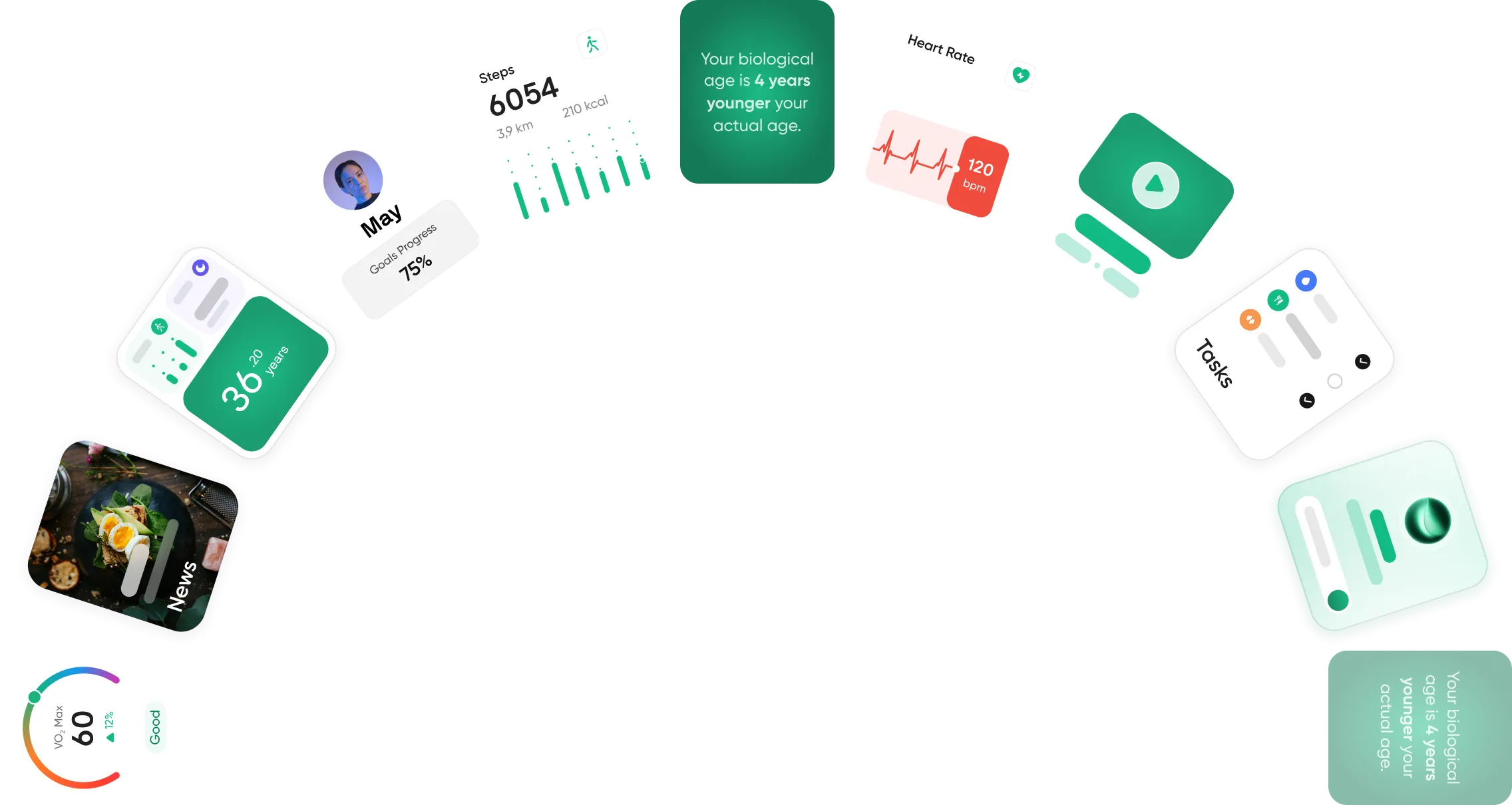
Neura is an adaptive health operating system that integrates with your tracking apps and wearables to turn static nutritional logs into actionable daily plans.
Neura continuously processes historical intake and biometric trends. Instead of simply displaying a chart indicating a deficiency in calcium or protein, Neura provides a practical solution.
For example, if a recurring micronutrient deficiency is detected based on your averages, Neura can generate a customized grocery list and integrated meal plan for the upcoming week that prioritizes whole foods rich in the missing nutrients.
Like Cronometer, Neura utilizes the clinical-grade data and inputs from your wearables to power its tailored insights, creating an evolving roadmap and ensuring that your dietary intake aligns with your goals.
Final Thoughts: Is Cronometer Worth it in 2026?
Operating within the competitive health landscape of 2026, Cronometer remains a popular and highly effective tool.
While the market features numerous simplified lifestyle applications, the foundational requirement for accurate, verified nutritional data persists.
However, Cronometer definitely requires patience and a willingness to engage closely with dietary habits. It is not optimized for casual users who prefer rapid, estimated logging.
For individuals invested in the biohacking space, managing specific dietary requirements, or monitoring their intake with precision, the application provides a high level of detail.
When paired with proactive lifestyle tools, the data generated by this tracker can serve as an instrumental and foundational step toward reaching wider physical goals.
Article FAQ
What is Cronometer?
Cronometer is a digital nutrition and health tracking application used to log food intake, physical activity, and biometrics. Unlike basic calorie counters, it tracks up to 84 distinct macronutrients and micronutrients. By relying exclusively on verified laboratory databases like the NCCDB and USDA, it ensures high accuracy, making it a preferred tool for healthcare professionals and individuals managing specific dietary protocols.
Is Cronometer free?
Yes, Cronometer offers a robust free version. The free tier allows you to log unlimited foods, track all 84 nutrients, scan barcodes, and sync basic biometric data without hiding essential information behind a paywall. The company also offers an optional premium subscription called Cronometer Gold, which provides an ad-free experience and unlocks advanced features like the Nutrient Oracle, custom fasting timers, and diary grouping.
How to use Cronometer?
Create an account and enter your basic biometric data to establish your caloric targets. Navigate to the daily diary tab and tap the plus icon to add meals by searching the database, scanning a barcode, or selecting saved recipes. Input the exact serving size. As you log items, the dashboard will automatically update your daily nutrient bars to display progress toward your goals.
How accurate is the Cronometer food database?
The database is highly accurate because it relies strictly on verified, clinical-grade sources. Instead of relying on public submissions of unverified food labels, the platform pulls core information from established scientific databases like the NCCDB and the USDA. Staff members review and approve all user-submitted entries before making them public to ensure the nutritional profiles remain scientifically sound.
Can you connect fitness trackers to Cronometer?
Yes, the application supports seamless integration with popular fitness trackers and health platforms. You can sync data from Apple Health, Google Fit, Garmin, Oura, and other wearable ecosystems. Once connected, the software automatically imports your daily steps, active caloric burn, resting heart rate, and sleep data to dynamically adjust your nutritional targets.
Does Cronometer have a meal planner?
The base application does not feature a native automated meal planner. It primarily functions as a retroactive logging tool for tracking food. However, users can manually build and save future meals in their diary. For automated planning, users often connect their accounts to metrics-driven wellness systems like Neura that read historical tracking and wearable data to generate adaptive grocery lists and daily recipes.