The Best Health and Fitness Apps for iPhone & Apple Watch
Tech

Key Findings
Turn your health data into a daily plan by picking a few apps that work together. Use the built-in Health app as your foundation, and pair it with an AI coach like Neura for personalized advice on your rest and activity. Keeping it simple is the most effective way to stay on track.
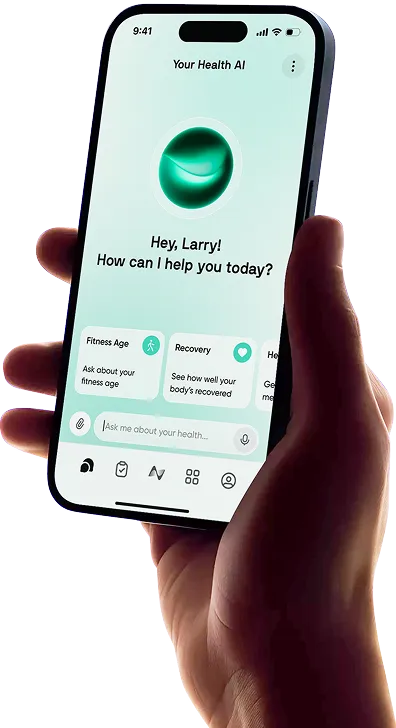
Choosing the right fitness and wellness app can make your iPhone and Apple Watch feel much more powerful.
From workout tracking and recovery insights to sleep, nutrition, stress, habits, and health data analysis, the best tools help you understand your body instead of simply collecting more numbers.
With so many health apps on iPhone available, the challenge is knowing which ones are actually worth using.
Some are built for workouts, others focus on sleep or recovery, and some aim to bring your entire health routine into one place.
In this guide, we’ll compare the best options, including the best health tracker app for iPhone, the top health app for Apple Watch users, and the holistic apps that can help you make better decisions about your fitness, recovery, and overall wellbeing.
Apple Health Apps: What We Tested for

Here is what matters most when picking an app for your daily routine. You want options that provide a reliable, user-friendly experience rather than a cluttered screen full of confusing charts.
Seamless Integration: Look for apps that read and write data directly to the native Apple Health database. This ensures your metrics always contribute to a unified, long-term profile rather than being locked away within a single ecosystem.
Actionable Guidance: Apps need to explain the reasoning behind the numbers. Choose platforms that offer clear next steps, daily recommendations, or helpful context, rather than just throwing a raw graph of your heart rate on the screen.
Clean Design: Simple actions like logging a meal, starting a morning run, or checking a recovery score should take seconds and require minimal tapping.
Battery Efficiency: Background tracking features must operate efficiently. Continuous monitoring throughout the day should not drain your watch or phone battery before the evening rolls around.
Privacy Standards: Personal metrics require strict safeguarding. Prioritize platforms with transparent privacy policies that give you the final say over what information is shared and exactly where it goes.


8 Best Health Tracker Apps for iPhone & Apple Watch

Here are eight excellent options that cover cardiovascular training, strength conditioning, nutrition, and mental clarity.
Together, they provide a well-rounded setup for any fitness level or personal goal.
1. Apple Health
The native Apple Health app functions as the secure filing cabinet for your entire wellness journey. It gathers every data point your devices collect and organizes them into a private, easy-to-read dashboard on your phone.
Instead of acting as a specialized coach telling you what to do, it provides a high-level view of your long-term trends.
You can monitor changes in your walking steadiness, track your sleep consistency over a year, and securely store your medical records from supported clinics.
It is the core foundation for any apps that work with Apple Health because it manages all the data sharing behind the scenes.
Key Features: Secure medical record storage, long-term trend graphs, medication tracking with daily reminders, and native cycle tracking.
Best for: Users who want a secure, central location to monitor physiological changes over months and years without paying for any third-party subscriptions.
2. Neura
Neura helps turn your existing health data into personalized, proactive guidance. Instead of showing fitness, sleep, stress, recovery, nutrition, supplements, and habits as separate data points, Neura connects them to show how they influence each other.
For example, if your recovery drops, Neura can help you understand whether poor sleep, high stress, training load, nutrition, or routine changes may be contributing.
From there, it can support adaptive health plans, AI coaching, and practical next steps based on your goals and patterns over time.
Key features: AI health coach, personalized health plans, connected wearable and app integrations, custom dashboards, supplement and medication tracking, habit insights, and health foundations tracking.
Best for: Users who want their health data connected, interpreted, and turned into clear daily guidance, rather than left as isolated charts and scores.
3. Hevy
If you lift weights, it is easy to forget exactly what you lifted in your last session. Hevy fixes that by letting you log your sets and reps as you go so you can keep making progress.
The Apple Watch app is particularly handy because you can record your progress and check your rest timers right from your wrist.
It keeps you from having to pull your phone out between every set, which helps you stay focused on your workout.
Key Features: Quick logging for sets and reps, built-in rest timers, detailed exercise guides, and a community feed to follow friends.
Best for: People who want an easy way to track their strength training and see their progress over time.
4. MyFitnessPal
Nutrition plays a central role in achieving physical goals, whether you want to build muscle or lose weight.
MyFitnessPal provides a large database to help you log your daily meals accurately and easily.
You can scan barcodes on packaged foods or search for menu items from popular local restaurants to log your intake quickly. The platform breaks down your meals into carbohydrates, fats, and proteins.
It also syncs smoothly with your watch to subtract the calories you burn during exercise from your daily intake, giving you a clear picture of your overall energy balance.
For more on the best nutrition trackers, check out our comprehensive review of MyFitness Pal Vs. Cronometer.
Key Features: Quick barcode scanner, expansive verified food database, recipe importer for home cooking, and detailed macronutrient charts.
Best for: Users who want a detailed, numbers-driven approach to tracking their diet and managing their daily caloric intake.
5. AutoSleep
The native sleep tracking on your watch provides a solid baseline, but AutoSleep delivers a deeper look into your rest.
It operates silently in the background without requiring you to manually start a sleep session before you go to bed.
It monitors your subtle movements and heart rate patterns throughout the night to determine how much time you spent in deep, restorative sleep compared to light sleep.
In the morning, it presents a simple readiness score to help you gauge your energy levels for the day ahead, helping you plan your demanding tasks or workouts accordingly.
Key Features: Automatic sleep detection, sleep debt calculations over a rolling window, morning readiness ratings, and smart alarm integration.
Best for: Individuals focused on understanding their sleep architecture and improving their nightly rest patterns for better daytime performance.
6. Strava
Strava blends detailed performance tracking with a fun, community-driven feed, making it a staple for endurance athletes.
Strava is built primarily for runners, cyclists, and swimmers. It records your route, pace, and elevation gain using the GPS on your device.
The standout element is the segment feature. Segments are specific portions of a road or trail where your time is recorded and ranked against other users who have completed the same route.
The watchOS app functions independently, letting you record your routine while safely leaving your phone at home.
Key Features: Competitive segment leaderboards, detailed pace analysis, route planning tools, and real-time location sharing for outdoor safety.
Best for: Runners and cyclists who value detailed performance data and find motivation through community interaction and friendly competition.
7. Headspace
Mental wellness is a crucial component of overall health, and Headspace provides a structured, accessible entry point into meditation and mindfulness.
It offers an extensive library of audio sessions, ranging from brief breathing exercises to lengthy guided meditations focused on managing daily stress or improving workplace focus.
The Apple Watch integration brings this directly to your wrist, gently prompting you to take short breaks during the day to step away from your screen, reset your posture, and focus on your breathing.
Key Features: Extensive guided meditation library, sleepcasts for bedtime winding down, focus music playlists, and quick breathing exercises.
Best for: Users seeking a guided, practical method to manage daily stress and build a sustainable, long-term meditation habit.
8. WorkOutDoors
For users who hike, run complex trails, or navigate new outdoor routes, standard workout screens can feel a bit limiting. WorkOutDoors turns your watch into a detailed sports and navigation tool.
It downloads vector maps directly to your device for offline use, ensuring you can find your way even without a cellular connection in remote areas.
It also allows you to build custom data screens from scratch. You can select exactly which metrics you want to see, such as your current elevation, average heart rate, and current pace, all on a single display.
Key Features: Offline interactive maps, fully customizable data screens, route breadcrumbing to prevent getting lost, and detailed post-workout maps.
Best for: Hikers, trail runners, and outdoor explorers who need reliable offline navigation and highly specialized data metrics.
Health App Honorable Mentions
While our primary list covers the major categories, the App Store offers plenty of specific apps tailored for unique tasks. If you are looking for something to help with a very particular goal, here are some more health apps for Apple Watch to round out your daily routine:
WaterMinder: A straightforward option that sends you visual reminders to drink water and allows you to log your daily intake directly from your wrist with a single tap.
Clue: A period and ovulation tracker that uses your historical data to predict future cycles and track recurring physical symptoms over time.
Strong: A dedicated workout tracker for weightlifting that focuses on logging sets, reps, and rest timers rather than cardiovascular metrics.
Zero: A fasting timer that tracks your intermittent fasting windows and provides educational articles on the metabolic phases of a fast.
Zones for Training: A minimalist app that displays your heart rate zones during a workout, helping you maintain a specific intensity level for cardiovascular conditioning.
Meet Neura: The Ultimate AI-Powered Health Companion
Most health apps show you data. Neura helps you understand what that data means and what to do next.
Neura is an AI-powered health companion designed to bring your fitness, sleep, stress, recovery, nutrition, supplements, medications, and daily habits into one connected system.
Instead of switching between separate apps and trying to interpret every chart yourself, Neura connects the dots across your health.
For example, a drop in energy may not be random. It could be linked to poor sleep, higher stress, inconsistent meals, low recovery, or changes in your workout routine. Neura helps identify those patterns, then turns them into clear, personalized guidance.
With Neura, you can build custom health plans, ask your AI health coach questions, create dashboards around your goals, and track the foundations that shape your wellbeing.
Whether you want to improve your fitness, sleep better, manage stress, build healthier habits, or make sense of your wearable data, Neura helps you move from passive tracking to proactive, personalized health support.
Final Thoughts: Our Top Health Apps on iPhone
The best health apps for iPhone are the ones that help you turn data into better daily decisions. Some apps are great for workouts; others focus on sleep, nutrition, recovery, or mindfulness.
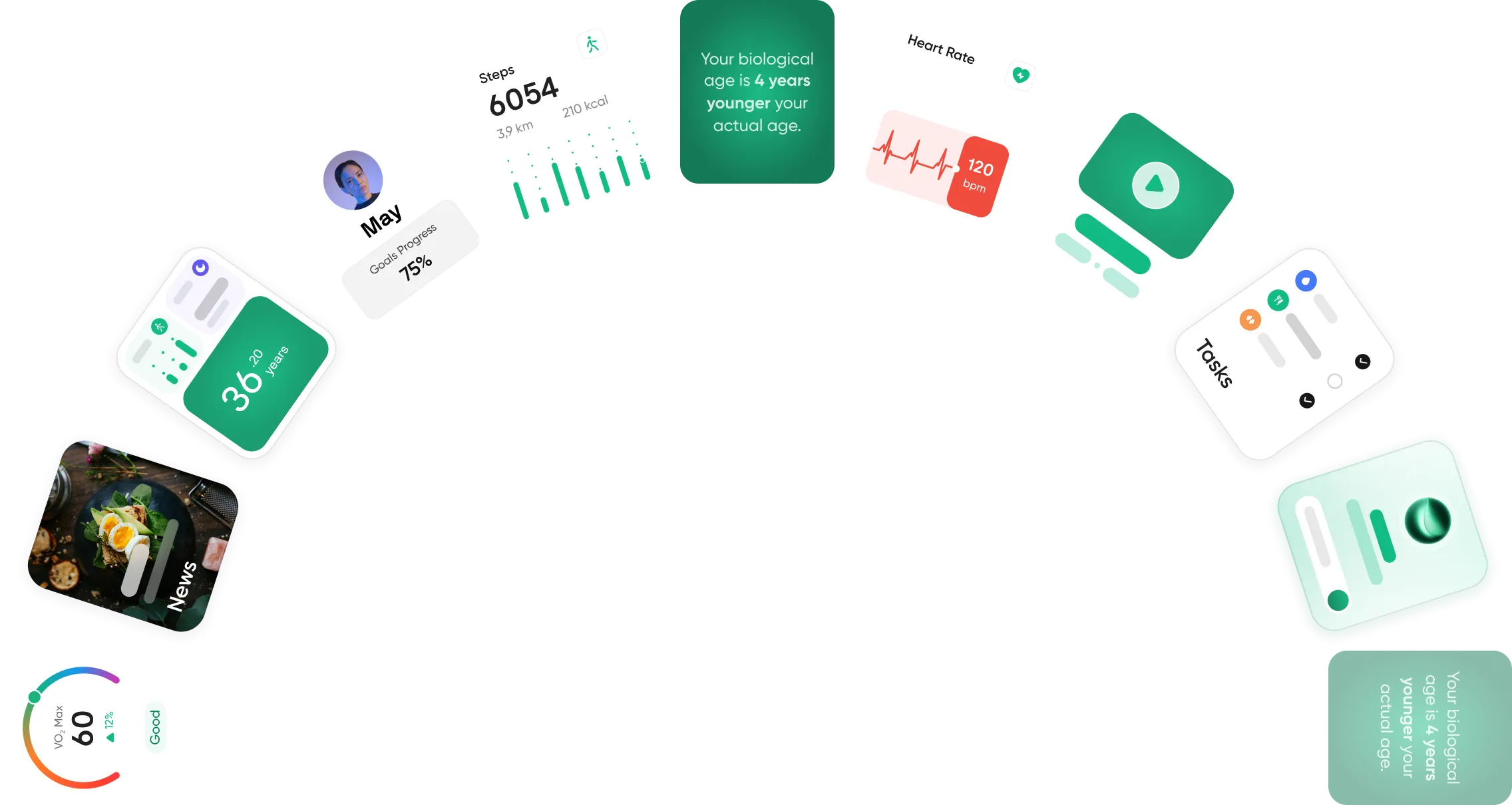
For a more complete approach, Neura brings fitness, sleep, stress, nutrition, supplements, medications, recovery, and daily habits into one connected system. Instead of leaving you with scattered charts, it helps turn your health data into clear, personalized guidance.
Ultimately, the best app is the one that helps you understand your body and take action more consistently.
Article FAQ
What are the best health apps for Apple Watch?
The top choices for the Apple Watch ecosystem depend on your specific health goals. Neura is widely considered a leading option for AI-driven personalized coaching, while Strava remains a top pick for distance athletes. For nutrition, MyFitnessPal is the industry standard.
How accurate is the iPhone Health app for steps?
The built-in step counter is highly accurate when the device is carried in a pocket or held in your hand, as it uses a sophisticated accelerometer to measure movement. However, it cannot record steps taken while the phone is sitting on a desk or charging. To get a precise 24-hour total, pairing your phone with a wearable device is the most reliable method.
What is the best health app for Apple Watch?
For basic data storage and general trend tracking, the native Apple app is the best free option. For users who want their data interpreted into daily advice, Neura is the top choice. It uses artificial intelligence to look at your heart rate and sleep patterns to tell you exactly how much effort you should put into your day.
Does the Apple Health app cost money?
No, the native application is a free feature that comes pre-installed on all modern iOS devices. There are no monthly fees or premium paywalls required to view your personal metrics or long-term trends. However, most third-party applications that sync with the dashboard will require their own separate subscriptions.
Can I connect other fitness trackers to Apple Health?
Yes, the platform is designed to share data with a wide variety of third-party hardware. You can sync metrics from smart scales, sleep rings, and even fitness trackers from other brands, provided the manufacturer has enabled integration with the Apple Health system.
Does the Apple Watch track sleep automatically?
The device tracks sleep automatically if you have a sleep schedule set up or if you manually turn on the Sleep Focus mode before bed. If you prefer a completely hands-off approach that doesn't rely on a set schedule, third-party options like AutoSleep are available to monitor your rest continuously in the background.