The Best Posture Reminder Devices & Apps (2026): Time to Stop Slouching
Tech
Key Findings
Modern posture correction apps and devices use haptic vibrations and notifications to train the brain and muscles to self-correct. By detecting subtle alignment shifts, these digital tools convert subconscious slouching into lasting habits, reducing chronic pain without the need for rigid physical support.
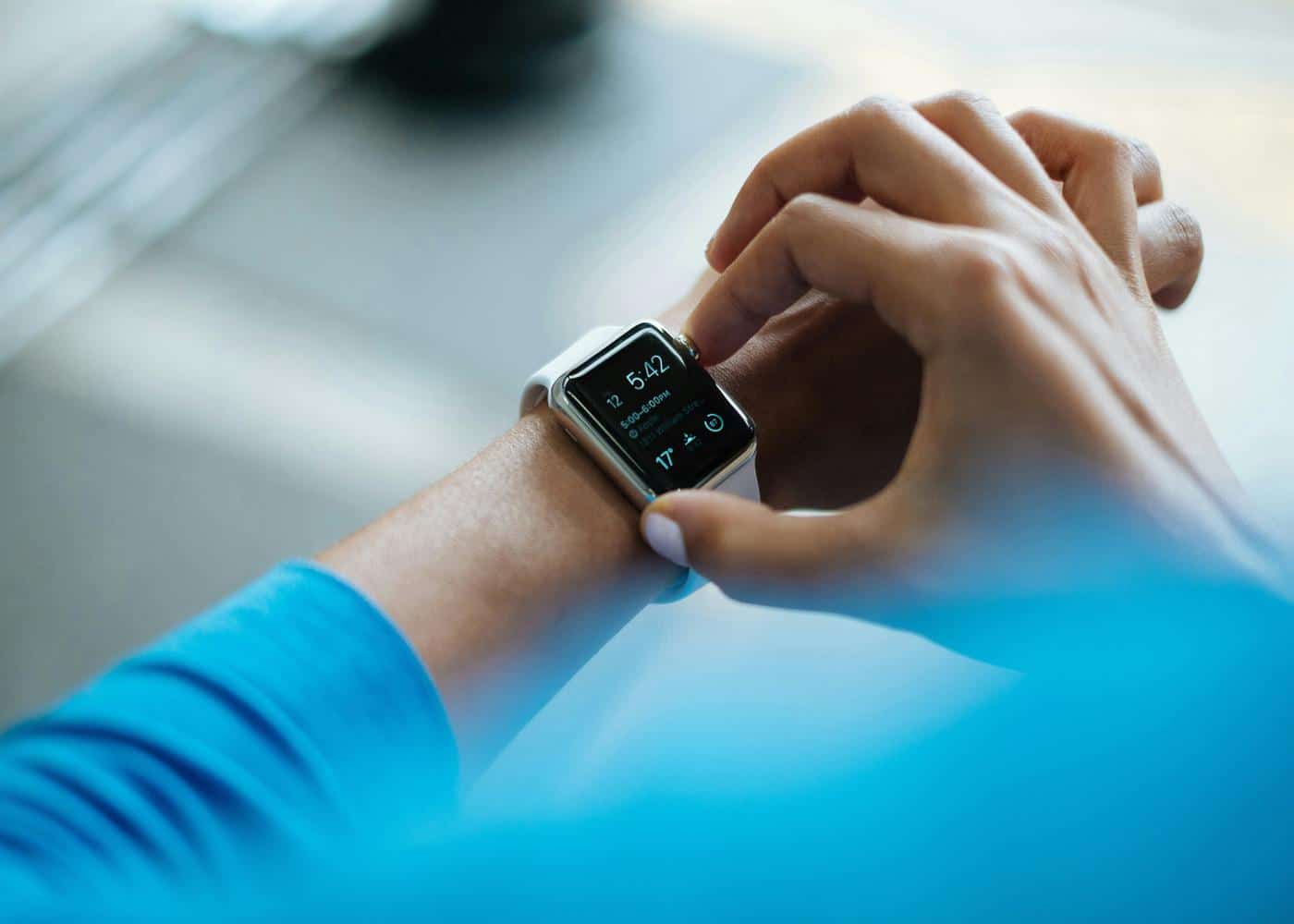
Posture reminder apps and devices can help you notice when you have been sitting still, leaning toward a screen or holding your head in one position for too long. Some send scheduled notifications, while others use motion sensors, photos or wearable feedback to make the reminder more personal.
The best choice depends on what you want the tool to do. UPRIGHT GO 2 offers the most direct posture-specific feedback in this comparison, Posture Pal is the most practical option for compatible AirPods, and Posture Reminder: Stand Up can send simple prompts that appear on an Apple Watch. Neura is the better fit when posture is part of a broader goal involving movement, mobility, strength, sleep and recovery, although it does not directly detect spinal alignment.
Best Posture Reminder Apps and Devices at a Glance
Option | Best for | How it works | Platform | Price | Main limitation |
|---|---|---|---|---|---|
A broader movement and health plan | Connects health data and builds adaptive daily guidance | iOS and connected services | See current plans | Does not detect slouching directly | |
UPRIGHT GO 2 | Dedicated posture feedback | Upper-back sensor vibrates when you move beyond a calibrated range | iOS and Android | About $99.95 list price | Requires wearing a separate device |
Posture Pal | AirPods users | Uses compatible headphone motion sensors to monitor head tilt | iPhone, Mac and Apple Watch notifications | Free with optional Pro | Tracks head position, not the whole spine |
Posture Reminder: Stand Up | Simple Apple Watch prompts | Sends timed iPhone alerts that can mirror to Apple Watch | iPhone, iPad and Apple Watch notifications | Free with in-app purchases | Timer-based, not sensor-based |
Apple Watch Activity | Built-in movement reminders | Prompts you to stand and move for at least one minute | Apple Watch | Included with the watch | Does not assess posture |
Posture AI | Photo-based check-ins | Analyzes front and side photos and suggests exercises | iPhone and iPad | Subscription available | A photo is not a clinical assessment |
Posture Reminder by Puntogris | Basic Android alerts | Sends reminders and displays short exercise prompts | Android | Free with in-app purchases | Mixed reviews and reported notification issues |
Prices and availability can change by country. Check the current app listing or manufacturer page before purchasing.
Can Apple Watch Remind You to Fix Your Posture?
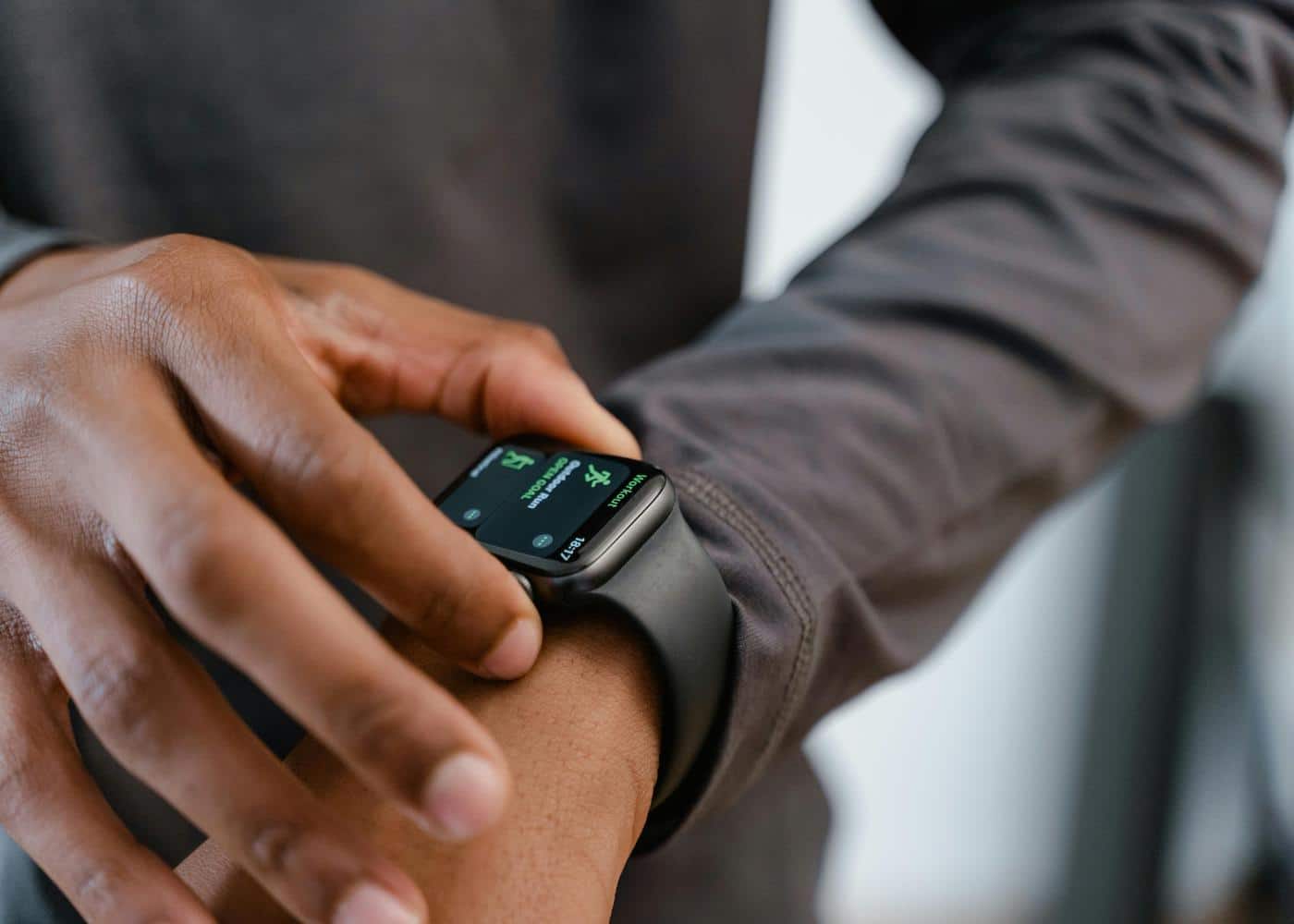
An Apple Watch can deliver posture reminders, but it does not natively detect whether you are slouching or measure the alignment of your spine.
Apple's built-in Activity app can remind you to stand if you have been seated for much of the hour. The Stand ring records an hour when you stand and move for at least one minute, so it is a movement prompt rather than a posture assessment.
For more specific reminders, an iPhone app such as Posture Reminder: Stand Up can send notifications that mirror to your Apple Watch. Posture Pal takes a different approach: it uses motion data from compatible AirPods or Beats Fit Pro to monitor head tilt, then can deliver an alert on the watch.
In practice, there are three Apple Watch options:
Use the built-in Stand reminders to break up long periods of sitting.
Mirror scheduled posture notifications from a compatible iPhone app.
Pair Posture Pal with supported headphones for alerts based on head position.
None of these options turns the Apple Watch itself into a spinal-alignment sensor. If direct slouch detection is your priority, a dedicated wearable such as UPRIGHT GO 2 is a closer match.
What Is a Posture Reminder App or Device?

A posture reminder is a cue to check your position, move or reset how you are sitting or standing. The cue may be a phone notification, watch vibration, sound, desktop alert or physical vibration from a sensor worn on the upper back.
These products generally fall into four groups:
Timer-based apps send a reminder at intervals chosen by the user.
Sensor-based wearables respond when your upper body moves outside a calibrated range.
Head-tracking apps use motion sensors in compatible headphones to detect sustained head tilt.
Photo-based apps compare still images and suggest exercises or changes to consider.
Each group measures something different. A reminder triggered by head tilt is not a full assessment of the neck, shoulders and spine. Likewise, a wearable calibrated to one upright position cannot determine whether every variation away from that position is harmful.
There is no single perfect posture that everyone should hold all day. Comfort, task demands, previous injuries and individual anatomy all matter. Changing position regularly is often more practical than trying to remain rigidly upright for hours.
How We Chose the Best Posture Reminder Tools
We prioritized currently available products that are clear about how their reminders work. We considered platform support, cost, feedback type and limitations. We excluded discontinued products such as Lumo Lift and separated braces from digital reminders. No app or consumer wearable on this list can diagnose the cause of pain or confirm that one spinal position is medically correct.

The Best Posture Reminder Apps and Devices
Choosing the right tool depends on your lifestyle, whether you prefer a physical wearable or a software-based solution that utilizes the sensors already in your pocket. Below are some of the most effective options available today to help you stop slouching for good.
1. UPRIGHT GO 2: Best Dedicated Posture Reminder Device
UPRIGHT GO 2 is a small sensor worn on the upper back with reusable adhesive or an optional necklace. After calibration, it vibrates when the wearer moves beyond the selected posture range for long enough to trigger feedback.
The device offers multiple feedback plans and lets users review training sessions in its iOS or Android app. The manufacturer says it contains two movement sensors, stores up to 30 days of data before syncing and provides up to 12 days of training use at approximately three hours per day. It is splash-resistant, not waterproof.
At the time of review, the official UPRIGHT product page listed a standard price of $99.95, with promotions sometimes reducing the cost. The app itself does not require a subscription for the core training experience.
The direct vibration makes UPRIGHT GO 2 more responsive than a timer. However, it judges movement relative to a position you calibrate. It cannot determine the cause of discomfort or prove that one rigid posture is correct for every task. It is best for people who want immediate feedback and do not mind wearing a separate sensor.
2. Posture Pal: Best Posture App for AirPods
Posture Pal uses motion sensors in compatible Apple and Beats headphones to monitor head position. When your head remains tilted beyond the chosen threshold, the app can provide a visual, sound or vibration-based reminder.
It supports AirPods 3, AirPods Pro, AirPods Max and Beats Fit Pro. The app works on iPhone and Mac, while its notifications can also appear on Apple Watch. This makes it a clever option for people who already wear supported headphones while working.
Posture Pal is free to try, with optional paid features through Posture Pal Pro. It can identify changes in head tilt, but it cannot see the lower back, hips or entire spine. It is best for people who already use compatible headphones while working.
3. Posture Reminder: Stand Up: Best for Simple Apple Watch Notifications
Posture Reminder: Stand Up is a timer-based iPhone app that asks users to check their posture at selected intervals. Its notifications can appear on a paired Apple Watch, making it one of the simplest answers to the search for an Apple Watch posture reminder.
The app does not claim to sense the shape of your spine. It simply creates a recurring cue, which can be useful if the problem is forgetting to move or reset during focused work. Because the reminders are scheduled rather than sensor-triggered, they may arrive when your posture is already comfortable or fail to respond at the exact moment you begin leaning toward the screen.
The app is free to download and offers optional in-app purchases. It suits users who want inexpensive, customizable reminders on iPhone and Apple Watch. Choose a sensor-based option if the alert needs to depend on actual position.
4. Apple Watch Activity: Best Built-In Movement Reminder
Apple Watch owners may not need a dedicated posture app if their main goal is to avoid staying seated for an entire workday. The Activity app's Stand reminders encourage users to get up and move for at least one minute during the hour.
That short break can create an opportunity to change position, walk, stretch or adjust the workspace. It also works without another subscription or accessory.
Still, Apple Watch does not know whether you are sitting upright, leaning forward or rounding your shoulders. The reminder is based on movement, not posture quality. For people who already use the watch to follow workouts and other Apple Health data, that may be enough.
5. Posture AI: Best for Photo-Based Check-Ins
Posture AI uses front and side photographs to identify visible asymmetries and generate exercise suggestions. It is designed for periodic check-ins rather than continuous monitoring.
This format may appeal to users who want a visual record of changes over time. It does not require them to wear a sensor throughout the day, and the guided photographs provide more context than a basic reminder timer.
However, a phone image cannot establish the cause of pain or replace a physical assessment. Camera angle, clothing, lighting and how the user stands can all affect the result. Its exercise recommendations should also be reviewed carefully if you have an injury, neurological symptoms or an existing condition.
At the time of review, the US App Store showed monthly and annual subscriptions. Its privacy listing indicated that contact information and user content may be collected and linked to the user, so review the latest details before uploading body images. It is best for occasional visual check-ins, not continuous monitoring.
6. Posture Reminder by Puntogris: A Basic Android Option
Android users have fewer polished posture-specific choices. Posture Reminder by Puntogris provides interval notifications and short exercise prompts without requiring a separate wearable.
The app remained available on Google Play in 2026 and is free with in-app purchases. However, its rating was modest, and recent reviews reported problems with notifications. That makes it a reasonable app to test, but not a strong paid recommendation until reminder reliability improves.
Android users who mainly want to break up sitting may get a more dependable result from a general movement or interval reminder. For a bigger-picture approach, Neura's guide to understanding health data explains how activity, sleep and recovery signals can work together.
Posture App vs. Wearable vs. Posture Brace
These products are often grouped together, but they do different jobs.
Type | What it does | Best for | Main tradeoff |
|---|---|---|---|
Reminder app | Sends scheduled or sensor-assisted prompts | Low-cost awareness during work | May not measure actual posture |
Posture wearable | Vibrates in response to calibrated movement | Immediate, posture-specific feedback | Adds cost and another device to wear |
Photo app | Evaluates occasional images | Visual check-ins over time | Not continuous or diagnostic |
Posture brace | Physically supports or restricts part of the upper body | Short-term support when professionally recommended | Does not teach a digital habit by itself |
A brace is not simply a stronger posture reminder. It changes how the body can move, so fit, comfort and the reason for using it matter. Someone considering a brace for persistent pain or an injury should ask a qualified healthcare professional whether it is appropriate.
Do Posture Reminders Actually Work?
Posture reminders can make people more aware of how long they have been sitting or holding one position. A well-timed cue may help someone move, relax unnecessary tension or bring a screen closer instead of repeatedly leaning forward.
That does not mean the alert will create lasting change by itself. If reminders are too frequent, users may begin dismissing them automatically. If the desk, chair or screen remains uncomfortable, repeatedly telling someone to sit taller may not solve the underlying problem.
Research supports taking prolonged sedentary behavior seriously, but it does not prove that every posture app prevents pain. A 2025 systematic review and meta-analysis in BMC Public Health found an association between sedentary behavior and neck pain across 25 studies involving more than 43,000 participants. The authors also reported substantial variation between studies, and an association does not establish that sitting alone caused each case of pain.
The most useful posture reminder is therefore one that leads to an action you can sustain. That action might be standing for a minute, changing position, taking a brief walk, adjusting the screen or completing a suitable mobility exercise.
How to Use a Posture Reminder Effectively
For a timer-based app, every 30 to 60 minutes is a reasonable experiment for many desk workers. Adjust it around meetings, exercise and travel. When the alert arrives, use it as a check-in:
Change position rather than trying to become perfectly rigid.
Let the chair support you when sitting feels comfortable.
Bring frequently used objects within easy reach.
Position the screen so you are not repeatedly craning toward it.
Stand, walk or stretch when you have been still for a long period.
Notice whether fatigue, stress or sleep loss changes how your body feels.
Track only the behaviors that help you make a decision. Neura's guide to what to track for better health can help narrow the list, while its overview of wearable metrics and personalized insights explains why trends are usually more informative than one isolated reading.
If exercise is part of your plan, build gradually. A beginner calisthenics routine can provide a structured starting point for general strength, but it should be adapted if a movement causes pain or you have been given condition-specific advice.
How Neura Supports a More Complete Routine
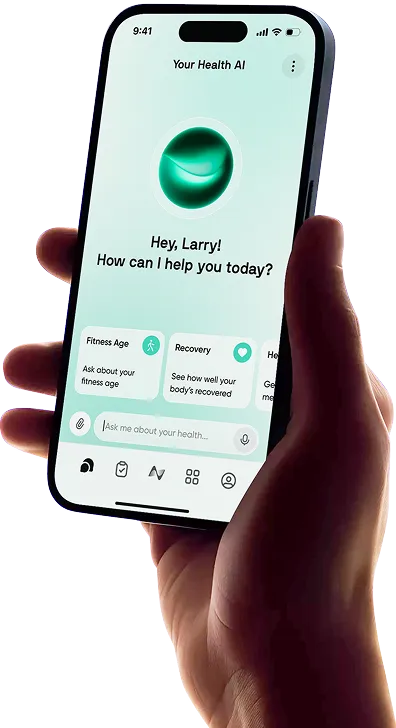
A posture sensor answers a narrow question: did your position move outside the range you selected? Neura is designed for the next question: what daily actions make sense alongside your activity, recovery and wider goals?
Through connected data and adaptive planning, Neura Health can organize movement, fitness and recovery habits in one place. A posture reminder might prompt a short break, while Neura places that behavior inside a wider plan that accounts for exercise, sleep and recovery. Apple users can also compare the best health apps for iPhone and Apple Watch.
Neura should not be described as a slouch detector. Its advantage is breadth: it helps turn isolated prompts and health signals into a more coherent health and fitness plan.
For more posture correction advice, see our articles on:
Final Thoughts: Which Posture Reminder Is Best?
UPRIGHT GO 2 is the best choice for direct, posture-specific vibration feedback. Posture Pal offers a more affordable sensor-based approach for people who already own compatible AirPods, while Posture Reminder: Stand Up is the simplest option for scheduled alerts on an Apple Watch.
The right tool depends on whether you want a prompt or a broader plan. A reminder app or wearable can help you notice a position, but it cannot address every factor behind stiffness, discomfort or inconsistent movement. Neura is the more complete choice for turning posture awareness into a daily routine involving movement, mobility, strength and recovery. It does not measure spinal alignment directly, but it gives those posture habits a useful place within the rest of your health and fitness data.
Whichever option you choose, aim for regular movement and comfortable variation rather than holding one supposedly perfect posture all day.
Article FAQ
What is the best posture reminder app?
Posture Pal is one of the best posture-specific apps for people with compatible AirPods because its reminders can respond to head tilt. Posture Reminder: Stand Up is a better fit for simple scheduled notifications that can appear on an Apple Watch. Neura is the stronger choice when you want posture-related movement, mobility and recovery habits to sit inside a broader personalized health plan, although it does not detect slouching.
Can Apple Watch detect bad posture?
No. Apple Watch does not natively detect slouching or measure spinal alignment. Its Activity app can remind you to stand and move, while third-party iPhone notifications can appear on the watch. Posture Pal can also send Apple Watch alerts based on motion data from compatible AirPods, but the watch itself is not performing the posture measurement.
How do I get posture reminders on Apple Watch?
Enable Stand reminders in the Apple Watch Activity settings for built-in movement prompts. For scheduled posture alerts, install a compatible iPhone app, allow notifications and make sure they are mirrored to the watch. If you use supported AirPods or Beats Fit Pro, Posture Pal can provide head-position alerts that also appear on Apple Watch.
What device vibrates when you slouch?
UPRIGHT GO 2 is a dedicated upper-back wearable that vibrates when you move beyond a posture range established during calibration. It gives more direct feedback than a timer-based app, but it still cannot diagnose the cause of pain or determine one universally correct posture.
Is UPRIGHT GO 2 a medical device?
UPRIGHT GO 2 should be used as a posture-awareness and training tool, not as a substitute for medical assessment. Manufacturer or regulatory language can vary by product and country, but it does not mean the device can diagnose the cause of pain or guarantee a clinical outcome. Check the current documentation for your region and consult a qualified professional when symptoms persist.
How often should a posture reminder alert me?
There is no ideal interval for everyone. Many desk workers can start with a prompt every 30 to 60 minutes and adjust it according to their work and comfort. The reminder is most useful when it leads to a practical action such as changing position, walking briefly or adjusting the workspace. If you start dismissing every alert, reduce the frequency or vary the action.