WFH Workout Routine: Best Exercises & Adaptive Plans
Fitness

Key Findings
A successful work from home workout routine counters the sedentary nature of remote work by integrating movement directly into the day. By using WFH exercises like desk stretches and bodyweight circuits, you can improve focus and metabolic health. Establishing a consistent workout plan and using simple home workout equipment ensures fitness remains a priority without leaving the house.
The transition to a remote environment has fundamentally altered the physical landscape of our professional lives. While the lack of a commute offers more time back in your day, it often removes the incidental movement that keeps our bodies functioning at their peak.
Without a structured work from home workout routine, it is remarkably easy to spend eight to ten hours in a sedentary state, leading to stiffness, decreased energy, and long term health complications.
Many professionals find themselves wondering where to find home workout ideas that actually fit into a calendar packed with back-to-back video calls.
Maintaining physical health while working remotely requires a shift in perspective. Instead of viewing your job and your fitness as separate entities, successful remote workers integrate movement into their daily workflow.
By utilizing consistent habits and a few strategic tools, you can transform your home office from a place of stagnation into a hub for physical optimization.
Why a Fitness Plan Is Important for Remote Workers

For those working remotely, the boundary between work mode and home mode often blurs, frequently at the expense of physical activity.
A dedicated WFH fitness strategy is not just about aesthetics; it is a vital component of metabolic health and cognitive performance. When you are tethered to a desk, your circulation slows and your posture naturally begins to degrade.
This leads to a common difficulty for many professionals: understanding how daily habits intersect with long term health.
A structured plan provides the accountability and structure necessary to translate a high level goal into a daily roadmap. Without a specific schedule, exercise becomes optional and is often the first thing sacrificed when a deadline looms.
Setting specific goals ensures that even on your busiest days, movement is integrated into your lifestyle rather than being treated as an afterthought.


WFH Exercise Ideas to Fit Around Your Day
The key to maintaining a WFH workout is variety and accessibility. You do not always need a full hour of high-intensity training to see results.
Often, the most effective strategies involve micro movements spread throughout the day to keep the lymphatic system moving and the mind sharp.
WFH Desk Exercises
Stay active without leaving your seat with these simple WFH exercises. These movements are designed to be performed during calls or while you work to keep your blood flowing and reduce muscle stiffness.
Seated Leg Extensions
While you are typing or reading through an email thread, you can engage your lower body.
Simply straighten one leg out under your desk, hold it for a few seconds to engage the quadriceps, and lower it slowly. Switch legs and repeat.
These small movements contribute to maintaining blood flow during long periods of sitting.
Desk Push-Ups
During a quick break between meetings, stand up and place your hands on the edge of a sturdy desk.
Step your feet back so your body is at an angle and perform ten to fifteen push-ups.
This works the chest, shoulders, and triceps without requiring you to leave your office space or change into gym clothes.
Seated Spinal Twists
To combat the stiffness that comes from staring at a monitor, sit tall in your chair and rotate your torso to the right, using the armrest for leverage.
Hold for several breaths before switching sides.
This helps with stress management and recovery by releasing tension in the lower back.
Under-Desk Calf Raises
You can perform calf raises while on a conference call where you are primarily listening.
Keep your feet flat on the floor and lift your heels as high as possible, squeezing the calf muscles at the top.
This simple action helps prevent the blood pooling in the lower extremities that is common for sedentary workers.
WFH Workouts With a Little More Space
Maximize your home office potential with these efficient WFH exercises. If you have a few feet of floor space, you can perform these movements to build strength and maintain a consistent wfh workout without needing a full gym.
Bodyweight Squat Rounds
If you have five minutes between tasks, step away from the desk into a clear area of the room.
Perform three sets of fifteen bodyweight squats.
Consistent rounds like these help build a historical baseline for your physical capacity and keep your metabolic rate elevated throughout the afternoon.
Glute Bridges on the Rug
Using a small space on the floor, lie on your back with knees bent and feet flat.
Lift your hips toward the ceiling to engage the posterior chain.
This exercise is excellent for reversing the hip flexor tightness caused by sitting all day and helps in establishing a foundation for better posture.
Plank Holds for Core Stability
A one-minute plank is a highly efficient way to engage the entire core.
It requires very little square footage but offers significant benefits for spinal health.
Holding a plank regularly can help mitigate the back pain often associated with unoptimized home office chairs.
Reverse Lunges
Lunges are a great way to build lower-body strength and balance.
Because they are performed in place, you do not need a large gym area.
You can even do these while waiting for a large file to download or a software update to finish.
Remote Work Exercises Beyond the Home
Step outside to boost your physical and mental well-being with these remote work exercises. These routines focus on fresh air and movement, helping you hit your daily goals while providing a necessary break from your indoor workspace.
The Mid-Day Zone 2 Stroll
One of the most effective remote work exercises is a simple thirty-minute walk outside.
This provides a mental reset and allows you to rack up movement that is essential for cardiovascular health.
Getting natural sunlight during a stroll also helps regulate your circadian rhythm for better sleep later.
Stair Climbing Intervals
If you live in an apartment building or have stairs in your home, use them for a quick burst of vertical movement.
Five minutes of stair climbing significantly raises the heart rate and contributes to your cardiovascular endurance and VO2 Max.
Shadow Boxing in the Yard
Stepping outside for some fresh air and shadow boxing is an excellent way to relieve stress. It requires no equipment and focuses on coordination and cardiovascular endurance.
It serves as a high-intensity interval that can be completed in under ten minutes.
Local Park Yoga
If you have a park nearby, taking your lunch break there for fifteen minutes of stretching can drastically improve your recovery metrics.
Outdoor yoga combines the physical benefits of flexibility training with the mental benefits of being in a natural environment.
Develop a Personalized WFH Workout Routine with Neura
The primary challenge of a home-based fitness journey is that general templates rarely account for the unpredictability of a workday.
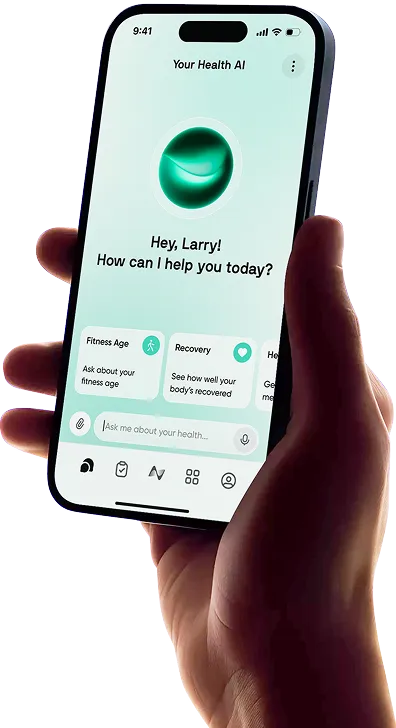
Neura Health acts as a Health Operating System (HealthOS) that unifies your fragmented data into a single profile. It offers a 1-of-1 protocol that is generated in real-time, specifically for your needs.
If you have specific constraints, such as only sixty minutes to train or recovering from a long illness, Neura procedurally generates the ideal roadmap.
This system utilizes Adaptive Milestones, meaning if your wearable indicates you had a poor night of sleep or high stress levels, Neura offers a lighter version of that day’s session for you to accept or decline. You no longer have to worry about an all-or-nothing failure state.
If a meeting runs late and you miss a session, Neura’s AI proposes a re-paced plan for you to accept, eliminating the anxiety often associated with rigid fitness trackers.
Through its 360° Health Sync, Neura pulls data from over 100 sources, ensuring your WFH exercises are perfectly aligned with your real-time biometric state.
Sample Work-from-home Workout Plan
A typical work-from-home workout plan within the Neura ecosystem is dynamic. It starts with Health Foundations, a monitoring layer that tracks your age, sex, and medical history alongside real-time biometrics.
A sample daily work-from-home workout schedule might look like this:
08:00 AM: Five-minute mobility flow to wake up the joints.
10:30 AM: Three minutes of desk-based stretches triggered by a Neura smart notification.
12:30 PM: Twenty-minute brisk walk or bodyweight circuit tracked via your Apple Health or Health Connect integration.
03:30 PM: Quick set of calf raises or lunges during a low-stakes call.
05:30 PM: Cool down session to mentally transition from work to home life.
Because Neura is hardware-agnostic, all your data is pulled into a single, unified profile regardless of the device used.
Work-from-home Workout Equipment Essentials
To execute a professional-grade routine, you do not need a commercial gym.
However, having a few pieces of work from home workout equipment can significantly increase the variety of movements available to you.
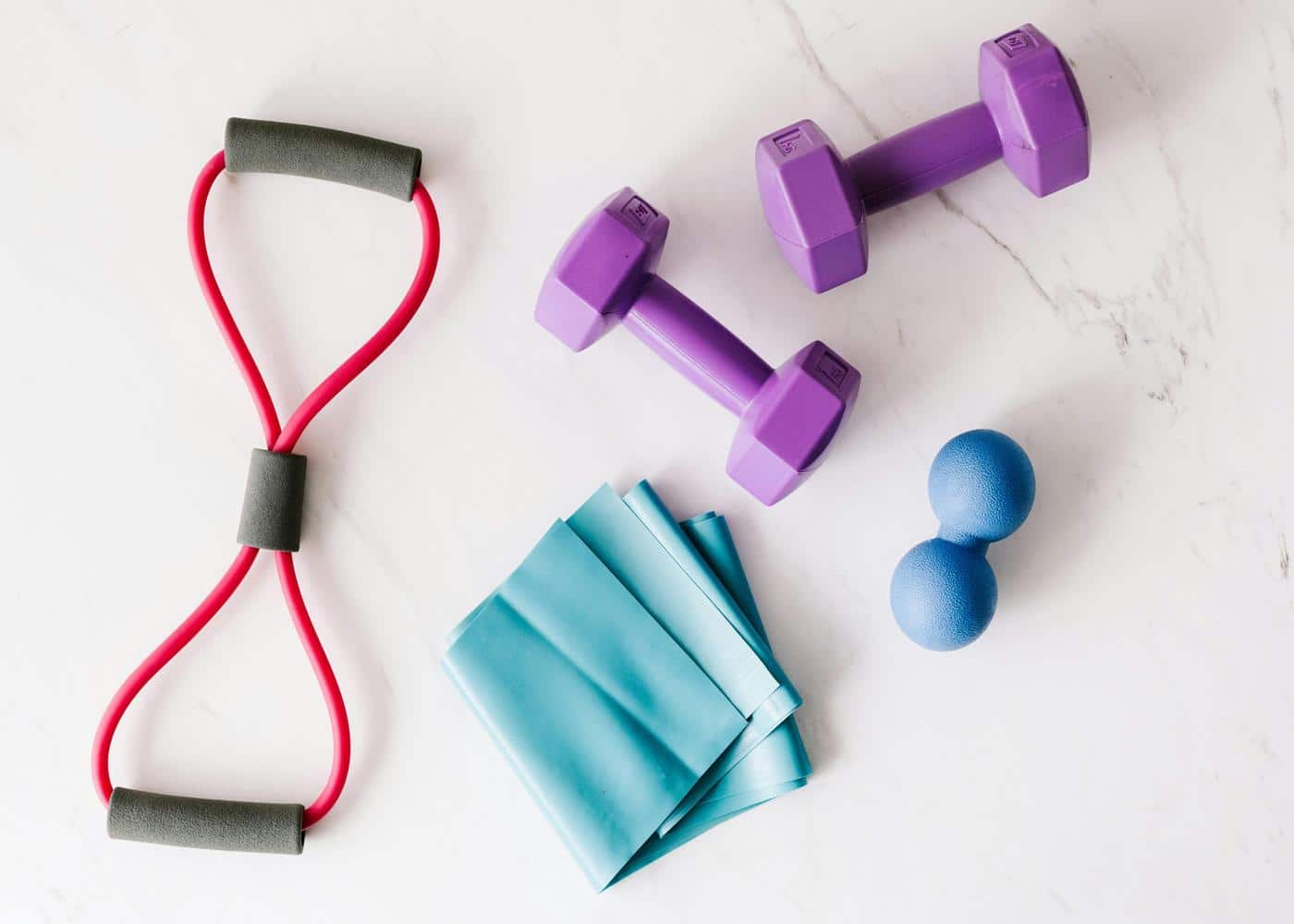
Adjustable Dumbbells
Dumbbells allow for a wide range of strength training exercises.
Since space is often a premium in a home office, adjustable versions are ideal.
They help you target muscle gain goals and provide a longitudinal view of your strength progress.
Resistance Bands
These are perhaps the most office-friendly equipment.
They can be stored in a desk drawer and used for lateral walks or shoulder dislocates between tasks.
They provide a low impact way to maintain muscle tone and flexibility.
A High-Quality Yoga Mat
A good mat provides a dedicated space for foundational work, such as stretching and core stability exercises.
It also helps define your workout area, creating a psychological boundary between your workspace and your fitness space.
Stability Ball
Replacing your office chair with a stability ball for an hour a day can engage your core muscles and improve your posture.
It encourages micro-movements of the spine and hips, preventing the static loading that causes discomfort.
Pull-Up Bar
A doorway pull-up bar is excellent for upper body strength.
It allows for "greasing the groove," a technique where you perform one or two repetitions every time you walk through the door, building significant strength without a dedicated hour-long session.
Under-Desk Treadmill or Elliptical
For the ultimate multi-tasker, these devices allow you to rack up miles while you work.
These are designed to integrate with most health tracking ecosystems, ensuring every step is counted toward your daily activity milestones.

Final Thoughts: Building a WFH Workout Routine
Building a sustainable routine in a remote environment requires a shift in perspective. You are an optimizer of your own health who happens to work from home.
Success lies in connecting the dots between your daily activity, your diet, and your recovery metrics to create a holistic overview of your journey.
By leveraging advanced analysis and personalized plans, you can move beyond basic tracking to understand exactly how your home office habits impact your unique physiology.
Whether you are just starting out or are an advanced user fine-tuning your biology, the key is to start with a plan that adapts to your life, rather than forcing your life to adapt to a rigid plan.
With the right tools and a personalized roadmap, your home office can become the most productive gym you have ever owned.
Article FAQ
How to stay fit working from home?
Replace lost commute movement with a consistent work from home workout routine. Incorporate "movement snacks" like desk stretches or a brisk lunchtime walk to support metabolic health and posture throughout the day.
Where can I find free at-home workout plans?
YouTube and "freemium" fitness apps are excellent places where you can find home workout ideas for free. Look for plans that focus on foundational habits to help you stay organized without a paid coach.
How to motivate yourself to workout at home?
Reduce friction by prepping your workout equipment the night before. Setting small, achievable milestones makes a WFH workout feel manageable rather than overwhelming when your work schedule gets busy.
What is the best time to workout when working from home?
The best time is whenever you are most consistent. Many successful remote workers perform remote work exercises immediately after their first morning meeting or right after logging off to create a clear boundary between work and personal time.
Do I need expensive equipment for a home workout?
No. Effective WFH exercises can be done using only body weight. If you want to progress, affordable tools like resistance bands or a stability ball offer a high-intensity home workout plan without taking up much space.
How can I track my progress effectively?
Centralize your activity data using a unified health app or a simple fitness journal. Tracking your daily movement and recovery metrics helps you see how your work from home workout schedule impacts your long-term energy levels and physical health.