Get exclusive access and
enjoy a 7-day Neura iQ trial.

Get exclusive access and enjoy a 7-day
Neura iQ trial — free, personalized, and powerful.

Table of Contents

Share this Article

How to sync Garmin to Apple Health?

Mar 2, 2026

Mar 2, 2026

Tech

14 minutes reading time

14 min read time

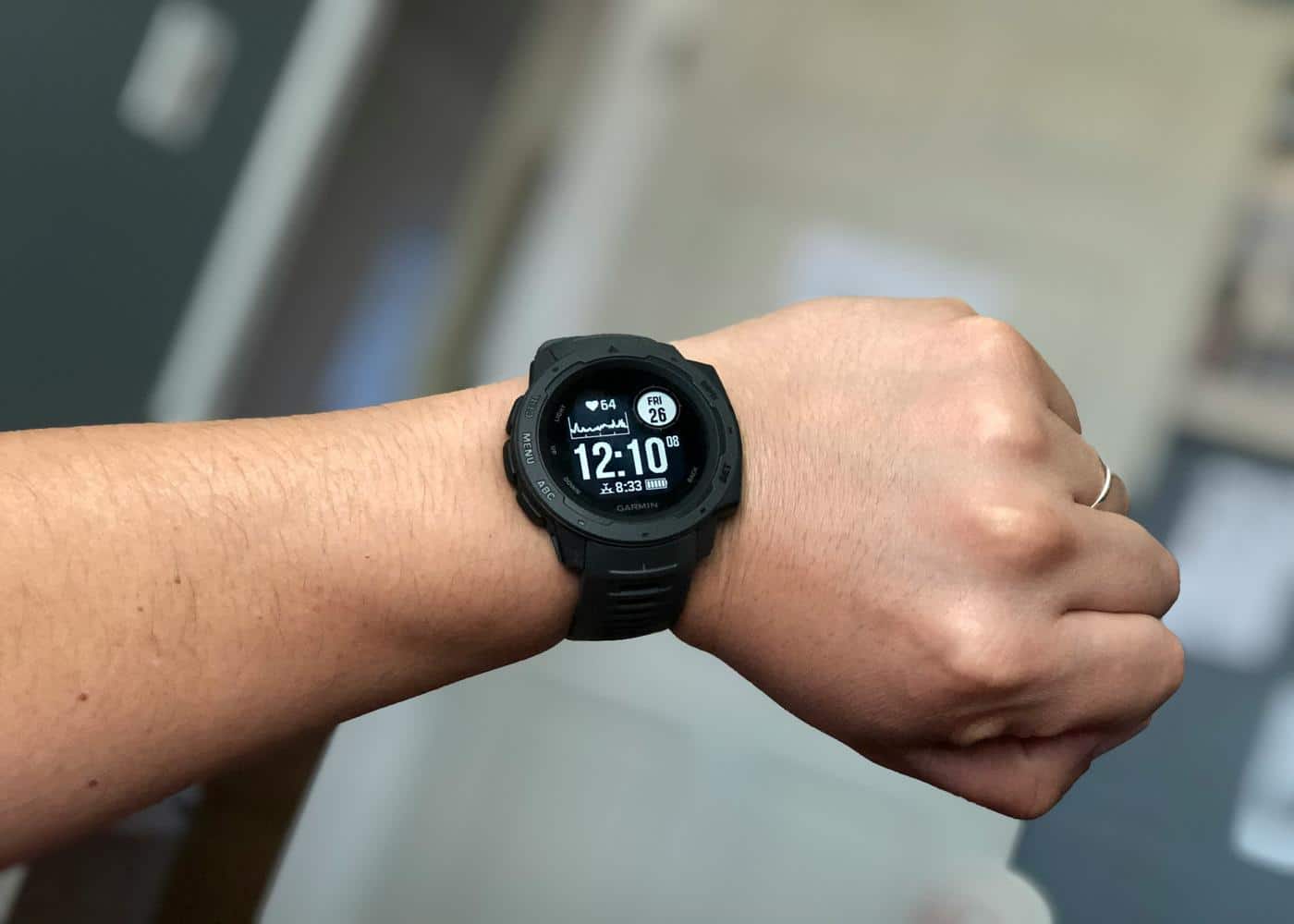
Syncing Garmin with Apple health: Man wearing a black Garmin watch

Key Findings

Syncing your Garmin device to Apple Health creates a powerful, centralized hub for all your fitness and wellness data. By connecting the two platforms through the Garmin Connect app settings, your daily steps, heart rate, and sleep metrics flow seamlessly into your secure Apple vault. This integration becomes even more valuable when paired with Neura, which eliminates dashboard fatigue by actively interpreting your combined data.

Does Garmin Connect to Apple Health? A Step-by-Step Guide

Wondering how to sync your Garmin data with Apple Health? 

You can connect the two applications in just a few seconds. To sync your devices, open the Garmin Connect app on your iPhone, tap the "More" menu at the bottom right, select "Settings," tap "Connected Apps," choose "Apple Health," and toggle on the data permissions you want to share. 

It is truly that simple. Once connected, your Garmin smartwatch will automatically push your daily health metrics directly into your Apple Health ecosystem.

Combining the rugged tracking power of a Garmin device with the centralized dashboard of Apple Health creates the ultimate setup for anyone serious about their personal wellness journey. 

While Garmin provides incredibly detailed analytics for athletes and everyday users alike, Apple Health serves as a universal hub for all your medical records, nutrition trackers, and wellness applications. 

In this comprehensive guide, we will break down the exact syncing methods, explore the specific biological data that transfers, and provide easy solutions for common connection problems.


Why You Should Connect Garmin to Apple Health

If you are already using the Garmin Connect application, you might wonder why you need to involve Apple at all. 

Garmin has an incredibly robust ecosystem, offering deep insights into your training readiness, recovery metrics, and overall cardiovascular performance. 

However, keeping your data siloed in one single application limits your ability to see the much bigger picture of your daily health.

Apple Health acts as a secure, centralized vault for your entire biological profile. By feeding your Garmin data into this secure vault, you allow other authorized third-party applications to access and utilize that exact same information. 

For example, if you use a smart scale that only syncs to Apple Health, or a specialized diet tracking app that needs your daily calorie burn, syncing your Garmin ensures all these platforms communicate flawlessly without requiring any manual data entry on your part.

Furthermore, Apple Health offers a highly reliable, long-term, device-agnostic storage solution. 

If you ever decide to switch away from the Garmin ecosystem years in the future, having all of your historical step counts, heart rate trends, and sleep data safely stored in your Apple account ensures you never lose a single day of your hard-earned progress.

Primary Method: Syncing via the Garmin Connect App

The most reliable way to establish the connection is directly through the Garmin interface itself. 

Make sure you have your Garmin watch nearby, your iPhone updated to the latest iOS software version, and the most recent version of the Garmin Connect app fully installed.

Here are the precise steps to authorize the connection and start syncing your data:


  1. Open the Garmin Connect app on your iPhone.


  2. Tap the "More" icon located in the bottom right corner of the screen.


  3. Scroll down the menu and tap on "Settings."


  4. Select "Connected Apps" from the settings list.


  5. Tap on "Apple Health" from the available options.


  6. A prompt will appear asking you to authorize data sharing. Tap "Turn On All" to share everything, or individually toggle the specific metrics you want to send.


  7. Tap "Allow" in the top right corner to save your preferences.

Once you complete these exact steps, the integration is fully active. Your watch will now send data to the Garmin Connect app via Bluetooth, and the app will instantly relay that data directly to Apple Health in the background.

Alternative Method: Syncing via the Apple Health App

If you prefer to manage your app permissions directly from the Apple side, you can easily set up the integration through your iPhone settings instead. This alternative method is particularly useful if you ever need to quickly review exactly which apps currently have access to your personal health vault.

Here are the precise steps to authorize the connection from your iPhone settings:


  1. Open the Apple Health app on your iPhone.


  2. Tap your profile picture or initials located in the top right corner of the Summary screen.


  3. Scroll down to the "Privacy" section and tap on "Apps and Services" to view the list of applications requesting access to your health data.


  4. Find and select "Garmin Connect" from this list.


  5. Review the detailed menu showing all the read and write permissions available for the app.


  6. Turn on the specific categories you want Garmin to actively update.

The end result is exactly the same as the primary method, ensuring your platforms are perfectly linked and ready to share data.

What Data Transfers Between Garmin and Apple Health?

Fortunately, the integration is highly comprehensive. Garmin acts as an excellent, highly accurate data source for the vast majority of your core vital signs.

Your daily step count, walking distance, and total flights climbed will transfer seamlessly throughout the day. Your active energy burned and resting calories will also populate, making it exceptionally easy to track your daily energy expenditure.

For cardiovascular health, Garmin sends your continuous heart rate data, resting heart rate averages, and even blood oxygen saturation if your specific watch model supports that feature. 

When you record a dedicated activity on your watch, such as a long run or a heavy cycling session, it will appear as a completed workout in Apple Health, complete with the exact duration and calories burned. 

Sleep analysis is another major feature that carries over, populating your Apple sleep schedules with the deep, light, and REM sleep stages recorded by your wearable device.

However, there are a few proprietary Garmin metrics that absolutely do not leave the Garmin ecosystem. Highly specialized calculations like your Body Battery, Training Readiness, and specific Garmin endurance scores will remain exclusive to the Garmin Connect application. 

Apple Health simply does not have corresponding categories to interpret these unique, brand-specific algorithms.


Troubleshooting Common Syncing Issues

Even the most seamless software integrations occasionally experience frustrating hiccups. If you notice that your Garmin data is no longer appearing in your Apple dashboard, there is usually a very simple and quick fix.

The most common culprit is iOS background app refreshing restrictions. Apple is highly protective of your iPhone battery life. If you have not opened the Garmin Connect app in a few days, your iPhone might temporarily suspend its ability to run in the background. This prevents the app from sending new data to Apple Health. 

The easiest fix is to simply open the Garmin Connect app, let your watch sync via Bluetooth, and wait a few seconds. The backlog of data should immediately pour into Apple Health.

If opening the app does not work, you should verify your permissions. Occasionally, major software updates can accidentally reset your privacy settings. 

Open the Apple Health app, navigate back to the "Apps and Services" menu under your profile, select Garmin Connect, and ensure all your desired toggles are still switched to the green "on" position.

If you are missing GPS map data from your outdoor runs, ensure your iPhone is unlocked during the sync. Apple Health strictly requires the phone to be unlocked to receive certain types of location-based activity data for privacy reasons.

Finally, if the connection is completely unresponsive, the classic tech support maneuver works wonders. Force close both applications, restart your iPhone, and open Garmin Connect again. This clears the temporary cache and usually forces the two systems to establish a fresh, working connection.

Maximizing Your Health Tracking Experience with Neura

Syncing your Garmin to Apple Health generates incredibly valuable data, but managing it all often leads to dashboard fatigue. You might spend your morning staring at sleep charts and strain metrics, yet still wonder if you should train hard or take a rest day. The information is there, but the actionable insight is missing.

Neura exists to close this gap. While other apps give you a cockpit full of complex instruments to decipher, Neura acts as a digital coach who has already read them all.

As your Garmin metrics flow into Apple Health, Neura works quietly in the background to cross-reference your activity load, daily stress levels, and sleep quality.

Instead of handing you a static recovery score, Neura tells you exactly what your day should look like. If your data indicates you are overtraining, it automatically dials down your intensity, perhaps suggesting a gentle walk instead of a heavy interval session.

Because Neura operates as a living system, your entire week reshapes itself to keep you on track if you miss a workout or sleep poorly. It delivers the ultimate benefits of tracking without making health optimization feel like a part-time job.

Final Thoughts: Syncing Garmin with Apple Health

Setting up the link between your Garmin wearable and your Apple Health dashboard is one of the smartest moves you can make for your personal tracking. 

It takes less than five minutes but pays massive dividends by centralizing your hard-earned data in one secure location. You ensure your workouts, sleep cycles, and daily activity levels are perfectly recorded, setting you up for long-term success on your wellness journey.

Article FAQ

Does Garmin sync with Apple Health?

Yes, Garmin syncs seamlessly with Apple Health. By linking the Garmin Connect application to your Apple Health dashboard, your smartwatch can automatically transfer your daily steps, heart rate, sleep data, and recorded workouts directly to your iPhone.

How to connect the Garmin app to Apple Health?

To connect the applications, open the Garmin Connect app on your iPhone and tap the More menu. Select Settings, then choose Connected Apps. Tap on Apple Health and turn on the specific health permissions you want to share between the two platforms.

What data does Garmin share with Apple Health?

Garmin shares a wide variety of biological metrics with Apple Health. This includes your daily step count, active energy burned, resting heart rate, sleep stages, walking distance, and full workout records. However, proprietary Garmin metrics like Body Battery do not transfer.

Why is my Garmin not syncing with Apple Health?

If your Garmin is not syncing, the most common reason is background app refreshing restrictions on your iPhone. Simply opening the Garmin Connect app and allowing it to refresh via Bluetooth usually forces the missing data to populate in Apple Health immediately.

Does Apple Health send data to Garmin Connect?

The connection is generally a one-way street from Garmin to Apple. Garmin Connect is designed to be your primary data source, so it does not typically pull activity data, daily steps, or heart rate information recorded by an Apple Watch or an iPhone back into its own dashboard.

Do I need an Apple Watch if I use Garmin with Apple Health?

You absolutely do not need an Apple Watch to utilize Apple Health. The Apple Health application is built directly into every iPhone to serve as a central hub for third-party devices. Your Garmin watch easily acts as the primary fitness tracker to feed data into this hub.
Got Questions? We've Got Answers

What exactly is Neura app?

Neura is a holistic AI health assistant that acts as your personal wellness coach. It combines your wearable data, lifestyle habits, and health metrics to deliver personalized plans, daily micro-tasks, mini-podcasts, and actionable insights to improve sleep, fitness, recovery, and longevity.

How does Neura work?

1. Answer a quick onboarding quiz (1–2 min). 2. Set your goals (e.g., better sleep, running a 5K). 3. Connect your wearables or apps for real-time health data. 4. Receive a daily, AI-personalized plan and mini-podcasts. 5. Track progress on your dashboard while Neura optimizes automatically.

Do I need a wearable or fitness tracker to use Neura?

No. You can start with just your phone and basic input. Wearables like Apple Watch, Garmin, Oura, or Fitbit unlock deeper, real-time insights and premium metrics, but they are optional.

Is my data safe and private?

Absolutely. Neura uses end-to-end encryption, is GDPR/HIPAA compliant, and gives you full control over data exports and deletion. Only anonymized data is processed for AI improvements.

What kind of results can I expect with Neura?

Most users report noticeable improvements in sleep quality, daily energy, and habit consistency within 2–3 weeks. Real-time insights help you save hours each week by replacing endless self-tracking and guesswork with an AI-driven health plan.

What devices and apps can Neura connect to?

Neura integrates with 90+ apps and devices like Apple Health, Google Fit, Garmin, Oura, Fitbit, Polar, Suunto, Peloton, Zwift, Withings, Eight Sleep, and more. You can also upload lab results for advanced analysis.

What’s included in the free plan?

The free Neura Plan comes with all the basic features you need to kickstart your holistic health and fitness journey. Those include our core AI chat (single-chat memory), a standard health plan with one active goal, up to 5 customizable Health Hub widgets, and daily auto-sync with limited integrations. Upgrade to Neura iQ for unlimited AI chat with persistent multi-session memory, multiple simultaneous Health Plans, and real-time data sync from 100+ integrations with 360° Health Sync, alongside all other premium features.

How is Neura different from other health apps or trackers?

Neura isn’t just a tracker – it’s a smart health operating system. It pulls together your data, analyzes it in real time, and gives you proactive, science-backed recommendations tailored to your lifestyle, without the hassle of manual research or multiple apps.

Can I cancel if I am not satisfied?

Yes. Neura Free is free forever, and Neura iQ comes with a 7-day free trial. After upgrading, you can cancel anytime. If you’re not satisfied within 30 days, we offer a full refund—no questions asked.

How do I get started with Neura?

Simply sign up with your email to claim free early access. You can start in less than 2 minutes, connect your wearables later, and immediately receive your personalized plan and first mini-podcast.

Got Questions? We've Got Answers

What exactly is Neura app?

Neura is a holistic AI health assistant that acts as your personal wellness coach. It combines your wearable data, lifestyle habits, and health metrics to deliver personalized plans, daily micro-tasks, mini-podcasts, and actionable insights to improve sleep, fitness, recovery, and longevity.

How does Neura work?

1. Answer a quick onboarding quiz (1–2 min). 2. Set your goals (e.g., better sleep, running a 5K). 3. Connect your wearables or apps for real-time health data. 4. Receive a daily, AI-personalized plan and mini-podcasts. 5. Track progress on your dashboard while Neura optimizes automatically.

Do I need a wearable or fitness tracker to use Neura?

No. You can start with just your phone and basic input. Wearables like Apple Watch, Garmin, Oura, or Fitbit unlock deeper, real-time insights and premium metrics, but they are optional.

Is my data safe and private?

Absolutely. Neura uses end-to-end encryption, is GDPR/HIPAA compliant, and gives you full control over data exports and deletion. Only anonymized data is processed for AI improvements.

What kind of results can I expect with Neura?

Most users report noticeable improvements in sleep quality, daily energy, and habit consistency within 2–3 weeks. Real-time insights help you save hours each week by replacing endless self-tracking and guesswork with an AI-driven health plan.

What devices and apps can Neura connect to?

Neura integrates with 90+ apps and devices like Apple Health, Google Fit, Garmin, Oura, Fitbit, Polar, Suunto, Peloton, Zwift, Withings, Eight Sleep, and more. You can also upload lab results for advanced analysis.

What’s included in the free plan?

The free Neura Plan comes with all the basic features you need to kickstart your holistic health and fitness journey. Those include our core AI chat (single-chat memory), a standard health plan with one active goal, up to 5 customizable Health Hub widgets, and daily auto-sync with limited integrations. Upgrade to Neura iQ for unlimited AI chat with persistent multi-session memory, multiple simultaneous Health Plans, and real-time data sync from 100+ integrations with 360° Health Sync, alongside all other premium features.

How is Neura different from other health apps or trackers?

Neura isn’t just a tracker – it’s a smart health operating system. It pulls together your data, analyzes it in real time, and gives you proactive, science-backed recommendations tailored to your lifestyle, without the hassle of manual research or multiple apps.

Can I cancel if I am not satisfied?

Yes. Neura Free is free forever, and Neura iQ comes with a 7-day free trial. After upgrading, you can cancel anytime. If you’re not satisfied within 30 days, we offer a full refund—no questions asked.

How do I get started with Neura?

Simply sign up with your email to claim free early access. You can start in less than 2 minutes, connect your wearables later, and immediately receive your personalized plan and first mini-podcast.

Got Questions? We've Got Answers

What exactly is Neura app?

Neura is a holistic AI health assistant that acts as your personal wellness coach. It combines your wearable data, lifestyle habits, and health metrics to deliver personalized plans, daily micro-tasks, mini-podcasts, and actionable insights to improve sleep, fitness, recovery, and longevity.

How does Neura work?

1. Answer a quick onboarding quiz (1–2 min). 2. Set your goals (e.g., better sleep, running a 5K). 3. Connect your wearables or apps for real-time health data. 4. Receive a daily, AI-personalized plan and mini-podcasts. 5. Track progress on your dashboard while Neura optimizes automatically.

Do I need a wearable or fitness tracker to use Neura?

No. You can start with just your phone and basic input. Wearables like Apple Watch, Garmin, Oura, or Fitbit unlock deeper, real-time insights and premium metrics, but they are optional.

Is my data safe and private?

Absolutely. Neura uses end-to-end encryption, is GDPR/HIPAA compliant, and gives you full control over data exports and deletion. Only anonymized data is processed for AI improvements.

What kind of results can I expect with Neura?

Most users report noticeable improvements in sleep quality, daily energy, and habit consistency within 2–3 weeks. Real-time insights help you save hours each week by replacing endless self-tracking and guesswork with an AI-driven health plan.

What devices and apps can Neura connect to?

Neura integrates with 90+ apps and devices like Apple Health, Google Fit, Garmin, Oura, Fitbit, Polar, Suunto, Peloton, Zwift, Withings, Eight Sleep, and more. You can also upload lab results for advanced analysis.

What’s included in the free plan?

The free Neura Plan comes with all the basic features you need to kickstart your holistic health and fitness journey. Those include our core AI chat (single-chat memory), a standard health plan with one active goal, up to 5 customizable Health Hub widgets, and daily auto-sync with limited integrations. Upgrade to Neura iQ for unlimited AI chat with persistent multi-session memory, multiple simultaneous Health Plans, and real-time data sync from 100+ integrations with 360° Health Sync, alongside all other premium features.

How is Neura different from other health apps or trackers?

Neura isn’t just a tracker – it’s a smart health operating system. It pulls together your data, analyzes it in real time, and gives you proactive, science-backed recommendations tailored to your lifestyle, without the hassle of manual research or multiple apps.

Can I cancel if I am not satisfied?

Yes. Neura Free is free forever, and Neura iQ comes with a 7-day free trial. After upgrading, you can cancel anytime. If you’re not satisfied within 30 days, we offer a full refund—no questions asked.

How do I get started with Neura?

Simply sign up with your email to claim free early access. You can start in less than 2 minutes, connect your wearables later, and immediately receive your personalized plan and first mini-podcast.

Got Questions? We've Got Answers

What exactly is Neura app?

Neura is a holistic AI health assistant that acts as your personal wellness coach. It combines your wearable data, lifestyle habits, and health metrics to deliver personalized plans, daily micro-tasks, mini-podcasts, and actionable insights to improve sleep, fitness, recovery, and longevity.

How does Neura work?

1. Answer a quick onboarding quiz (1–2 min). 2. Set your goals (e.g., better sleep, running a 5K). 3. Connect your wearables or apps for real-time health data. 4. Receive a daily, AI-personalized plan and mini-podcasts. 5. Track progress on your dashboard while Neura optimizes automatically.

Do I need a wearable or fitness tracker to use Neura?

No. You can start with just your phone and basic input. Wearables like Apple Watch, Garmin, Oura, or Fitbit unlock deeper, real-time insights and premium metrics, but they are optional.

Is my data safe and private?

Absolutely. Neura uses end-to-end encryption, is GDPR/HIPAA compliant, and gives you full control over data exports and deletion. Only anonymized data is processed for AI improvements.

What kind of results can I expect with Neura?

Most users report noticeable improvements in sleep quality, daily energy, and habit consistency within 2–3 weeks. Real-time insights help you save hours each week by replacing endless self-tracking and guesswork with an AI-driven health plan.

What devices and apps can Neura connect to?

Neura integrates with 90+ apps and devices like Apple Health, Google Fit, Garmin, Oura, Fitbit, Polar, Suunto, Peloton, Zwift, Withings, Eight Sleep, and more. You can also upload lab results for advanced analysis.

What’s included in the free plan?

The free Neura Plan comes with all the basic features you need to kickstart your holistic health and fitness journey. Those include our core AI chat (single-chat memory), a standard health plan with one active goal, up to 5 customizable Health Hub widgets, and daily auto-sync with limited integrations. Upgrade to Neura iQ for unlimited AI chat with persistent multi-session memory, multiple simultaneous Health Plans, and real-time data sync from 100+ integrations with 360° Health Sync, alongside all other premium features.

How is Neura different from other health apps or trackers?

Neura isn’t just a tracker – it’s a smart health operating system. It pulls together your data, analyzes it in real time, and gives you proactive, science-backed recommendations tailored to your lifestyle, without the hassle of manual research or multiple apps.

Can I cancel if I am not satisfied?

Yes. Neura Free is free forever, and Neura iQ comes with a 7-day free trial. After upgrading, you can cancel anytime. If you’re not satisfied within 30 days, we offer a full refund—no questions asked.

How do I get started with Neura?

Simply sign up with your email to claim free early access. You can start in less than 2 minutes, connect your wearables later, and immediately receive your personalized plan and first mini-podcast.