
Lifesum App Review: One of the Better AI Diet Trackers?
Tech

Key Findings
Lifesum is a polished nutrition app with flexible food logging through photos, voice, text, barcodes, and manual searches. It is easy to use and offers helpful meal plans, habit tools, and nutrition feedback, but many of its best features require Premium. AI calorie estimates are convenient but may need adjustments, especially for mixed meals and restaurant food.
Food tracking apps are becoming faster and more personalized, with artificial intelligence helping users log meals through photos, voice, and everyday language.
Lifesum is one of the more established nutrition apps to adopt these tools, combining AI-assisted logging with calorie tracking, meal plans, recipes, habit reminders, and broader wellness feedback.
The result is a polished app that can make food tracking more approachable. However, many of its best features require a paid subscription, and AI estimates still need to be checked.
This Lifesum app review looks at how the platform works, what it feels like to use, and whether it offers enough value for people trying to eat more healthfully.
What is the Lifesum App?
Lifesum is a nutrition and healthy eating app that tracks food, calories, macronutrients, water, exercise, weight, and selected eating habits.
It supports goals such as losing weight, maintaining weight, gaining weight, improving body composition, or building a more balanced routine. The app is free to download, although its complete feature set requires a subscription.
At its core, Lifesum is a food diary. Users can search its database, scan packaged-food barcodes, reuse recent meals, save favorites, or manually enter nutrition details.
Its newer AI system adds photo, voice, and text-based logging for paid members. The app also includes nutrition targets, meal plans, recipes, grocery lists, habit tools, and health-platform integrations.
This gives Lifesum a wider focus than a basic calorie counter. It is designed to record what you eat while also providing feedback on food quality, hydration, activity, and consistency.
Lifesum App: In-Depth Review

Lifesum gives users several ways to approach nutrition tracking.
Someone who wants detailed calorie and macro data can use it as a traditional food diary, while someone who dislikes searching for every ingredient can use the AI tools for faster entries.
Meal guidance and habit support add structure without turning the app into a highly intensive coaching program.
How Does Lifesum Work?
Lifesum begins by asking about your goals, activity level, dietary preferences, and eating habits. It then creates suggested calorie and macronutrient targets and organizes your daily diary into meals, snacks, water, and activity.
Users can log food through database searches, barcode scanning, saved meals, recent foods, or manual entries.
Premium members can also use AI Tracking to photograph a meal, describe it by voice, or type what they ate. Lifesum estimates the foods, portions, calories, and macros, which can be reviewed and edited before saving.
The AI tools can make logging faster, especially for simple meals, but they are not always precise. Mixed dishes, sauces, cooking oils, and restaurant portions may require manual adjustments.
Lifesum also provides personalized feedback based on your food, exercise, goals, and current plan.
The Lifesum Life Score offers a weekly view of habits such as nutrition, hydration, and activity. Exercise data can be entered manually or synced from supported health platforms.
The free version includes basic tracking, while Lifesum Premium adds AI logging, adjustable nutrition targets, detailed nutrient information, meal plans, programs, recipes, and other personalization tools.
What Does Lifesum Feel Like to Use?
The Lifesum app interface is clean and centered on a daily diary. Breakfast, lunch, dinner, and snacks appear as familiar meal cards, with calories and macros shown near the top.
Water, activity, guidance, and habit tools are placed around the diary rather than hidden inside a technical dashboard. Users can also switch between AI and classic tracking.
For new users, the app may feel more approachable than a spreadsheet-style nutrition tracker.
Food ratings, habit prompts, recipes, and weekly feedback make it feel focused on daily choices rather than numbers alone.
It is especially suitable for people who want to improve food quality while still monitoring calories and macros.
AI can shorten the logging process, but it does not remove the need for review. A photo of a mixed dish may miss oil, sauces, toppings, or exact quantities.
A spoken entry can also be inaccurate when the description is too general. People who need precise data for athletic performance or medical nutrition management may still prefer weighed portions and verified entries.
The ability to move between AI and classic tracking improves the experience. Someone can photograph lunch, scan a packaged snack, and reuse a saved breakfast without following the same logging process each time.
However, users who only want a simple manual diary may find the additional AI tools unnecessary.
Lifesum App: Key Features
AI-assisted meal logging: Paid users can log meals by photo, voice, or typed description, then edit estimated foods, portions, calories, and macros.
Traditional food tracking: Database search, barcode scanning, recent items, saved favorites, custom entries, and quick logging remain available.
Calorie and macro targets: Lifesum calculates daily goals, with paid users able to adjust calories, carbohydrates, protein, and fat.
Meal plans and recipes: The app includes structured programs, recipe ideas, grocery lists, and meal plans.
Habit and wellness tools: Users can monitor water, fruit, vegetables, weight, measurements, exercise, and other habits.
Personalized feedback: Daily guidance and weekly scoring help explain what logged habits may mean and what to focus on next.
Pros
Lifesum offers more logging flexibility than many traditional food diaries. Photo, voice, text, barcode, database, and quick-entry tools allow users to choose the best method for each meal.
The app also balances calorie and macro tracking with food quality, hydration, recipes, and routine-building.
Its presentation is another strength. The diary is organized, the visuals are friendly, and the feedback is easy to understand.
Lifesum can support weight management, macro tracking, meal planning, or general healthy eating without making the main screen overly technical.
The combination of nutrition data and everyday habit prompts may also help users look beyond one meal or one calorie total. Instead of treating food tracking as a pass-or-fail system, Lifesum encourages users to notice patterns across their week.
Drawbacks
The main drawback is the subscription structure. The free version introduces users to the diary, but AI logging, detailed nutrients, adjustable targets, and much of the planning content require payment.
Someone who only wants a basic calorie counter may not see enough reason to upgrade.
AI accuracy is also limited. Lifesum can recognize foods and estimate nutrition, but it cannot reliably identify every ingredient or exact portion. Restaurant dishes, mixed meals, oils, sauces, and foods with several preparation methods require closer review.
The app may also be too broad for users who want one specialized function. People focused on micronutrients may prefer a more detailed platform, while those seeking intensive behavior-change lessons or direct coaching may want a more structured program.
Food databases can also contain variations between brands, serving sizes, and user-added entries. Reviewing the selected item remains important, even when using a barcode or search result instead of the AI tracker.
Lifesum App: Final Verdict
Lifesum is one of the better AI diet trackers for users who value convenience, visual design, and a balanced view of healthy eating.
Its strongest feature is the choice between AI-assisted and traditional logging. Using a photo for one meal, a barcode for another, and a saved favorite the next morning makes it more practical than an app built around only one input method.
For people comparing Lifesum vs MyFitnessPal, Lifesum may feel more guided and lifestyle-focused. MyFitnessPal may be more appealing to users who prioritize a large food database, flexible nutrition tracking, and a more established calorie-counting experience.
The Lifesum vs Noom decision depends on the type of support you want. Lifesum is primarily a nutrition tracker with plans and feedback. Noom places more emphasis on psychology-based lessons, behavior change, coaching, and a structured weight-management program.
Overall, Lifesum is a strong fit for people who want an attractive food diary with convenient AI logging and practical healthy eating tools.
It is less compelling for users who want deep micronutrient analysis, intensive coaching, or a fully featured free plan.


Alternative Apps for Healthy Eating Tracking

These Lifesum alternatives offer different ways to track food, improve eating habits, and build a healthier routine.
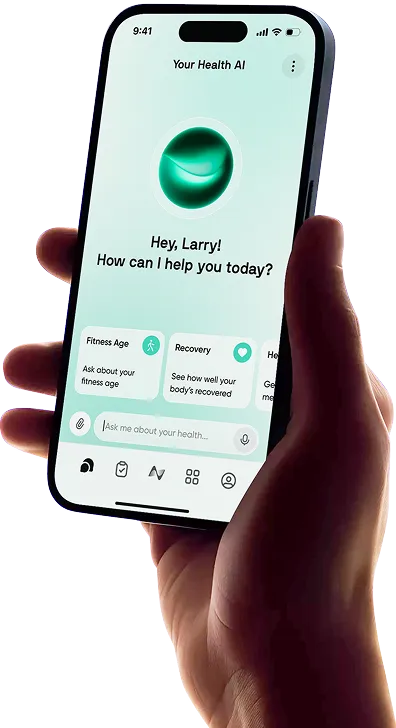
Neura: Neura connects information from health apps and wearables to create clear daily recommendations. Instead of focusing only on food, it considers how nutrition, activity, sleep, stress, and recovery may affect one another. It is a useful option for people who want diet and fitness guidance in one connected plan.
MyFitnessPal: MyFitnessPal is a practical choice for users who prioritize a large food database, calorie and macro tracking, reminders, exercise data, and customizable goals. Its familiar diary format works well for people who want detailed control over daily entries.
Noom: Noom suits users who want education and behavior support alongside food logging. Its program includes psychology-based lessons, tracking tools, customized plans, and coaching features. It requires more active participation than Lifesum but may help people who want to understand the habits behind their food choices.
Cronometer: Cronometer is a stronger option for detailed nutrient analysis. It tracks calories, macros, vitamins, minerals, and many additional nutrients. It can feel more technical, but it is useful for people who care about micronutrients, supplements, and precise dietary reporting.
Lose It!: Lose It! focuses on approachable calorie and weight tracking, with tools for food, macros, exercise, nutrition, and fasting. It may suit someone who wants a straightforward weight-loss diary without as much emphasis on meal plans or weekly wellness scoring.
Neura: Discover a Diet & Fitness Routine Made for You

Nutrition is closely connected to sleep, stress, activity, and recovery. Neura brings this information together to create clear daily guidance rather than leaving users to interpret data across several apps.
It can use information from connected health apps and wearables to adjust meal and fitness recommendations based on how your body is responding.
A poor night of sleep, increased stress, or a demanding workout may lead to changes in that day’s plan.
Neura is also designed to work quietly in the background. Personalized notifications and audio recaps highlight what matters, helping users spend less time checking charts and more time following a routine that fits their day.
For people who want diet and exercise guidance to work together, Neura offers a more connected and personalized approach than a standard food tracker.
Final Thoughts: Lifesum App Review
Lifesum makes nutrition tracking flexible by combining a clean diary, calorie and macro tools, recipes, plans, habits, and AI-assisted meal entry.
Switching between photos, voice, text, barcodes, and classic search makes it easier to keep logging when meals and schedules change.
The tradeoff is that much of the value sits behind a subscription, and AI entries still require attention.
Lifesum is best for users who want a polished, supportive healthy eating app and are comfortable reviewing estimates.
It is not the strongest option for highly detailed nutrient analysis, intensive coaching, or people who only want a generous free calorie tracker.
Overall, Lifesum offers a useful middle ground between a basic food diary and a demanding weight-management program.
Its mix of flexible tracking, practical feedback, and meal-planning support makes it one of the more approachable AI-assisted options for building a healthier eating routine.
Article FAQ
What is the Lifesum app?
Lifesum is a nutrition and healthy eating app that helps users track calories, macronutrients, water, exercise, weight, and eating habits. It also offers meal plans, recipes, food ratings, personalized nutrition feedback, and AI-assisted meal logging.
Is Lifesum free?
Yes, Lifesum is free to download and includes limited food and nutrition tracking features. A Premium subscription is required for AI Tracking, adjustable nutrition goals, detailed nutrient information, meal plans, programs, and full access to the app’s content.
How accurate is Lifesum for calories?
Lifesum can provide useful calorie estimates, but accuracy depends on the food entry, portion size, and logging method. Barcode scans and verified portions are generally more reliable than AI photo estimates, particularly for mixed meals, sauces, oils, and restaurant dishes. Users should review and adjust entries when needed.
How do you use the Lifesum app?
Start by entering your goal, activity level, and dietary preferences. Lifesum will calculate suggested calorie and macro targets. You can then log meals through food searches, barcodes, recent foods, quick entries, or Premium AI tools using photos, voice, and text.
Is Lifesum good for weight loss?
Lifesum can be useful for weight loss because it helps users monitor calorie intake, macronutrients, activity, and eating habits. Its meal plans and daily feedback can provide additional structure, but results still depend on maintaining realistic nutrition and activity habits consistently.
Does Lifesum use AI?
Yes, Lifesum uses AI to help Premium members log meals through photographs, spoken descriptions, or typed text. The app estimates foods, portions, calories, and macros, but users can review and edit the results before adding them to their diary.