
Best Personal Health Record Apps: Keep Your Results, Medications and Health History Together
Health

Key Findings
The best personal health record apps help you find results, maintain a medication list and bring useful information to appointments. Guava combines mixed records with everyday tracking, while MyChart connects you with participating healthcare providers. Apple Health and CommonHealth offer options for supported iPhone and Android users. Neura combines uploaded health information with broader tracking and personalized plans, while PicnicHealth offers a record-collection service. Choose an app that handles the records you actually have, whether they come from a portal, a PDF or paper.
A useful health record app makes it easy to find last year’s blood test, check your current medication list or bring a specialist’s report to a new appointment. The challenge is getting information from different places into a record you can keep using.
Some apps connect to patient portals, others accept uploaded documents, and a few collect records on your behalf. This guide compares six options, including Neura for readers who want their results to sit alongside the health information and habits they track each day.
Best Personal Health Record Apps at a Glance

Start with the information you want to bring together. A folder of downloaded reports calls for different features from a collection of provider accounts, and both differ from wanting help collecting years of records.
App | Best for | How information gets in | Cost or access |
Connecting records with wider health tracking and personal plans | Uploaded documents, connected apps and user input | Free and paid tiers; beta access | |
Combining medical records, documents and daily logs | Supported portals, uploads, scans and manual entries | Free tier; optional Premium | |
Records and services from participating providers | Information from connected healthcare organizations | Provider-linked access | |
Bringing supported records into an iPhone setup | Downloads from participating organizations | Included with supported Apple devices | |
Collecting supported health records on Android | Supported provider connections and digital records | Free | |
Help collecting records from multiple providers | Authorized record collection | $499/year; eligible study options |
Personal Health Record, Patient Portal or EHR: What’s the Difference?
A personal health record, or PHR, is information you maintain for your own use. It can bring together records from providers, documents you upload and details you enter yourself.
A patient portal connects you to information and services offered by a healthcare organization. MyChart belongs in this comparison because a provider-linked app may already cover much of what you need.
An electronic health record, or EHR, is the system healthcare providers use to document and manage care. Searching for an electronic health record app can therefore lead to software intended for clinics rather than something you would use at home.
The federal health IT explanation sets out these distinctions. For your own choice, focus on whether the app can bring in your information and make it easy to retrieve.


The 6 Best Personal Health Record Apps

Each app below has a different strength. Think about the task you want to make easier, whether that is finding a result before an appointment, following changes over time or getting several providers’ records together.
1. Neura: Best for Connecting Records With Everyday Health Tracking
Best fit: Uploaded health information alongside connected metrics, goals and personal plans.
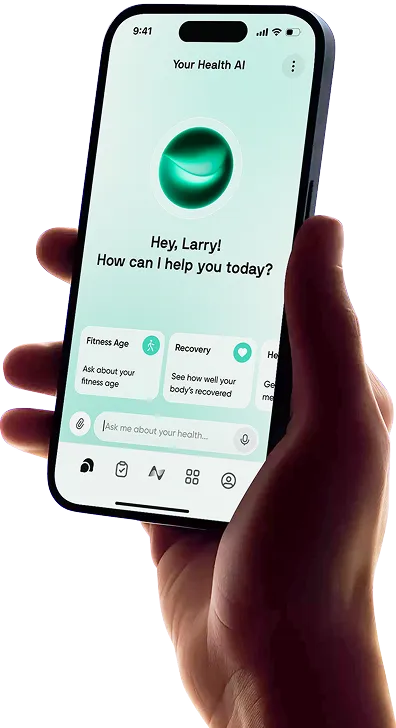
Neura brings uploaded lab PDFs, doctor notes, prescriptions and wellness records into the same broader system as connected apps, wearables and personal context.
That is appealing if you already have a collection of reports and use other health tracking apps. Rather than keeping your earlier results entirely separate from the information you track now, you can bring them into a wider view of your routine.
For example, you might have several years of blood-test PDFs, a current medication list and ongoing sleep or activity information. Neura’s approach is to use supplied records and connected information alongside your goals and circumstances, helping that information contribute to a personal plan.
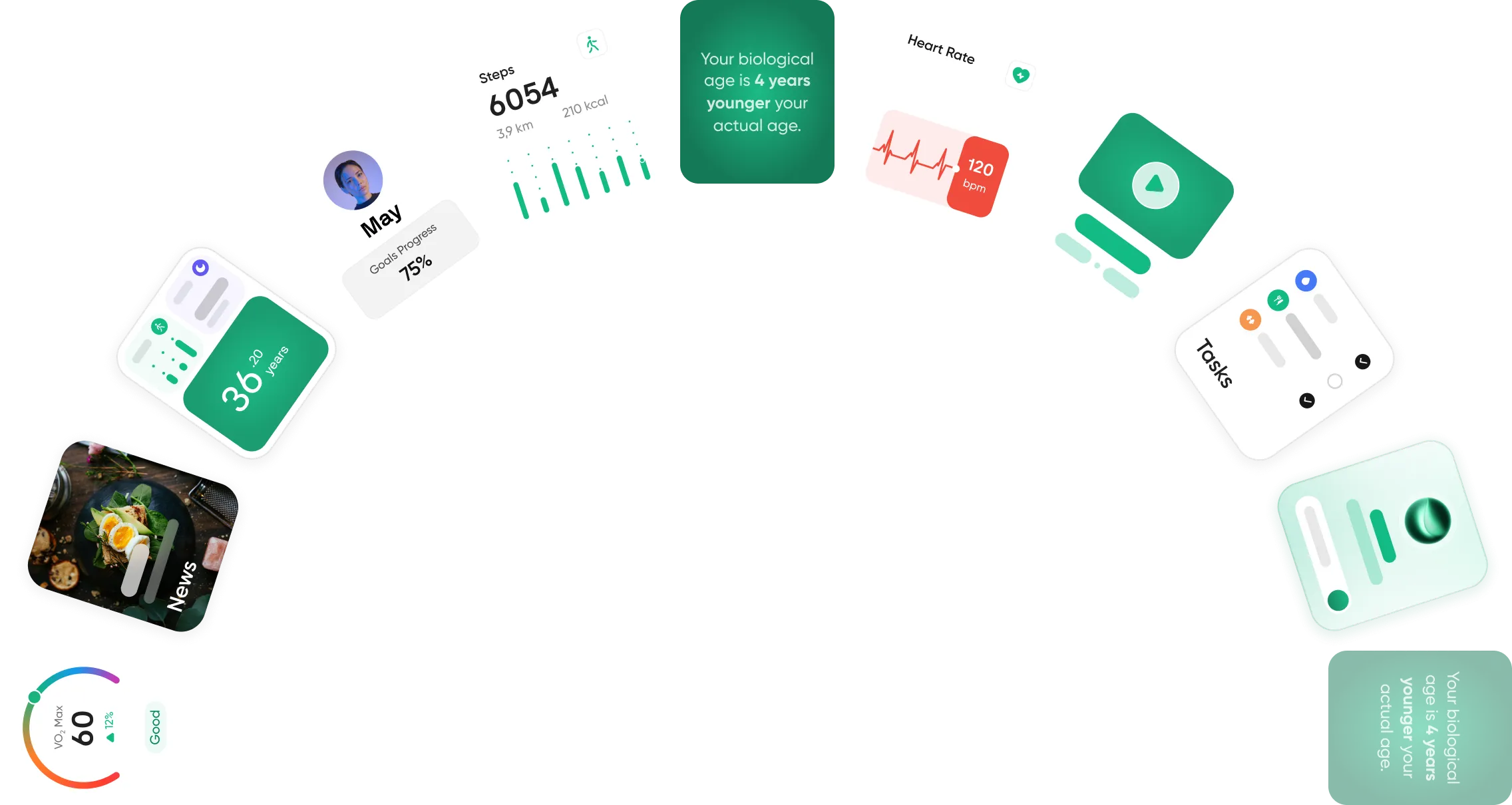
Its customizable dashboards let you choose the metrics you want to see, while its broader features include keeping medication, supplement and other profile information together. This makes it a relevant health and fitness tracking app for readers who want more context around their results.
The AI angle is practical: organizing supplied information, exploring changes and bringing relevant background into your goals. Seeing two things change together still leaves a separate question about what caused the change, so keeping the original reports remains useful.
Neura currently offers beta access with free and paid tiers.
Why choose it: You want your records to contribute to an ongoing health routine and personalized planning, alongside the information you track each day.
2. Guava: Best for Combining Medical Records, Documents and Daily Logs
Best fit: A mixture of provider records, uploaded files and self-recorded information.
Guava is worth shortlisting when your information comes in several formats. It supports patient portal connections, document uploads and daily logs such as symptoms and medication use.
A result from one healthcare system, a scanned specialist letter and your own notes can all be relevant to the same appointment. Guava’s appeal is bringing those sources together, with sharing and visit-preparation options.
It is available on the web, iOS and Android. Automatic provider connections depend on the supported systems; Guava describes its provider-sync feature as US-specific, while uploads and other tools have broader availability.
The free-versus-Premium distinction matters. The free tier includes document uploads, core tracking and record sharing. Automatic extraction of results from uploaded lab reports, certain AI features and expanded profile-management tools sit in Premium.
Premium is currently listed at $8 per month or $78 per year.
Why choose it: You want a flexible record collection with room for daily notes and logs, and useful features before paying for an upgrade.
3. MyChart: Best for Records Linked to Your Healthcare Providers
Best fit: Results, visit information and services from participating healthcare organizations.
Before adding another app, look at what your healthcare provider already offers. MyChart can give you access to results, medication information and visit records made available by participating organizations.
Its Happy Together feature can bring information from participating organizations into a centralized view. Share Everywhere provides a way to give someone involved in your care temporary access through a web browser.
That makes MyChart useful for a familiar sequence: check a result, revisit the appointment summary and use the communication options your provider makes available.
The important detail is that your experience depends on the organization. Available information, messaging and other services can differ. MyChart is therefore strongest when your relevant providers participate, rather than as a universal destination for an arbitrary folder of documents.
Why choose it: Most of what you need is already held by participating providers, and you want access to those records and services in one place.
4. Apple Health: Best for iPhone Users With Supported Healthcare Providers
Best fit: Keeping supported provider records alongside information already in Apple Health.
If you already use Apple Health, investigate its Health Records feature before signing up for another service.
You can connect participating healthcare organizations and download supported records such as labs, medications, allergies and vaccinations. New records can arrive as the organization makes them available.
The convenience is being able to find an older result within an app you already use, without starting another search through a hospital portal.
Health Records availability depends on your country, region and provider. Check whether your organization appears in the connection options. This feature uses supported record connections, so it is a different proposition from an app built to accept a collection of miscellaneous PDFs.
Why choose it: You have an iPhone, your providers are supported and you would prefer to use your existing Health app.
5. CommonHealth: Best for a Free Android Health Record App
Best fit: Portable access to supported records on Android without a subscription.
CommonHealth is a service from The Commons Project for collecting and managing personal health information from supported sources.
It gives Android users a way to bring records from participating providers together and share information with supported services. Its FAQ states that records are stored on the device, rather than in CommonHealth’s cloud, and that the service is free.
That combination is attractive if your main aim is to carry your records with you and avoid another subscription.
Provider availability remains the first thing to check. Also pay attention to access and recovery instructions: on-device storage makes your phone and account-access setup especially relevant.
Why choose it: You use Android and want straightforward access to supported records, with a free, device-based approach.
6. PicnicHealth: Best for Help Collecting Records From Multiple Providers
Best fit: People who want assistance gathering records from different places.
Collecting a medical history can mean contacting several offices and working through different portals. PicnicHealth takes on that collection work after you authorize it.
The service organizes records into a timeline, with information such as lab results, doctor notes and imaging reports. Its mobile app also provides search tools and access to the information already collected.
This is especially relevant if you have changed providers several times or have a history spread across multiple organizations. PicnicHealth currently supports record collection from US providers.
Membership is listed at $499 annually. Eligible research participants can receive membership during their study; that arrangement includes research participation, so review the study details when considering it. Previously collected records remain accessible after an active subscription ends.
You need an existing account before using the mobile app. Optional clinical visits are separate from the membership comparison here.
Why choose it: Gathering and maintaining the record collection is the part you most want help with, and that service justifies the membership cost.
What to Look for in a Personal Health Record App

A useful way to compare apps is to give each one a job: find last year’s report, show a current medication list or prepare information for a new appointment. Then check what it takes to complete that task.
Will It Accept the Information You Already Have?
Look at your starting point. Is your information in patient portals, downloaded PDFs, paper letters or a mixture?
Provider connections can reduce ongoing work once established. Uploads are useful when a clinic is unsupported or you have older documents. Manual entries give you somewhere to add information that was never captured in a portal.
Choose an import method that fits your records before getting distracted by dashboard design.
Can You Find the Original Result and Follow Changes?
Search, dates and source labels matter when you return to a record months later.
Storing a PDF is one feature; extracting its contents into searchable entries or charts is another. Check which is included and whether extraction requires payment.
If you upload a report from 2023 today, make sure it sits under the original test date. Check extracted values and units against the report, too.
An AI health tracker can help organize supplied information and make it easier to explore, but access to the original gives you something concrete to return to.
Can You Share the Right Information?
Look for the sharing method you will actually use: temporary access, selected records, an export or an appointment summary.
If you are helping a family member, check whether the app supports separate profiles and appropriate permissions. A useful caregiver setup should let you manage the right record without mixing two people’s information together.
What Will It Cost, and How Much Control Do You Keep?
Compare the feature you need, rather than the headline subscription price. Uploading files might be free while automatic extraction, additional profiles or ongoing collection costs extra.
Also check how to export information, manage sharing and close an account. If records are stored on your device, understand the recovery process before changing phones.
The best health record app should fit your budget and leave you comfortable with how your information is handled.
How to Get Your Health Records Organized
You do not need to reconstruct your entire medical history in one evening. Start with a useful current record, then add older information as you need it.
Start With the Information You Regularly Need
A manageable first session could look like this:
Gather recent results and relevant visit summaries. Begin with the documents you are most likely to look for again.
Add your current medication and supplement list. Include names, doses and frequency where known, and distinguish current items from past ones.
Add allergies and key history. Keep the information concise and clearly dated.
Connect providers or upload documents. Use the route your chosen app supports.
Check retrieval and sharing. Find a report again and see how you would make it available at an appointment.
An old prescription should not look like something you currently take simply because it was imported today. Dates and status make the record useful.
Make the Record Useful at Your Next Appointment
Before the visit, find the relevant report, review your current medication list and note the questions you want to ask.
A short, relevant selection is often easier to work with than opening an entire document collection during the appointment. Use the app’s supported sharing or summary tools where available.
With Neura, supplied records can also sit alongside the health information you track between visits, giving you a broader personal reference point.
Keep It Current Without Making It Another Chore
Add a new report when it arrives and update relevant details when something changes. Keeping those small updates together is more manageable than repeating a large catch-up exercise before every appointment.
Final Thoughts: Best Personal Health Records App
The best personal health record app is the one that makes your information easier to find and use. For some people, that means connecting existing provider accounts. For others, it means uploading old reports or getting help collecting records from several clinics.
If you also want those results to sit alongside the health information you track each day, Neura is worth exploring.
Start with your latest results and current medication list, then build a record you can keep returning to.
Article FAQ
What Numbers Matter Most for Health Tracking?
The most useful numbers depend on your goals and care. For heart health, CDC highlights blood pressure, cholesterol and blood sugar. Activity levels and weight can add relevant context. Keep readings dated with their units and source, so you can follow changes rather than compare isolated numbers.
What Is the Best Personal Health Record App?
Neura suits readers who want records connected to wider health tracking and personal plans. Guava is useful for mixed records and daily logs. MyChart, Apple Health and CommonHealth serve supported provider connections, while PicnicHealth offers help collecting records from multiple US providers.
Are There Free Personal Health Record Apps?
Yes. CommonHealth is free, supported Apple Health record features are included with compatible devices, and Guava offers a free tier with uploads and core sharing. Check whether the particular feature you want, such as automatic extraction from lab PDFs, requires payment.
What Is the Difference Between a Personal Health Record and an Electronic Health Record?
A personal health record is maintained for your own use and may combine several information sources. An electronic health record is part of the system healthcare providers use to document and manage care. A patient portal gives you access to information and services from a participating organization.
Can I Upload Blood Test Results and PDFs to a Health Record App?
Some apps accept uploaded documents, including Neura and Guava. Others focus on supported provider connections. Check whether the app stores the file, extracts its contents into usable entries or offers both, and retain access to the original report.
Can I Share My Personal Health Record With My Doctor?
Many apps offer supported sharing methods, such as temporary record access, exports or appointment summaries. MyChart and Guava document specific sharing options. Check your chosen app’s tools and ask the practice which format it can use before the appointment.