
Fitbod App Review: Does it Still Hold Up in 2026?
Tech

Key Findings
Fitbod still holds up in 2026 as a strong strength training app for users who want structured workouts, equipment-based planning, and simple progress tracking. Its main strengths are personalized workout generation, exercise substitutions, and progressive overload support. However, this Fitbod app review found that Fitbod is best as a dedicated workout planner, while users who want fitness connected with sleep, recovery, nutrition, stress, and wider health data may prefer a broader platform like Neura.
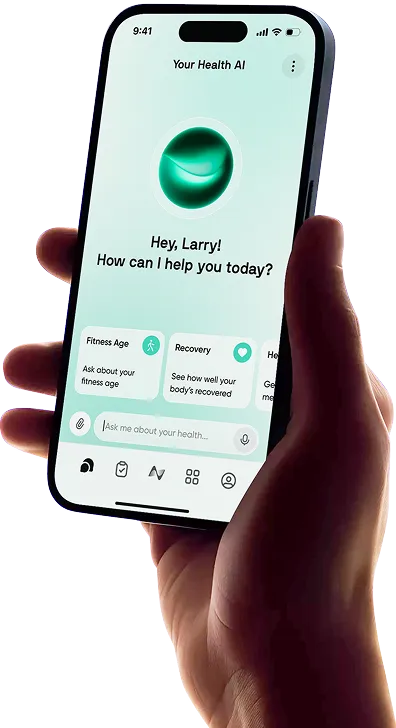
Fitbod has been one of the most popular strength training apps for years, especially for people who want structured gym workouts without hiring a personal trainer. It promises personalized workout plans, adaptive exercise recommendations, equipment-based routines, and progress tracking that helps you train more consistently.
But in 2026, the fitness app market is much more competitive. AI workout planners, recovery apps, wearable dashboards, and full health platforms now offer deeper personalization than ever before. So, does Fitbod still stand out?
In this Fitbod app review, we’ll look at what the app does, how it feels to use, the key Fitbod app features, pricing, pros, drawbacks, and whether it is still worth using in 2026.
What Is the Fitbod App?
Fitbod is a workout planning app built mainly around strength training. It creates personalized workouts based on your goals, fitness level, available equipment, training history, and muscle recovery.
Instead of choosing every exercise yourself, Fitbod generates a workout for you. You can then follow the plan, log your sets, adjust exercises, change weights, and track progress over time.
Fitbod is especially useful for:
Gym workouts
Dumbbell workouts
Bodyweight routines
Strength training
Muscle building
General fitness
Progressive overload
Equipment-based workout planning
The app is not just a workout library. Its main value is that it tries to remove the planning work from strength training, helping you know what to train, which exercises to do, and how to progress over time.
Fitbod App: Hands-On Review

Fitbod feels like a smart workout generator built for people who want structure without overthinking every session. It is especially helpful if you walk into the gym and often wonder what to do next.
The app gives you a ready-made workout, lets you swap exercises on the fly, tracks your logged sets, and updates future sessions based on your training history. It is simple enough for beginners, but detailed enough for intermediate lifters who want more structure.
How Does Fitbod Work?
Fitbod starts by asking about your goals, fitness experience, equipment, preferred workout length, and available training setup. From there, it generates workouts based on your selected goal and recent training history.
The app uses your logged workouts to estimate muscle recovery and decide which muscle groups are ready to train again. If you trained chest and triceps yesterday, for example, Fitbod may suggest legs, back, or another area that is better recovered.
It also supports progressive overload by recommending weights, reps, and sets based on past performance. The more consistently you log workouts, the more useful the recommendations become.
What Does Fitbod Feel Like to Use?
The Fitbod app interface is clean, practical, and built around getting through a workout quickly. Exercises are laid out clearly, with sets, reps, weights, rest timers, and instructions easy to access.
The best part of the experience is convenience. You can open the app, review the suggested workout, swap anything that does not fit, and start training without building a session from scratch.
That said, Fitbod still feels most useful for strength training specifically. If you want a broader health picture, including sleep, stress, nutrition, recovery, supplements, and wearable data, Fitbod may feel narrow compared with newer all-in-one health platforms.
Fitbod Key Features
Here are the main Fitbod key features that help users generate structured strength workouts, track progress, and train with less guesswork.
Personalized workout generation: Fitbod builds workouts around your goals, training level, equipment, and workout history.
Equipment-based training: You can tell the app what equipment you have, whether you are training in a full gym, at home, or with limited gear.
Muscle recovery tracking: Fitbod estimates which muscle groups are recovered based on your recent workouts.
Progressive overload support: The app recommends weights, reps, and sets to help you progress over time.
Exercise demos and instructions: Fitbod includes exercise guidance to help users understand proper form and technique.
Workout logging: You can track sets, reps, weights, rest periods, and completed workouts.
Apple Health, Fitbit, Strava, Apple Watch, and wearable support: Fitbod can connect with other fitness data sources to improve tracking and workout context.
Fitbod pricing: Current direct pricing is listed at $15.99/month or $95.99/year, although app store pricing may vary by region or account.
Fitbod Pros
Fitbod’s biggest strengths come from how easy it makes strength training feel, especially if you want structure without planning every session yourself.
Strong personalized workout generation: Fitbod builds workouts around your goals, experience level, available equipment, and training history, which makes it useful for both gym and home training.
Helpful for progressive overload: The app tracks your previous sets, reps, and weights, then suggests future loads so you can keep making steady strength progress over time.
Easy exercise substitutions: If a machine is taken, an exercise feels awkward, or you do not have the right equipment, Fitbod makes it simple to swap in another movement.
Clean workout logging experience: The interface is practical during workouts, with clear sets, reps, weights, rest timers, and exercise instructions that help you stay focused.
Fitbod Cons
Fitbod works well as a strength training app, but it may feel limited if you want deeper coaching or a more complete view of your health.
Mostly focused on strength training: Fitbod is strongest for lifting and gym planning, but it does not offer the same depth for sleep, stress, recovery, nutrition, supplements, or wider health tracking.
Limited whole-body context: The app can suggest workouts based on your training history, but it does not fully connect performance with factors like poor sleep, high stress, under-fueling, or recovery trends.
Subscription may not suit casual users: Fitbod pricing may feel high if you only need basic workout logging or already know how to structure your own training.
Recommendations still need judgment: The app can generate useful plans, but users may still need to adjust exercises, volume, or intensity based on soreness, injuries, energy, or real-life constraints.
Final Verdict
Fitbod still holds up in 2026, especially if you want a polished strength training app that builds workouts for you. It is one of the better options for people who want structured gym sessions, progressive overload, equipment-based planning, and easy workout logging.
However, in our Fitbod review, we would also like to highlight its main limitation: Fitbod is strongest as a workout planner, not a complete fitness system. If your main goal is lifting more consistently, it is still a strong choice. If you want your workouts connected with sleep, stress, nutrition, recovery, supplements, medications, and daily habits, you may need something broader.


Alternative Apps for Personalized Strength Training

Fitbod is not the only option if you want smarter strength training. Depending on your goals, you may prefer one of these alternatives:
Strong
Strong is best for people who already know what they want to do and simply need a clean workout logger. It is less about generating workouts and more about tracking sets, reps, weights, and progress over time.
Hevy
Hevy is a strong alternative for social workout logging and strength tracking. It offers a clean interface, routine building, progress charts, and community features that make it appealing for lifters who want accountability.
Caliber
Caliber is useful for users who want structured strength training with more coaching-style guidance. It is a good fit if you want plans that feel closer to personal training than simple workout logging.
Jefit
Jefit offers a large exercise library, workout planning, and strength tracking. It can be useful for gym-goers who want a more traditional workout database and routine builder.
Neura
Neura is the better fit if you want personalized strength training as part of a wider health system. Instead of only planning workouts, Neura connects your training with sleep, recovery, stress, nutrition, supplements, medications, habits, and wearable data.
Meet Neura: The FitnessOS

Neura is designed as a FitnessOS for users who want their workouts to connect with the rest of their health. While Fitbod focuses mainly on strength training plans, Neura looks at the bigger picture behind performance.
A difficult workout may not just be about poor programming. It could be linked to low sleep quality, high stress, under-fueling, poor recovery, inconsistent hydration, or changes in your routine. Neura helps bring those signals together so you can understand what may be affecting your progress.
With Neura, you can:
Build personalized fitness plans around your goals and health data
Connect wearables, apps, and devices
Track sleep, stress, nutrition, recovery, supplements, medications, and habits
Create custom dashboards for your most important metrics
Use an AI health coach to understand your data and next steps
Adjust training based on how your body is responding
Fitbod is a strong workout planner. Neura is built for people who want to understand fitness as part of their whole health.
Final Thoughts: Fitbod Review in 2026
Fitbod remains one of the best strength training apps in 2026 for users who want structured workouts, smart exercise recommendations, and easier gym planning. It is especially useful if you want to stop guessing what to train and start following a more organized routine.
The app is clean, practical, and still does its core job well. For many lifters, that may be enough.
However, fitness apps are evolving. More users now want coaching that explains why their performance changes, how recovery affects training, and how sleep, stress, nutrition, and habits influence results. That is where a broader platform like Neura can offer more long-term value.
If you want a dedicated strength workout planner, Fitbod is still worth considering. If you want a more complete FitnessOS that connects your workouts with your whole health, Neura may be the better fit.
Article FAQ
Is Fitbod worth it?
Fitbod is worth it if you want a structured strength training app that creates workouts based on your goals, equipment, fitness level, and workout history. It is especially useful for beginners and intermediate lifters who want less guesswork in the gym. However, it may feel limited if you want deeper health insights across sleep, stress, nutrition, recovery, and daily habits.
How much does Fitbod cost?
Fitbod currently lists its membership at $15.99 per month or $95.99 per year through its website. Pricing may vary slightly depending on your region, app store, platform, or any legacy subscription pricing shown at checkout.
Is Fitbod free?
Fitbod is free to download, but most of its workout planning and logging features require a paid membership after the trial or free workout limit. If you only want basic workout logging, you may find the subscription less necessary.
How does Fitbod work?
Fitbod creates personalized strength workouts based on your goals, available equipment, training experience, workout history, and estimated muscle recovery. As you log sessions, the app updates future workouts with suggested exercises, sets, reps, and weights.
Is Fitbod good for beginners?
Yes, Fitbod can be good for beginners because it removes much of the planning work from strength training. It suggests exercises, shows instructions, tracks your progress, and helps you build a more structured routine without needing to design every workout yourself.
What are the best Fitbod alternatives?
Some of the best Fitbod alternatives include Strong, Hevy, Caliber, Jefit, and Neura. Strong and Hevy are good for workout logging, Caliber offers more coaching-style strength plans, and Neura is better if you want your fitness plan connected with sleep, recovery, nutrition, stress, supplements, medications, and wider health data.