
Best Apps for GLP-1 Users: Medication, Meals, Movement and Progress Tracking
Nutrition

Key Findings
Shotsy is a strong starting point for dedicated GLP-1 medication tracking, while MyFitnessPal combines food records with GLP-1 support in eligible markets. Cronometer suits detailed nutrition tracking, WaterMinder focuses on hydration reminders, Hevy records strength workouts and Happy Scale makes weight trends easier to follow on iPhone. Neura connects supported health information with personal goals and plans. Start with the job you most want to simplify, then add another app where it earns its place.
Choosing between apps for GLP-1 users starts with the part of your week you want to make easier. That might be keeping a clear medication history, seeing how your meals add up or remembering what you lifted at the gym last time.
There are good options for each job. Some bring several records together, while others concentrate on one useful task. You should be able to fit the logging into an ordinary day, including the weeks when work runs late.
Here are seven apps worth considering, with a closer look at what they offer and who will get the most from them.
The Best Apps for GLP-1 Users at a Glance

A medication log, a food diary and a workout tracker serve different purposes. Before downloading anything, decide which record you would most appreciate having ready to hand.
App | Best for | Main use | Free and paid access |
Bringing everyday health routines together | Connected health information, personal goals and plans | Beta access; Free plan and Neura iQ upgrade | |
A dedicated GLP-1 medication record | Doses, injection sites, symptoms and weight | Free core logging; optional Shotsy+ | |
Meal logging with GLP-1 support | Food, protein and eligible medication features | Free food diary and GLP-1 Support; paid nutrition features available | |
Detailed protein and nutrient tracking | Meals, macros, vitamins and minerals | Free Basic account; optional Gold | |
Hydration reminders | Drinks, goals and prompts | Free download with in-app purchases | |
Recording strength workouts | Exercises, sets, repetitions and weights | Free version; optional Pro | |
Weight trends on iPhone | Recorded weights, moving averages and milestones | Free download; optional Deluxe upgrade |
Start With the Job You Need Done
If medication dates and symptoms are hard to reconstruct, begin with a dedicated log. If your main question is how much protein your usual meals provide, a nutrition app is a better starting point.
You may already have something suitable installed. Keeping a food diary you know how to use can be easier than rebuilding your favorite meals in a new app. Look for a specific improvement before adding another login.


The Best Apps for GLP-1 Users Reviewed

These apps cover different parts of daily life. Each recommendation below focuses on a practical use, the features that support it and the main tradeoff to consider.
1. Neura: Best for Bringing Everyday Health Routines Together
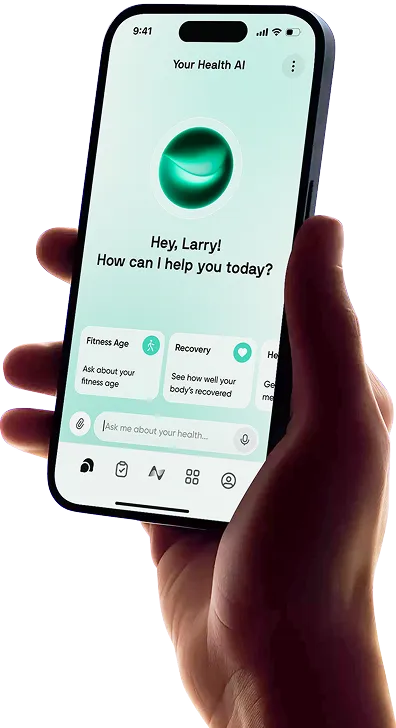
Neura is a useful fit when you already have health information in several places and want help making it relevant to your week.
Perhaps meals are logged in one app, activity comes from a watch and your next strength session is still an intention. Neura brings supported connected information together with goals, medication records and details you share, helping you organize a wider view of your health.
Its personalized health plans give that information a practical purpose. You might want lunches that suit your food preferences, regular walks and time for strength training around work. A plan gives those intentions a place in the week, with room to adjust as your schedule changes.
The Neura Agent adds conversational support, so you can discuss your goals and ask for help adapting the plan. Configurable dashboards also let you focus on the information you find useful.
For GLP-1 users, Neura is most useful for organizing daily habits around information you already have. If your immediate priority is a detailed injection history, Shotsy is the more direct starting point.
Neura currently offers beta access. Its Free plan includes basic coaching and one active goal; Neura iQ expands the coaching, planning and reporting features. Check the supported connections for the information you want to bring across.
Best fit: Someone who wants meals, movement and existing health information to support a more manageable week.
2. Shotsy: Best for a Dedicated GLP-1 Medication Record
Shotsy is built around the details that are easy to forget between appointments: when you recorded a dose, which injection site you used and how you felt afterward.
It records medication history, injection sites, symptoms and weight, with reminders to support the schedule you have been given. Before an appointment, that history can help you describe the week more clearly than trying to recall it from memory. The app also offers PDF reports for sharing records.
Core shot, site, symptom and weight logging are free. Shotsy+ adds features including a modeled medication-level chart. That chart estimates levels between doses, providing context for discussion with your prescriber.
Shotsy is available on iPhone and Android. Oral-medication tracking is currently available on iOS, so check your platform if pill logging is important to you.
Best fit: Someone whose first priority is an organized medication and symptom history.
3. MyFitnessPal: Best for Meal Logging With GLP-1 Support
If your usual breakfast and favorite lunches are already saved in MyFitnessPal, its GLP-1 Support features could make your existing food diary more useful.
You can record medication doses, dates, times and injection locations alongside meals. That means less switching between apps when you want to look back at what you ate and what you recorded during the same week.
MyFitnessPal introduced GLP-1 Support as a free feature. Its current help page lists medication tracking in English for US users on iOS and Android, and Canadian users on iOS. The side-effect trend view is currently limited to US iOS users.
The food diary also makes it easy to revisit familiar meals and check protein intake. Some logging shortcuts and nutrition tools require a paid plan, so choose an upgrade around the features you would actually use.
Medication entries are supplied by you. Check dates and times when saving, especially if you are entering something later.
Best fit: An existing MyFitnessPal user who wants eligible GLP-1 records alongside food tracking.
4. Cronometer: Best for Detailed Protein and Nutrient Tracking
Cronometer suits someone who wants to understand the nutritional content of their meals in more detail.
Alongside calories and protein, it records carbohydrates, fats, fiber, vitamins and minerals. Its free Basic account includes core nutrition tracking, custom foods and recipes, and barcode scanning.
That detail becomes useful with ordinary repeat meals. Save your usual yogurt breakfast or lunchtime sandwich, then see how it contributes to your day. Over time, a few reliable entries can make the diary much quicker to maintain.
Cronometer Gold adds tools including custom biometrics. The company describes using these for records such as medication doses, although a custom entry requires more setup than a purpose-built medication log.
The main tradeoff is the amount of detail on screen. If you enjoy exploring food data, that is an advantage; if you want the quickest possible diary, try a normal week before committing.
For a closer comparison, see Cronometer vs MyFitnessPal.
Best fit: Someone who wants protein and wider nutrient information in the same diary.
5. WaterMinder: Best for Hydration Reminders
WaterMinder concentrates on a small job that can otherwise slip through a busy day: remembering to log what you drink.
It offers reminders, drink history, adjustable goals and quick entries for familiar serving sizes. Set up your usual bottle or cup and logging becomes a few taps. Apple Watch support is particularly convenient if you prefer a wrist prompt to another phone notification.
WaterMinder is available on iPhone and Android, with additional Apple-device features. The iPhone app is free to download with in-app purchases.
It is most useful when prompts and quick access would improve your consistency. If your current tracker already records drinks comfortably, start there.
Best fit: Someone who wants an easy hydration record with reminders.
6. Hevy: Best for Keeping a Strength-Training Record
Hevy keeps your previous workout ready to check when you start the next one.
Save a workout, record exercises, sets, repetitions and weights, then use that history when the session comes around again. Notes give you somewhere to record an exercise change or how a session went.
That is useful when building consistency. Completing a familiar workout and being able to see your recorded performance gives you something concrete to review alongside your other progress.
Hevy is available on iPhone and Android. Its free tier currently allows four saved routines and three months of data history. Pro expands the available history and routine capacity.
A small number of regular sessions may fit comfortably within Free. Longer-term comparisons are a reason to look at Pro.
Best fit: Someone who wants a straightforward record of strength sessions and performance.
7. Happy Scale: Best for Following Weight Trends on iPhone
Happy Scale gives recorded weights a longer view by using moving averages and trend calculations.
It can be helpful if you want to understand the direction of your entries over several weeks, rather than giving one weigh-in all your attention. Optional milestones break a larger goal into smaller stages, and projections estimate where a continuing trend might lead.
Happy Scale is available for iPhone and iPad, with a free download and optional Deluxe upgrade. Its Apple Health connection can also help with importing supported weight records.
This is a focused choice for someone who particularly wants its approach to charts. Check the weight view in your existing app first; it may already give you the overview you need.
Best fit: An iPhone user who wants clearer presentation of weight trends.
Which GLP-1 Tracking Features Actually Matter?

A feature earns its place when it makes a later decision or conversation easier. Start with records you can understand, logging you can maintain and goals that fit your circumstances.
A Medication History You Can Understand Later
Look for dates, doses, injection sites where relevant, notes and reminders. Being able to correct an entry matters when you are catching up after a busy day.
An export can also be useful before an appointment. You should be able to find what you actually recorded and distinguish it from a planned reminder. Keep medication changes with your prescriber; the app’s job is to make your record easier to use.
Meal Logging That Keeps Protein in View
The best protein tracker apps for GLP-1 use make the relevant information easy to find. Saved meals, editable portions and a readable protein total can matter more in practice than a long list of features.
A food diary also gives you a view of fiber and other nutrients. The joint nutrition advisory on GLP-1 therapy American Society for Nutrition emphasizes adequate nutrition and strength training as part of supporting health during treatment.
For everyday tracking, that means looking at how meals contribute to your agreed goals and keeping a record of movement you can build on. Use nutrition targets suited to your care and circumstances.
Water Reminders That Fit Your Day
The most useful water tracker is often the one that knows your usual serving size. Logging a bottle should be quick, and reminders should arrive at times you can respond to them.
Use a fluid goal appropriate to you. You can then judge the app on convenience: how easily you can add drinks, adjust a mistaken entry and check your history.
Progress You Can See Beyond the Scale
Include the things you are practicing. A completed strength session, a more regular lunch habit or a week of useful food records can all tell you something about your consistency.
A workout log is particularly helpful here because it preserves details that memory often loses: repetitions, loads and exercises completed.
How to Build a GLP-1 Tracking Routine You Will Actually Use
Choose one app to begin with and use it through a normal week. That will show you which features help and where you are still repeating work.
Choose a Simple Starting Setup
Use the task you most want to simplify as your starting point.
What you want to improve | A sensible setup to consider |
Remembering medication dates and symptoms | Shotsy as your main record |
Keeping food and eligible medication logs together | MyFitnessPal |
Understanding protein and wider nutrient intake | Cronometer, with a medication log where needed |
Organizing goals around meals, movement and daily life | Neura, using supported connections and personal plans |
Remembering strength workouts | Add Hevy if your existing record lacks useful detail |
Following weight trends on iPhone | Consider Happy Scale if its charts improve on your current view |
These combinations are suggestions for how to divide the work. Check each connection before expecting information to transfer automatically.
Check Your Phone and Location
If you are comparing GLP-1 apps for iPhone, Happy Scale is an Apple-only option. Shotsy, MyFitnessPal, Cronometer, WaterMinder and Hevy offer iPhone and Android apps.
Dedicated features can have narrower availability than the app itself. MyFitnessPal’s GLP-1 rollout is one example; Shotsy’s current iOS-only pill tracking is another. Neura currently uses beta access, so check its signup options separately.
Make a Short Weekly Review Useful
Pick a convenient time to look back at the week. Find your medication entries, scan your meals and review the movement you completed.
Then choose something practical for next week: save a frequently eaten meal, schedule a familiar workout or reduce notifications you keep dismissing. Write down questions you want to take to your next appointment while the details are easy to find.
Final Thoughts: Best Apps for GLP-1 Users
The best app for GLP-1 tracking is the one you can comfortably keep using. Shotsy is a strong starting point for medication records, while eligible MyFitnessPal features combine those records with a familiar food diary. Cronometer, WaterMinder, Hevy and Happy Scale add detail for specific needs.
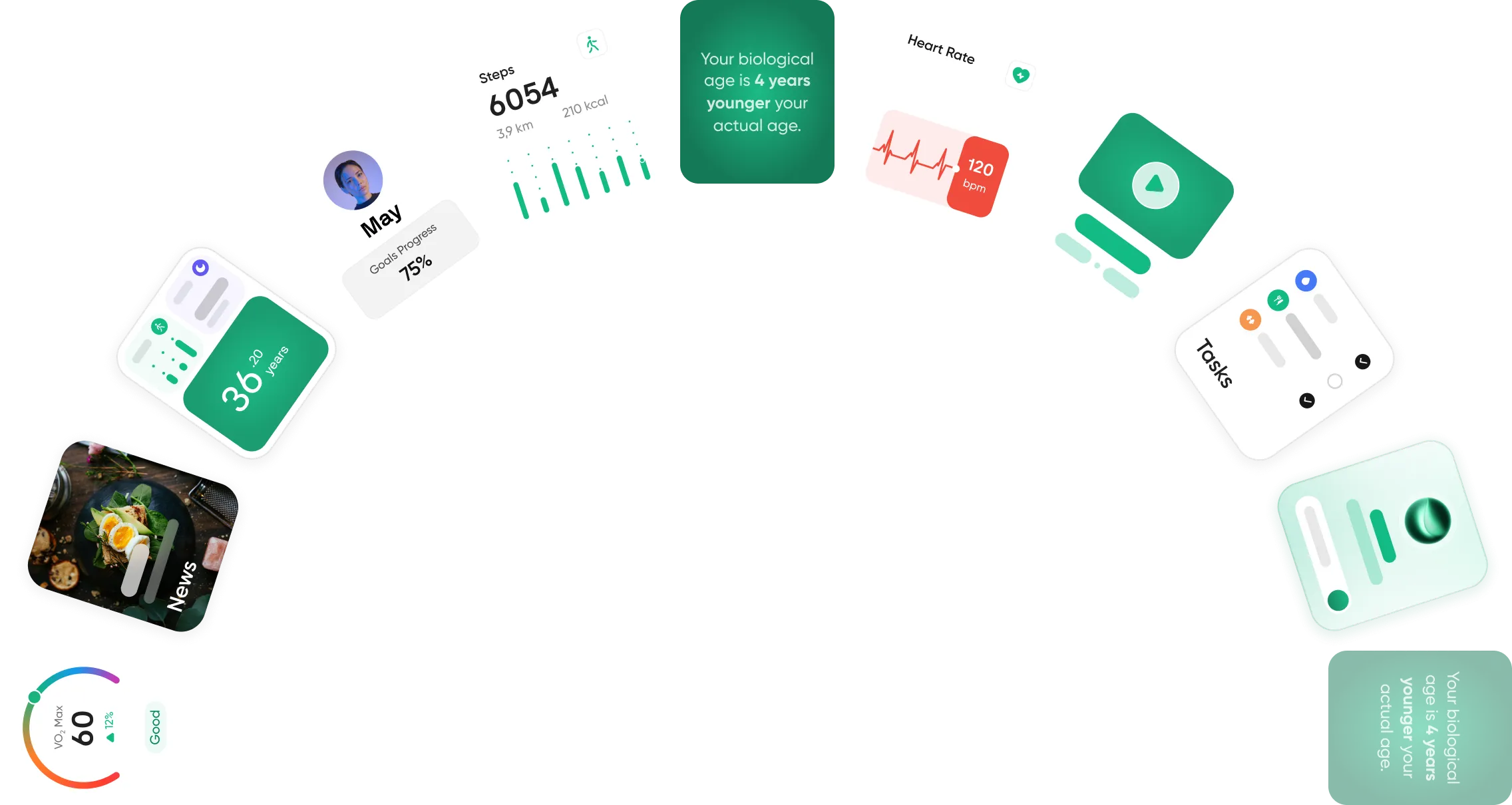
If useful information is already recorded but your week still needs structure, Neura’s personalized plans can help bring goals and connected health information into a more practical schedule. Start with your biggest need, use the app for a normal week and expand only where another tool saves you work.
Article FAQ
What Is the Best App for GLP-1 Tracking?
Shotsy is a strong choice for a dedicated medication record, with dose, injection-site, symptom and weight logging. MyFitnessPal is worth considering if you already use its food diary and have access to its GLP-1 features. Neura fits broader planning around connected health information and everyday goals.
Which GLP-1 Apps Can Track My Water Intake?
WaterMinder is the specialist option for drink logging and reminders. Shotsy also includes water tracking. MyFitnessPal has a built-in water tracker, and Cronometer offers a water widget. Try the feature in your existing app before adding another.
Which GLP-1 Apps Show Weight Trends Over Time?
Shotsy and Happy Scale both display weight progress. Happy Scale is particularly focused on smoothing recorded weights and showing trends on iPhone. MyFitnessPal and Cronometer also offer weight records and charts, with the available views depending on the plan.
Are There Free Apps for GLP-1 Users?
Yes. Shotsy offers free core medication tracking, and MyFitnessPal’s eligible GLP-1 Support feature is free. Cronometer Basic covers core nutrition tracking, Hevy offers a free workout log and Neura Free includes basic coaching with one active goal. Paid upgrades add features and capacity.
Which GLP-1 Apps Work on iPhone and Android?
Shotsy, MyFitnessPal, Cronometer, WaterMinder and Hevy are available on both platforms. Happy Scale is for iPhone and iPad. Check individual features too: MyFitnessPal’s GLP-1 tools vary by region and platform, and Shotsy currently supports pill tracking on iOS.
Which App Is Best for Tracking Protein While Taking a GLP-1?
Cronometer is a strong choice if you want protein alongside detailed nutrient information. MyFitnessPal may be easier if your usual meals are already saved there. Choose the diary you can update consistently, using portions and nutrition goals that reflect your own plan.