Circadian Rhythm Diet Plan: Reset Your Sleep by How You Eat
Sleep

Key Findings
Better sleep starts with when you eat. The circadian rhythm diet uses a 12-hour eating window during your active day, followed by a 12-hour overnight fast. Eating your biggest meals early and keeping dinner light gives your digestion a break and naturally cools your body for deeper, more restful sleep.
If you want to get better sleep, you might think about cutting back on coffee or putting your phone away earlier in the evening. While those habits help, the timing of your meals also plays a big part in how well you rest.
We often look at what we eat or how much we eat, but we tend to forget to think about when we eat.
Your body runs on a natural 24-hour internal clock. When you match your meal times to this normal cycle, you help your digestion and set yourself up for a good night of sleep.
The connection between circadian rhythm and diet is an interesting area of research that points to eating while the sun is up and giving your digestion a break at night.
Modern life makes it easy to eat at any time of day, but our bodies are not built to process food late in the evening.
By making a few small, straightforward changes to your meal schedule, you can make a noticeable difference in how you feel during the day and how you sleep at night.
What is the Circadian Rhythm Diet?

The circadian rhythm is the internal clock that manages your sleep cycle, body temperature, and digestion over a full day.
The main clock is in your brain, and it reacts to light and dark in your environment. When the sun goes down, this clock tells your body it is time to wind down.
However, there are other clocks in your organs, like your liver and stomach, and these react to food instead of light.
This brings up Chrononutrition, which is the study of how meal timing works with our biological rhythms.
If you eat late at night, your stomach thinks it is daytime. This mixed signal confuses your body. Your brain is preparing for sleep, but your digestive system is gearing up for work, which can easily lead to restless sleep and a sluggish morning.
A chrononutrition diet means scheduling your meals to match when your body is ready to digest food. The idea is to eat when you have energy to burn and stop eating when your body needs to rest.
This is easier if you work standard daytime hours, but you can adapt it to fit your life. If you need a circadian rhythm diet for night shift workers, you can shift your eating window to match your waking hours.
The main goal is to keep a steady cycle of eating and fasting, even if your day is flipped upside down.
Circadian Rhythm Key Principles
To line up your meals with your internal clock, you can follow a few basic guidelines. These rules focus on timing rather than counting calories or cutting out specific food groups.
The 12/12 Window
The main part of this approach is a daily fasting and eating schedule. The 12/12 window means you eat all your meals and snacks within a 12-hour block and fast for the other 12 hours.
If you have breakfast at 7:00 AM, you finish your last meal of the day by 7:00 PM. This simple boundary gives your stomach plenty of time to process your food, settle down, and rest overnight.
During the fasting window, you stick to water or herbal tea.
Front-loaded Calories
Your body handles carbohydrates and fats better earlier in the day. Front-loading your calories means your breakfast and lunch are your biggest meals. As the day goes on, your meals get lighter.
Eating a heavy meal in the evening takes a lot of energy to digest, which naturally raises your body temperature.
Your body temperature needs to drop for you to sleep well, so a big late-night meal gets in the way of your body trying to cool down for rest.
Meal Timing and Consistency
Eating at the same time each day helps keep your internal clock steady.
Try to eat breakfast within a couple of hours of waking up to let your body know the day has started.
It is also a good idea to stop eating two to three hours before you go to bed. This buffer means your stomach is mostly empty when you lie down, which helps prevent heartburn and lets your body focus on resting instead of breaking down food.
Potential Benefits
Matching your meals to your biological clock has a few everyday benefits.
First, it helps you sleep better by letting your body temperature drop at night and keeping digestion quiet.
Second, it can help with weight management. Because your body uses energy better in the morning and afternoon, eating larger meals early can help keep your blood sugar steady throughout the day.
A consistent 12-hour fasting window also supports your digestion and gives your stomach a needed break, which can leave you feeling less bloated in the mornings.


7-Day Circadian Rhythm Diet Plan

This schedule gives you a basic outline for timing your meals. This circadian rhythm diet plan uses a 12-hour eating window from 7:30 AM to 7:30 PM.
You can change these times to fit your daily routine, as long as you eat your larger meals early and take a 12-hour break at night.
Day 1
Breakfast (7:30 AM): Start the week with a good amount of protein to help you wake up and get moving. Make a three-egg omelet and toss in a handful of spinach, some diced tomatoes, and a little bit of feta cheese for flavor. Have this omelet with two slices of whole-grain toast and a small bowl of mixed berries on the side.
This combination gives you steady energy for the morning and keeps you full until lunch. You can even chop the tomatoes and spinach the night before to save time.
Lunch (1:00 PM): Make a grilled chicken salad. Use mixed greens as your base and add cucumbers, bell peppers, shredded carrots, and half an avocado. Use simple olive oil and lemon juice for your dressing. Add a side of cooked quinoa for extra fiber.
This is a large meal that provides enough energy to get you through the afternoon without feeling tired or needing a nap.
Dinner (6:30 PM): Keep your evening meal simple and easy on your stomach. Bake a small piece of salmon with some dried herbs and a squeeze of lemon. Serve the fish with steamed asparagus and some sliced zucchini.
Tip: Skipping heavy starches like potatoes or large portions of pasta at this time of day helps your digestion finish up before your bedtime.
Day 2
Breakfast (7:30 AM): Cook a bowl of steel-cut oatmeal with regular milk or a dairy-free option like almond milk. Add a spoonful of chia seeds, some chopped walnuts, and half a sliced banana on top.
Oatmeal provides soluble fiber, which digests slowly and helps keep your energy steady for the first part of your day. It is a warm, filling way to start your morning.
Lunch (1:00 PM): Put together a turkey and hummus wrap using a whole-wheat tortilla. Fill it with sliced turkey breast, a generous scoop of hummus, fresh spinach, and sliced tomatoes. Have a side of roasted sweet potato wedges.
The sweet potatoes and the tortilla give you the carbohydrates you need to stay focused for the rest of your workday.
Dinner (6:30 PM): Have a warm bowl of vegetable and lentil soup. Lentils offer plant-based protein and fiber, but they do not feel heavy in your stomach. Serve the soup with a small side salad and a light vinaigrette dressing.
Tip: Finish eating by 7:30 PM to start your fasting window and give your body time to wind down.
Day 3
Breakfast (7:30 AM): Make a green smoothie for a quick morning meal. Blend a scoop of protein powder, a cup of almond milk, a handful of spinach, half a green apple, and a spoonful of almond butter. Pour the smoothie into a bowl and add some granola and pumpkin seeds on top for texture.
This is an easy way to get nutrients and rehydrate after a long night of sleep.
Lunch (1:00 PM): Build a brown rice bowl with black beans, grilled bell peppers and onions, and a spoonful of guacamole.
This meal has plenty of fiber and plant-based protein to keep you satisfied. Rice and beans work well together to provide a complete protein, and the healthy fats from the avocado help you stay full for hours.
Dinner (6:30 PM): Toss some zucchini noodles with a simple tomato marinara sauce. Add a few lean turkey meatballs for a source of protein.
Tip: Zucchini noodles are a lighter choice than regular wheat pasta, which makes them a good option for an evening meal. They fill you up without sitting heavily in your stomach overnight.
Day 4
Breakfast (7:30 AM): Have a large bowl of plain Greek yogurt topped with sliced strawberries, fresh blueberries, and a handful of sliced almonds. Add a small drizzle of honey if you want a little sweetness.
Greek yogurt has plenty of protein and probiotics, which are good for your digestion first thing in the morning and help wake up your digestive system.
Lunch (1:00 PM): Mix some canned tuna with a little olive oil, mayonnaise, or mashed avocado. Serve the tuna over a bed of arugula with a side of whole-grain crackers for a satisfying crunch.
Add a piece of fresh fruit like an apple or a pear to round out the meal and give you some natural sweetness in the middle of your afternoon.
Dinner (6:30 PM): Bake a chicken breast and serve it with roasted cauliflower and green beans. Toss the vegetables in a little olive oil and salt before roasting them in the oven.
Tip: This dinner provides lean protein and vegetables, keeping you satisfied without feeling uncomfortably full before you sit down to relax for the night.
Day 5
Breakfast (7:30 AM): Toast two slices of whole-wheat sourdough bread. Put mashed avocado and a poached egg on one slice, and natural peanut butter on the other.
Sourdough is usually easy to digest because of how it is made, and this combination of eggs and healthy fats gives you a strong start to the day.
Lunch (1:00 PM): Use some leftover roasted chicken from the night before to save time. Shred the chicken and mix it into a salad with cooked quinoa, black beans, diced red onions, and sweet corn. Use a simple cilantro and lime dressing to bring the flavors together.
This lunch is filling and fits well into the middle of your active day.
Dinner (6:30 PM): Pick a light seafood option like a piece of baked cod or tilapia. Have it with a side of cooked spinach and some steamed carrots.
Tip: White fish digests a bit faster than red meat or heavy pork, which makes it a smart and gentle choice for your final meal of the day.
Day 6
Breakfast (7:30 AM): Take a little extra time on the weekend to make a few whole-grain pancakes. Top them with fresh berries and a spoonful of plain yogurt instead of using heavy maple syrup. Eat a hard-boiled egg on the side for extra protein.
This larger breakfast works well because your body is ready to process carbohydrates in the morning.
Lunch (1:00 PM): Put together a cold pasta salad with whole-wheat pasta, cherry tomatoes, sliced cucumbers, black olives, and some grilled chicken. Use a light olive oil and oregano dressing.
This gives you a good amount of energy to carry you through any afternoon chores or weekend activities you have planned.
Dinner (6:30 PM): Cook a mix of broccoli, bell peppers, snap peas, and mushrooms in a pan with a little sesame oil. Add some shrimp or edamame for protein, and use a splash of low-sodium soy sauce for flavor.
Tip: Eat this stir-fry on its own without a side of rice to keep your evening meal light and simple.
Day 7
Breakfast (7:30 AM): Cook diced sweet potatoes, onions, and bell peppers in a skillet until they are soft. Put two sunny-side-up eggs right on top of the cooked vegetables.
This breakfast is savory and filling, and it provides a good mix of vitamins to start your Sunday morning off on the right foot.
Lunch (1:00 PM): Have a bowl of chili made with ground turkey, kidney beans, and diced tomatoes. Add a small amount of shredded cheese and a spoonful of plain yogurt on top.
Chili is a dense and hearty meal, making it a good choice for the middle of the day when you need lasting energy to get things done.
Dinner (6:30 PM): Keep your last meal of the week very light. A chicken and vegetable soup with a clear broth is a good option. It is hydrating, warm, and easy to digest.
Tip: Make sure to finish your bowl and close your eating window by 7:30 PM so you can digest in peace and get a restful night of sleep before the week begins again.
Build a Personalized Circadian Diet Plan with Neura

The 7-day plan above is a good starting point, but everyone has a different daily routine and varying energy needs. This is where modern health tools are helpful.
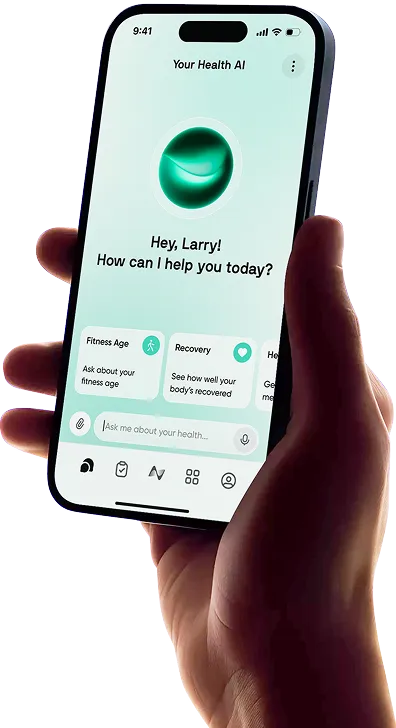
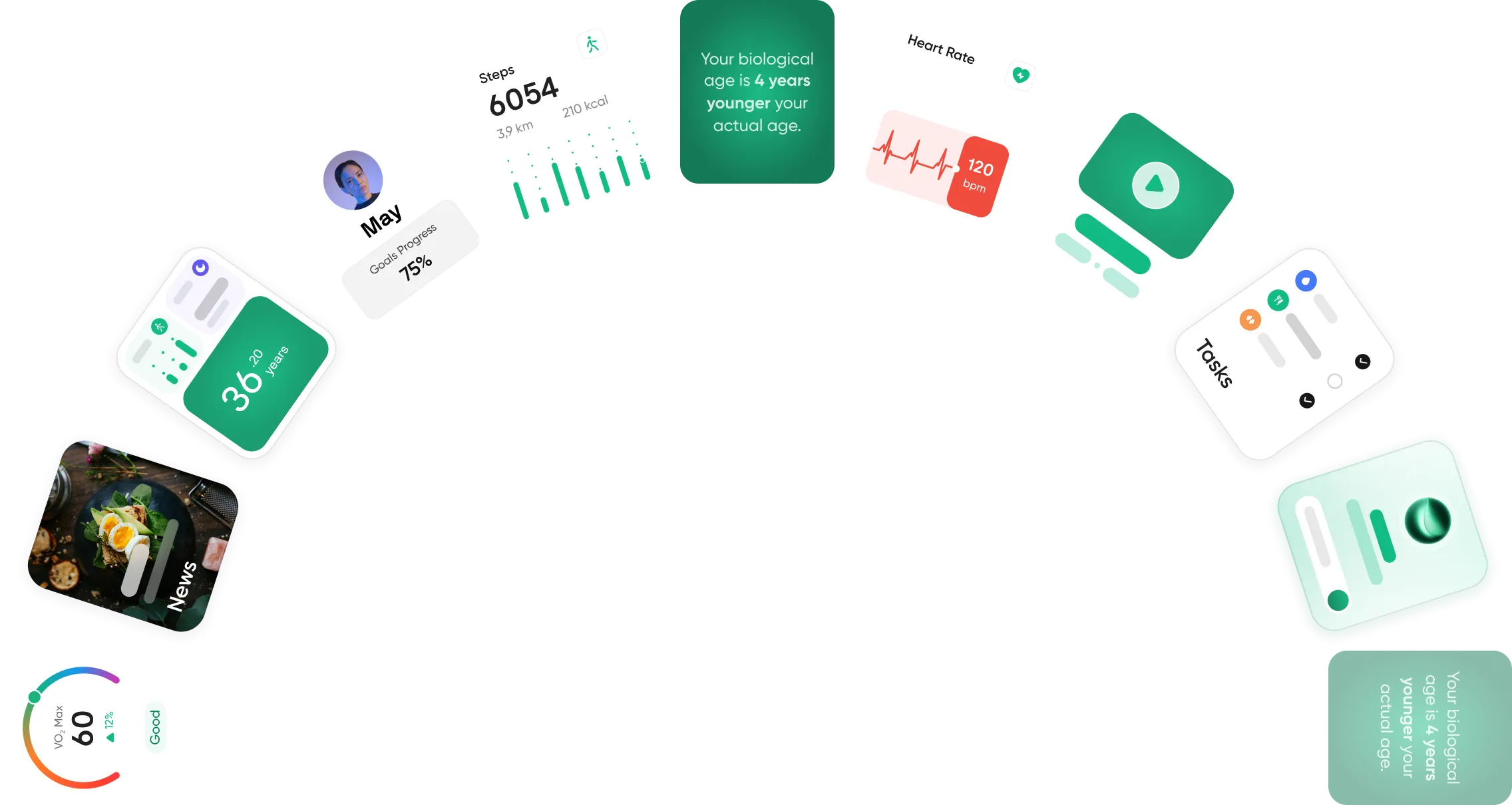
By using the Neura platform, you can build an eating schedule that actually fits your specific day. Neura lets you track your sleep patterns, log when you eat your meals, and keep an eye on your energy levels from morning to night.
For example, let’s say your work schedule makes it hard to finish dinner by 7:30 PM, as suggested in the 7-day plan. If you log your actual meal times and a later bedtime into Neura, the app might suggest shifting your 12/12 window to run from 9:30 AM to 9:30 PM instead.
This means you could still enjoy the Day 2 turkey and hummus wrap for lunch and the lentil soup for dinner, but on a timeline that makes sense for you.
By looking at your daily habits, Neura can offer practical suggestions like this on exactly when to open and close your eating window to help you get better sleep and support your overall metabolism.
Final Thoughts: The Circadian Rhythm Diet
Sleeping better and feeling good does not require strict rules or extreme lifestyle changes. Many times, you just need to adjust the clock on when you do things.
By working with your body's natural internal schedule and trying out a 12-hour eating window, you give your digestion time to rest at night.
Try to eat your bigger meals early in the day when you have the most energy to burn, and keep your dinners on the lighter side.
Keeping a steady daily schedule is the main goal here. As you get used to this routine, these changes to your meal times will help you sleep more soundly and keep your energy steady during your waking hours.
Article FAQ
What is the circadian rhythm diet?
The circadian rhythm diet is an eating plan that aligns your meals with your body's natural 24-hour internal clock. Instead of focusing on exactly what you eat, it focuses on when you eat. The main goal is to consume your food during your active waking hours when your metabolism is working best and take a break from eating overnight.
What is chrononutrition?
Chrononutrition is the scientific study of how the timing of your meals affects your overall health, metabolism, and biological rhythms. It looks at the relationship between your body's internal clocks and the food you consume. This field of research shows how eating at the right time of day supports your digestion and overall well-being.
How does chrononutrition affect digestion and sleep?
Chrononutrition affects digestion and sleep by keeping your bodily systems on a steady schedule. Eating heavy meals late at night makes your digestive system work when it should be resting. This process naturally raises your body temperature, which gets in the way of the normal cooling process your body needs to fall asleep and stay asleep.
Can you lose weight by timing your meals?
Many people find it easier to manage their weight when they pay attention to meal timing. By eating your largest meals early in the day, your body uses that energy well. Stopping your food intake in the early evening also cuts down on late-night snacking, which is a common reason for extra calorie intake.
What foods should you avoid at night for better sleep?
To sleep well, you should avoid heavy, high-fat, or high-sugar foods right before you go to bed. Spicy dishes and large amounts of simple carbohydrates can cause heartburn or make your blood sugar go up and down. If you want something to drink during your evening fasting window, it is best to stick to water or a simple herbal tea.
Can you follow a circadian eating plan on a night shift?
You can adapt this eating approach for night shifts by moving your 12-hour eating window to match the hours you are awake. The secret is to keep a consistent routine. Eat your main meal right before your shift begins, choose lighter meals while you work, and stop eating a few hours before you plan to go to sleep.