Table of Contents

Share this Article

Unlock Your
Smarter Health

Take a 7-day free trial -

pay only if you like it.

Unlock Your
Smarter Health

Take a 7-day free trial -

pay only if you like it.

Unlock Your
Smarter Health

Take a 7-day free trial -

pay only if you like it.

Are eye massagers safe?

Dec 4, 2025

Dec 4, 2025

Tech

Tech

Tech

9 minutes reading time

9 min read time

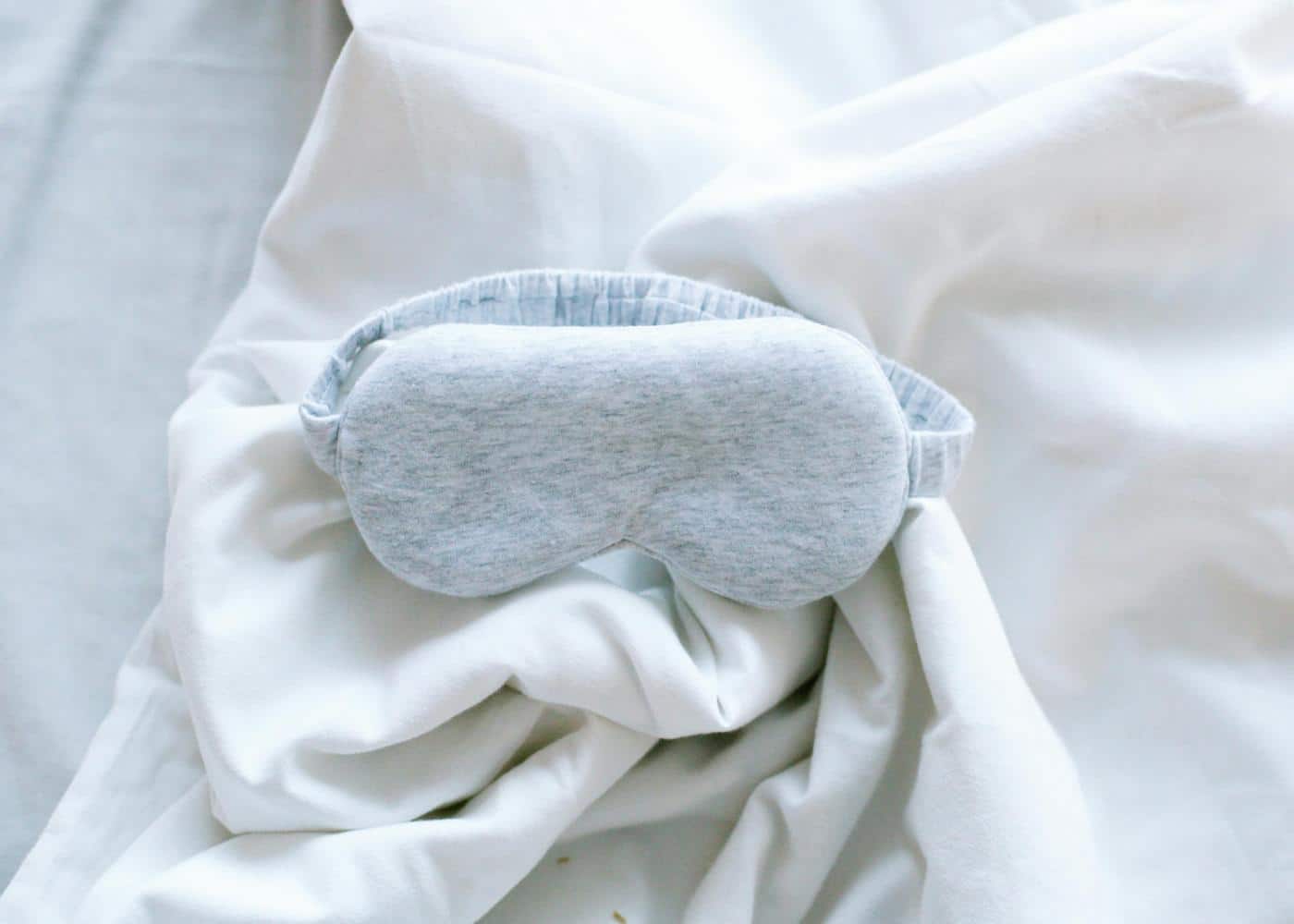
Picture of an eye massager sitting on white sheets

Key Findings

Eye massagers are usually safe for people without underlying eye disease. They can help relieve eye fatigue, sinus pressure, and stress. People with glaucoma, recent eye surgery, or certain retinal conditions should avoid them unless cleared by a doctor. Heat, air pressure, and vibration should always be used gently and within recommended guidelines.

How Safe Are Massage Goggles, Really?

Eye massagers have become popular as a way to relieve eye strain, reduce tension, and support relaxation after long hours of screen use. 

These devices often combine gentle vibration, air compression, heat, or even soft music to create a soothing experience. With so many options available, it is natural to wonder whether eye massagers are actually safe to use around such a delicate part of the body.

For most healthy adults, eye massagers are generally considered safe when used correctly and in moderation. They can provide comfort for tired eyes, help reduce tension headaches, and encourage relaxation. 

However, they are not suitable for everyone, and certain underlying eye conditions may require caution or complete avoidance. Understanding how these devices work and who should or should not use them makes it easier to make an informed decision.

How Eye Massagers Work

Most eye massagers rely on a combination of heat, light pressure, and vibration. Heat encourages blood flow around the eyes and can soothe dry, tired muscles. Light compression mimics the feeling of a gentle massage and may help ease tension in the surrounding muscles. 

Some devices also include vibration or acupressure patterns meant to relax the temples and brow area. When used properly, these features can promote relaxation and create a calming routine, especially at the end of a long day.

Because the skin around the eyes is thin and sensitive, manufacturers design these devices to stay within safe temperature and pressure ranges. Still, the user plays an important role in ensuring safety by choosing appropriate settings and avoiding excessive intensity.


Potential Benefits

Many users report reduced eye strain, better relaxation, and fewer headaches after using an eye massager. People who work at a computer for long periods may find that these devices give their eyes a break by improving circulation and relaxing the surrounding muscles. 

Some models also assist with dryness by gently stimulating the area around the tear glands, although they do not replace medical treatments for chronic dry eye.

Eye massagers may also help support stress relief. The combination of warmth, rhythmic movement, and gentle pressure can trigger a relaxation response that helps the entire body unwind.

When Eye Massagers May Not Be Safe

Although eye massagers are designed to be gentle, they are not suitable for everyone. People with glaucoma should avoid any device that adds pressure around the eyes since this can affect intraocular pressure. 

Anyone who has had recent eye surgery, including LASIK, cataract surgery, or retinal procedures, should avoid using eye massagers until medically cleared. Those with retinal diseases, severe dry eye, infections, or injuries should also approach these devices with caution.

If you feel pain, dizziness, or vision changes during or after use, stop immediately and consult an eye specialist.


Tips for Safe Use

If you decide to use an eye massager, start with the lowest heat and pressure settings and increase only if comfortable. Follow the recommended session length, which is usually five to fifteen minutes. 

Keep the device clean, and avoid using it over makeup or irritated skin. People who wear contact lenses should remove them before a session. Using an eye massager too frequently or too intensely may lead to discomfort, so moderation is key.

How to Choose a Safe Eye Mask

Choosing a safe eye massager depends on understanding both your personal needs and the features that protect the delicate area around the eyes. 

Look for devices that allow full control over heat, vibration, and compression levels so you can tailor the intensity. A good eye mask should offer soft, skin-friendly materials and an adjustable fit that keeps pressure distributed evenly. 

Safety certifications, clear temperature limits, and automatic shutoff features are also helpful indicators of a well-designed product. If you have any eye conditions, always choose a device that avoids strong compression and discuss options with an eye specialist before using one.


Most Popular Massage Goggles

There are many eye massagers on the market, but a few models stand out for their comfort, safety-focused design, and reliable performance.


Therabody SmartGoggles
Therabody SmartGoggles are designed to help soothe eye strain and reduce stress. They use gentle vibration, heat, and a biometric feedback system that adjusts patterns based on your heart rate. 

The goggles are soft, adjustable, and known for high-quality construction, making them one of the safest and most advanced options available.


Renpho Eye Massager
Renpho offers an affordable and widely used eye massager that combines heat, air compression, and simple vibration patterns. It folds for easy storage and is popular for daily relaxation and general eye fatigue relief. 

The compression levels are mild enough for most healthy users, which helps support safety and comfort.


Breo iSee Series
Breo produces a range of eye massagers that focus on gentle heat, targeted acupressure, and customisable massage modes. These devices are known for comfort, a secure fit, and quiet operation. 

They are often recommended for users seeking a spa-like experience at home while keeping pressure levels low.

Final Thoughts: Should You Use an Eye Massager?

Eye massagers can be a safe and enjoyable tool for relieving eye fatigue and stress, especially for people who spend long hours looking at screens. However, not everyone should use them, and it is important to understand your eye health before incorporating one into your routine. 

If you have an eye condition, recent surgery, or concerns about pressure around the eyes, it is best to seek medical advice first. Used responsibly, an eye massager can become part of a relaxing self-care routine that supports comfort and well-being.

Article FAQ

How do eye massagers work?

Eye massagers use a combination of gentle heat, vibration, air compression, and rhythmic pressure to relax the muscles around the eyes. These features help improve circulation, ease tension, and reduce strain caused by long periods of screen use or stress. Some devices also include guided relaxation or sound therapy to enhance the calming effect.

Can eye massagers damage your eyes?

For most healthy individuals, eye massagers are safe when used as directed. However, they can be harmful for people with certain conditions, such as glaucoma, severe dry eye, retinal disorders, or recent eye surgery. Excessive compression or high heat settings may also cause discomfort. If you have any underlying eye issues, consult an eye specialist before using one.

Are eye massagers good for you?

Many people find eye massagers helpful for reducing eye strain, sinus pressure, headaches, and general tension. They can also support relaxation and stress reduction, especially when used as part of a calming routine. While they are not medical treatments, they can provide meaningful relief for everyday discomfort.

How often should you use an eye massager?

Most manufacturers recommend using an eye massager for five to fifteen minutes per session, once or twice a day. Overuse may lead to irritation or temporary discomfort. It is best to start with shorter sessions and increase duration only if it feels comfortable.

Can you use an eye massager if you wear contact lenses?

It is best to remove contact lenses before using an eye massager. Compression, vibration, and heat can irritate the eyes when contacts are in place, and the lenses may shift or cause dryness. Using the device with bare eyes ensures better comfort and safety.

Do eye massagers help with dark circles?

Eye massagers can improve circulation around the eyes, which may temporarily brighten the area and reduce puffiness. However, dark circles often have multiple causes, including genetics, lack of sleep, allergies, and skin pigmentation. Eye massagers may help with short-term appearance, but are not a permanent solution.
Do You Have a Question? Ask Neura AI

Do You Have a Question? Ask Neura AI

Got Questions? We've Got Answers

What exactly is Neura app?

Neura is a holistic AI health assistant that acts as your personal wellness coach. It combines your wearable data, lifestyle habits, and health metrics to deliver personalized plans, daily micro-tasks, mini-podcasts, and actionable insights to improve sleep, fitness, recovery, and longevity.

How does Neura work?

1. Answer a quick onboarding quiz (1–2 min). 2. Set your goals (e.g., better sleep, running a 5K). 3. Connect your wearables or apps for real-time health data. 4. Receive a daily, AI-personalized plan and mini-podcasts. 5. Track progress on your dashboard while Neura optimizes automatically.

Do I need a wearable or fitness tracker to use Neura?

No. You can start with just your phone and basic input. Wearables like Apple Watch, Garmin, Oura, or Fitbit unlock deeper, real-time insights and premium metrics, but they are optional.

Is my data safe and private?

Absolutely. Neura uses end-to-end encryption, is GDPR/HIPAA compliant, and gives you full control over data exports and deletion. Only anonymized data is processed for AI improvements.

What kind of results can I expect with Neura?

Most users report noticeable improvements in sleep quality, daily energy, and habit consistency within 2–3 weeks. Real-time insights help you save hours each week by replacing endless self-tracking and guesswork with an AI-driven health plan.

What devices and apps can Neura connect to?

Neura integrates with 90+ apps and devices like Apple Health, Google Fit, Garmin, Oura, Fitbit, Polar, Suunto, Peloton, Zwift, Withings, Eight Sleep, and more. You can also upload lab results for advanced analysis.

What’s included in the free plan?

The free Neura Plan comes with all the basic features you need to kickstart your holistic health and fitness journey. Those include our core AI chat (single-chat memory), a standard health plan with one active goal, up to 5 customizable Health Hub widgets, and daily auto-sync with limited integrations. Upgrade to Neura iQ for unlimited AI chat with persistent multi-session memory, multiple simultaneous Health Plans, and real-time data sync from 100+ integrations with 360° Health Sync, alongside all other premium features.

How is Neura different from other health apps or trackers?

Neura isn’t just a tracker – it’s a smart health operating system. It pulls together your data, analyzes it in real time, and gives you proactive, science-backed recommendations tailored to your lifestyle, without the hassle of manual research or multiple apps.

Can I cancel or get a refund if I’m not satisfied?

Yes. Neura Free is free forever, and Neura iQ comes with a 7-day free trial. After upgrading, you can cancel anytime. If you’re not satisfied within 30 days, we offer a full refund—no questions asked.

How do I get started with Neura?

Simply sign up with your email to claim free early access. You can start in less than 2 minutes, connect your wearables later, and immediately receive your personalized plan and first mini-podcast.

Ready to Transform
Your Health with Neura?

Don't wait, we have limited spots for the beta sign up

Got Questions? We've Got Answers

What exactly is Neura app?

Neura is a holistic AI health assistant that acts as your personal wellness coach. It combines your wearable data, lifestyle habits, and health metrics to deliver personalized plans, daily micro-tasks, mini-podcasts, and actionable insights to improve sleep, fitness, recovery, and longevity.

How does Neura work?

1. Answer a quick onboarding quiz (1–2 min). 2. Set your goals (e.g., better sleep, running a 5K). 3. Connect your wearables or apps for real-time health data. 4. Receive a daily, AI-personalized plan and mini-podcasts. 5. Track progress on your dashboard while Neura optimizes automatically.

Do I need a wearable or fitness tracker to use Neura?

No. You can start with just your phone and basic input. Wearables like Apple Watch, Garmin, Oura, or Fitbit unlock deeper, real-time insights and premium metrics, but they are optional.

Is my data safe and private?

Absolutely. Neura uses end-to-end encryption, is GDPR/HIPAA compliant, and gives you full control over data exports and deletion. Only anonymized data is processed for AI improvements.

What kind of results can I expect with Neura?

Most users report noticeable improvements in sleep quality, daily energy, and habit consistency within 2–3 weeks. Real-time insights help you save hours each week by replacing endless self-tracking and guesswork with an AI-driven health plan.

What devices and apps can Neura connect to?

Neura integrates with 90+ apps and devices like Apple Health, Google Fit, Garmin, Oura, Fitbit, Polar, Suunto, Peloton, Zwift, Withings, Eight Sleep, and more. You can also upload lab results for advanced analysis.

What’s included in the free plan?

The free Neura Plan comes with all the basic features you need to kickstart your holistic health and fitness journey. Those include our core AI chat (single-chat memory), a standard health plan with one active goal, up to 5 customizable Health Hub widgets, and daily auto-sync with limited integrations. Upgrade to Neura iQ for unlimited AI chat with persistent multi-session memory, multiple simultaneous Health Plans, and real-time data sync from 100+ integrations with 360° Health Sync, alongside all other premium features.

How is Neura different from other health apps or trackers?

Neura isn’t just a tracker – it’s a smart health operating system. It pulls together your data, analyzes it in real time, and gives you proactive, science-backed recommendations tailored to your lifestyle, without the hassle of manual research or multiple apps.

Can I cancel or get a refund if I’m not satisfied?

Yes. Neura Free is free forever, and Neura iQ comes with a 7-day free trial. After upgrading, you can cancel anytime. If you’re not satisfied within 30 days, we offer a full refund—no questions asked.

How do I get started with Neura?

Simply sign up with your email to claim free early access. You can start in less than 2 minutes, connect your wearables later, and immediately receive your personalized plan and first mini-podcast.

Ready to Transform
Your Health with Neura?

Don't wait, we have limited spots for the beta sign up

Got Questions? We've Got Answers

What exactly is Neura app?

Neura is a holistic AI health assistant that acts as your personal wellness coach. It combines your wearable data, lifestyle habits, and health metrics to deliver personalized plans, daily micro-tasks, mini-podcasts, and actionable insights to improve sleep, fitness, recovery, and longevity.

How does Neura work?

1. Answer a quick onboarding quiz (1–2 min). 2. Set your goals (e.g., better sleep, running a 5K). 3. Connect your wearables or apps for real-time health data. 4. Receive a daily, AI-personalized plan and mini-podcasts. 5. Track progress on your dashboard while Neura optimizes automatically.

Do I need a wearable or fitness tracker to use Neura?

No. You can start with just your phone and basic input. Wearables like Apple Watch, Garmin, Oura, or Fitbit unlock deeper, real-time insights and premium metrics, but they are optional.

Is my data safe and private?

Absolutely. Neura uses end-to-end encryption, is GDPR/HIPAA compliant, and gives you full control over data exports and deletion. Only anonymized data is processed for AI improvements.

What kind of results can I expect with Neura?

Most users report noticeable improvements in sleep quality, daily energy, and habit consistency within 2–3 weeks. Real-time insights help you save hours each week by replacing endless self-tracking and guesswork with an AI-driven health plan.

What devices and apps can Neura connect to?

Neura integrates with 90+ apps and devices like Apple Health, Google Fit, Garmin, Oura, Fitbit, Polar, Suunto, Peloton, Zwift, Withings, Eight Sleep, and more. You can also upload lab results for advanced analysis.

What’s included in the free plan?

The free Neura Plan comes with all the basic features you need to kickstart your holistic health and fitness journey. Those include our core AI chat (single-chat memory), a standard health plan with one active goal, up to 5 customizable Health Hub widgets, and daily auto-sync with limited integrations. Upgrade to Neura iQ for unlimited AI chat with persistent multi-session memory, multiple simultaneous Health Plans, and real-time data sync from 100+ integrations with 360° Health Sync, alongside all other premium features.

How is Neura different from other health apps or trackers?

Neura isn’t just a tracker – it’s a smart health operating system. It pulls together your data, analyzes it in real time, and gives you proactive, science-backed recommendations tailored to your lifestyle, without the hassle of manual research or multiple apps.

Can I cancel or get a refund if I’m not satisfied?

Yes. Neura Free is free forever, and Neura iQ comes with a 7-day free trial. After upgrading, you can cancel anytime. If you’re not satisfied within 30 days, we offer a full refund—no questions asked.

How do I get started with Neura?

Simply sign up with your email to claim free early access. You can start in less than 2 minutes, connect your wearables later, and immediately receive your personalized plan and first mini-podcast.

Ready to Transform
Your Health with Neura?

Don't wait, we have limited spots for the beta sign up

Got Questions? We've Got Answers

What exactly is Neura app?

Neura is a holistic AI health assistant that acts as your personal wellness coach. It combines your wearable data, lifestyle habits, and health metrics to deliver personalized plans, daily micro-tasks, mini-podcasts, and actionable insights to improve sleep, fitness, recovery, and longevity.

How does Neura work?

1. Answer a quick onboarding quiz (1–2 min). 2. Set your goals (e.g., better sleep, running a 5K). 3. Connect your wearables or apps for real-time health data. 4. Receive a daily, AI-personalized plan and mini-podcasts. 5. Track progress on your dashboard while Neura optimizes automatically.

Do I need a wearable or fitness tracker to use Neura?

No. You can start with just your phone and basic input. Wearables like Apple Watch, Garmin, Oura, or Fitbit unlock deeper, real-time insights and premium metrics, but they are optional.

Is my data safe and private?

Absolutely. Neura uses end-to-end encryption, is GDPR/HIPAA compliant, and gives you full control over data exports and deletion. Only anonymized data is processed for AI improvements.

What kind of results can I expect with Neura?

Most users report noticeable improvements in sleep quality, daily energy, and habit consistency within 2–3 weeks. Real-time insights help you save hours each week by replacing endless self-tracking and guesswork with an AI-driven health plan.

What devices and apps can Neura connect to?

Neura integrates with 90+ apps and devices like Apple Health, Google Fit, Garmin, Oura, Fitbit, Polar, Suunto, Peloton, Zwift, Withings, Eight Sleep, and more. You can also upload lab results for advanced analysis.

What’s included in the free plan?

The free Neura Plan comes with all the basic features you need to kickstart your holistic health and fitness journey. Those include our core AI chat (single-chat memory), a standard health plan with one active goal, up to 5 customizable Health Hub widgets, and daily auto-sync with limited integrations. Upgrade to Neura iQ for unlimited AI chat with persistent multi-session memory, multiple simultaneous Health Plans, and real-time data sync from 100+ integrations with 360° Health Sync, alongside all other premium features.

How is Neura different from other health apps or trackers?

Neura isn’t just a tracker – it’s a smart health operating system. It pulls together your data, analyzes it in real time, and gives you proactive, science-backed recommendations tailored to your lifestyle, without the hassle of manual research or multiple apps.

Can I cancel or get a refund if I’m not satisfied?

Yes. Neura Free is free forever, and Neura iQ comes with a 7-day free trial. After upgrading, you can cancel anytime. If you’re not satisfied within 30 days, we offer a full refund—no questions asked.

How do I get started with Neura?

Simply sign up with your email to claim free early access. You can start in less than 2 minutes, connect your wearables later, and immediately receive your personalized plan and first mini-podcast.

Ready to Transform
Your Health with Neura?

Don't wait, we have limited spots for the beta sign up