What is a yoga wheel used for?
Fitness
Key Findings
A yoga wheel is a circular, supportive prop designed to help deepen stretches, improve backbends, build strength, and enhance balance. It is used by beginners and advanced yogis to increase mobility, release tight muscles, and make challenging poses more accessible.
Yoga Wheels: Explained
Yoga wheels have become a popular addition to home practice because they make deep stretching safer, support the spine, and add variety to mobility and strengthening routines. Whether your goal is to open your chest, improve posture, or add challenge to your workouts, a yoga wheel can be a versatile tool.
What Is a Yoga Wheel?
A yoga wheel is a firm, hollow circle typically made of durable plastic or wood with a padded outer layer. It usually measures around 12 inches in diameter and is designed to support the weight of your body. Unlike blocks or straps, which assist with alignment or reach, the wheel moves with you and offers dynamic support for flowing movements or deep stretches.
Because it rolls, it helps guide the body safely into positions that might otherwise feel too intense. This makes it helpful for people who struggle with tight shoulders, a stiff back, or limited flexibility.
Backbends and Chest Opening
A yoga wheel can be used in many different ways depending on your goals, flexibility, and experience level. Whether you want deeper backbends, better mobility, more core strength, or a tool to support restorative poses, the wheel adapts easily to a wide range of movements. Below are the most common and useful applications for both beginners and experienced practitioners.
Backbends and Chest Opening
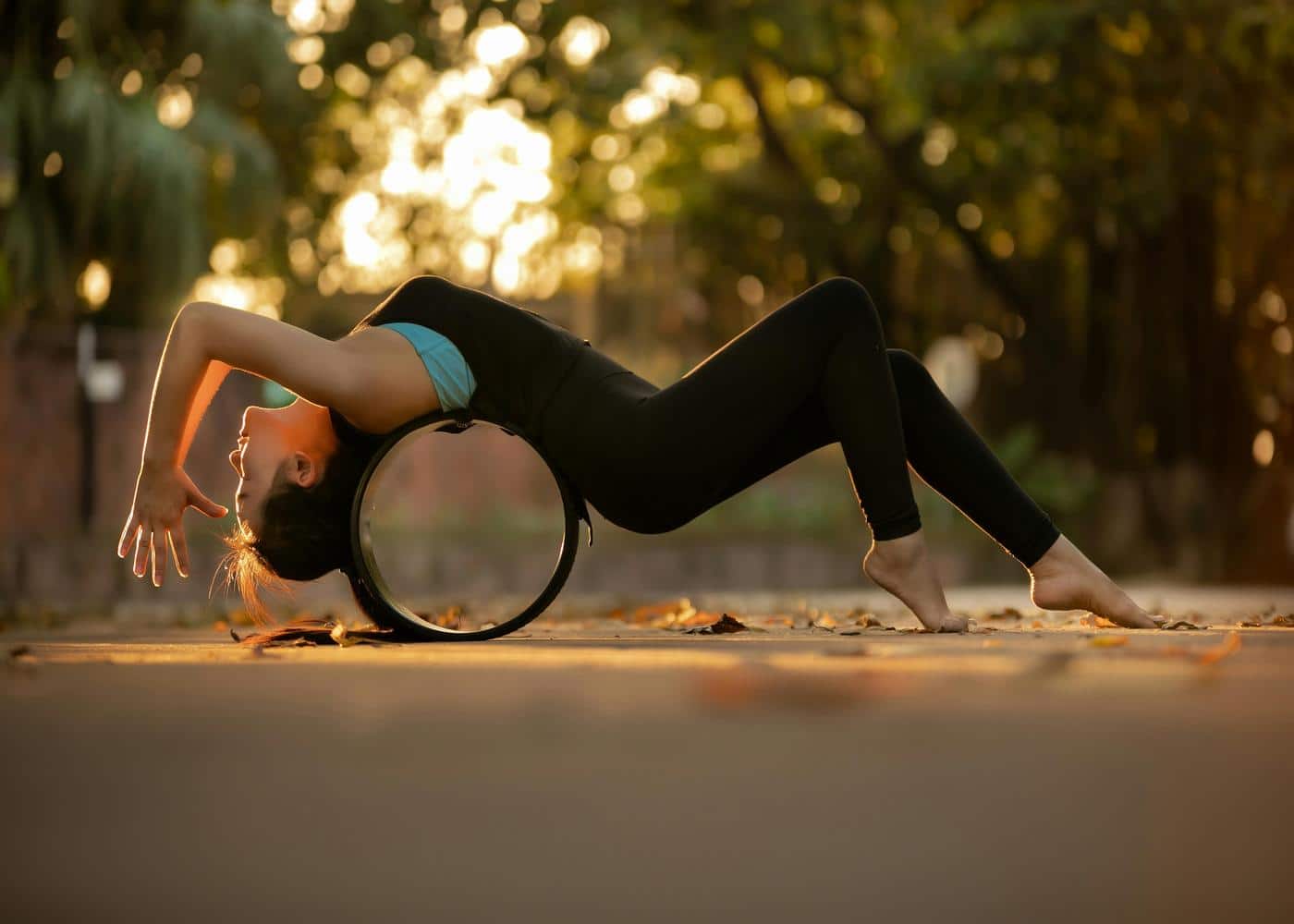
One of the most popular uses for a yoga wheel is to support backbends. Rolling onto the wheel helps open the chest, stretch the hip flexors, and extend through the spine without straining.
Supporting the Upper Back
Using the wheel under the shoulder blades allows you to lean back and gently increase spinal extension. This is particularly beneficial for people who sit at desks and experience tightness in the upper or mid back.
Deepening Heart Openers
Traditional heart-opening poses like Camel, Fish, or Bridge can be challenging. The yoga wheel provides a stable base that helps you access these shapes with more confidence and less discomfort.
Improving Posture
Regular chest opening with the wheel counters rounded shoulders and forward leaning posture. Over time, this helps restore balance to the upper body.
Flexibility and Mobility Training
A yoga wheel can significantly increase flexibility because it allows gradual, controlled stretching.
Hamstrings and Hip Flexors
Placing the wheel under your foot or hands allows you to lengthen the hamstrings or hip flexors more deeply than standard stretches. The rolling motion also makes the stretch feel more fluid.
Shoulder Mobility
Tight shoulders are common, and the wheel provides a gentle way to increase their range of motion. Rolling forward with your arms on the wheel helps stretch the underarms, chest, and lat muscles.
Spinal Mobility
Slowly rolling along the spine massages tight muscles and encourages better movement through each vertebra.
Strength Building
Although many people think of the yoga wheel only as a stretching tool, it can also help build strength.
Core Activation
Using the wheel for planks or pike variations requires balance and control. The instability forces the core muscles to work harder to keep you steady.
Upper Body Strength
Pressing the hands into the wheel during push-ups or using it under the shins during plank work builds strength in the shoulders, chest, and arms.
Lower Body Engagement
The wheel can be used in lunges or glute exercises to increase range of motion, stability demands, and muscular activation.
Balance and Stability
Balance training improves coordination and body awareness. The yoga wheel introduces a manageable level of instability that challenges stabilising muscles and strengthens the mind-body connection.
Standing Work
Standing with one foot on the wheel improves ankle stability and teaches you to engage the core for balance.
Wrist and Forearm Strength
Rolling the wheel with your hands engaged helps strengthen the wrists and forearms, which is useful for arm balances.
Progressing Toward Advanced Poses
If you are working on poses like Forearm Stand or Wheel Pose, the yoga wheel can serve as a transitional prop that guides you safely into the correct alignment.
Yoga Wheel for Relaxation and Recovery
Beyond stretching and strengthening, a yoga wheel is a powerful tool for self-care and muscle recovery.
Myofascial Release
Rolling along the spine or legs mimics some of the effects of foam rolling, helping release tension and improve circulation.
Supported Restorative Poses
The wheel can be used under the back for a supported reclined position, allowing deep relaxation while gently opening the chest and hips.
Stress Relief
Slow rolling movements and supported shapes encourage deeper breathing, which reduces tension and calms the nervous system.
How to Choose the Right Yoga Wheel
Not all yoga wheels are the same, so choosing the right one can improve your experience.
Material: Hard plastic wheels offer strong support, while cork or padded wheels feel more comfortable on the spine.
Size: Standard wheels work for most people, but smaller wheels help with targeted stretches and larger wheels offer more height.
Weight limit: Choose a wheel with a high weight capacity for durability and safety.
Comfort: Look for enough cushioning to prevent discomfort during backbends.
Who Should Use a Yoga Wheel?
Yoga wheels are suitable for:
Beginners who want support in backbends
People with tight shoulders or a stiff upper back
Anyone wanting to deepen flexibility
Yogis working toward inversions or advanced poses
Individuals looking for a more dynamic warm-up
People with back injuries should seek guidance from a professional before using a wheel.
Final Thoughts: Yoga Wheel Uses
A yoga wheel is a surprisingly versatile tool that supports backbends, improves flexibility, builds strength, and enhances balance. Whether you are new to yoga or looking to advance your practice, it can transform the way you stretch and move. With consistent use, a yoga wheel can make challenging poses more accessible and help your body feel more open, mobile, and energised.
Article FAQ
How do you use a yoga wheel for back pain?
A yoga wheel can help relieve back pain by gently opening the spine and releasing tension in the muscles along the back. The safest method is to place the wheel behind you, sit tall, and slowly lean back so it supports your spine. Then roll slowly from the mid back to the upper back while keeping your core lightly engaged. This encourages the spine to extend without forcing it. People with chronic or severe back pain should consult a professional before using a wheel.
What size yoga wheel do I need?
Most adults do well with a standard 12-inch yoga wheel because it provides enough height to support backbends and full body stretches. Smaller wheels, usually around 6 to 10 inches, are useful for targeted stretches such as working on the neck, calves, or upper back. Larger wheels offer more lift and can help taller users or beginners who need extra support during backbends.
Can I use a yoga wheel while pregnant?
Many pregnant individuals can use a yoga wheel safely for gentle stretching, posture work, and chest opening. However, deep backbends or exercises that require lying flat on the back may not be safe later in pregnancy. Anyone pregnant should seek guidance from a prenatal yoga instructor or healthcare provider to ensure the movements are appropriate.
Is a yoga wheel suitable for beginners?
Yes. A yoga wheel can make difficult stretches more accessible and help beginners maintain safe alignment. It provides support in poses that might otherwise feel overwhelming, such as backbends or hip openers. Beginners should start slowly and choose movements that feel steady and controlled.
Can a yoga wheel replace a foam roller?
A yoga wheel can perform some of the same functions as a foam roller, especially for stretching the back and opening tight muscles. However, foam rollers are often better for broad, deep muscle release, while yoga wheels offer more targeted spinal extension and mobility work. Many people benefit from using both tools.
What is the weight limit of a yoga wheel?
Most high-quality yoga wheels support between 250 and 500 pounds, depending on the material and construction. It is important to check the manufacturer’s guidelines to ensure the wheel is safe, especially for deep backbends or strength-based exercises.