Get exclusive access and
enjoy a 7-day Neura iQ trial.

Get exclusive access and enjoy a 7-day
Neura iQ trial — free, personalized, and powerful.

Table of Contents

Share this Article

What is Eye Strain?

Feb 25, 2026

Feb 25, 2026

Health

13 minutes reading time

13 min read time

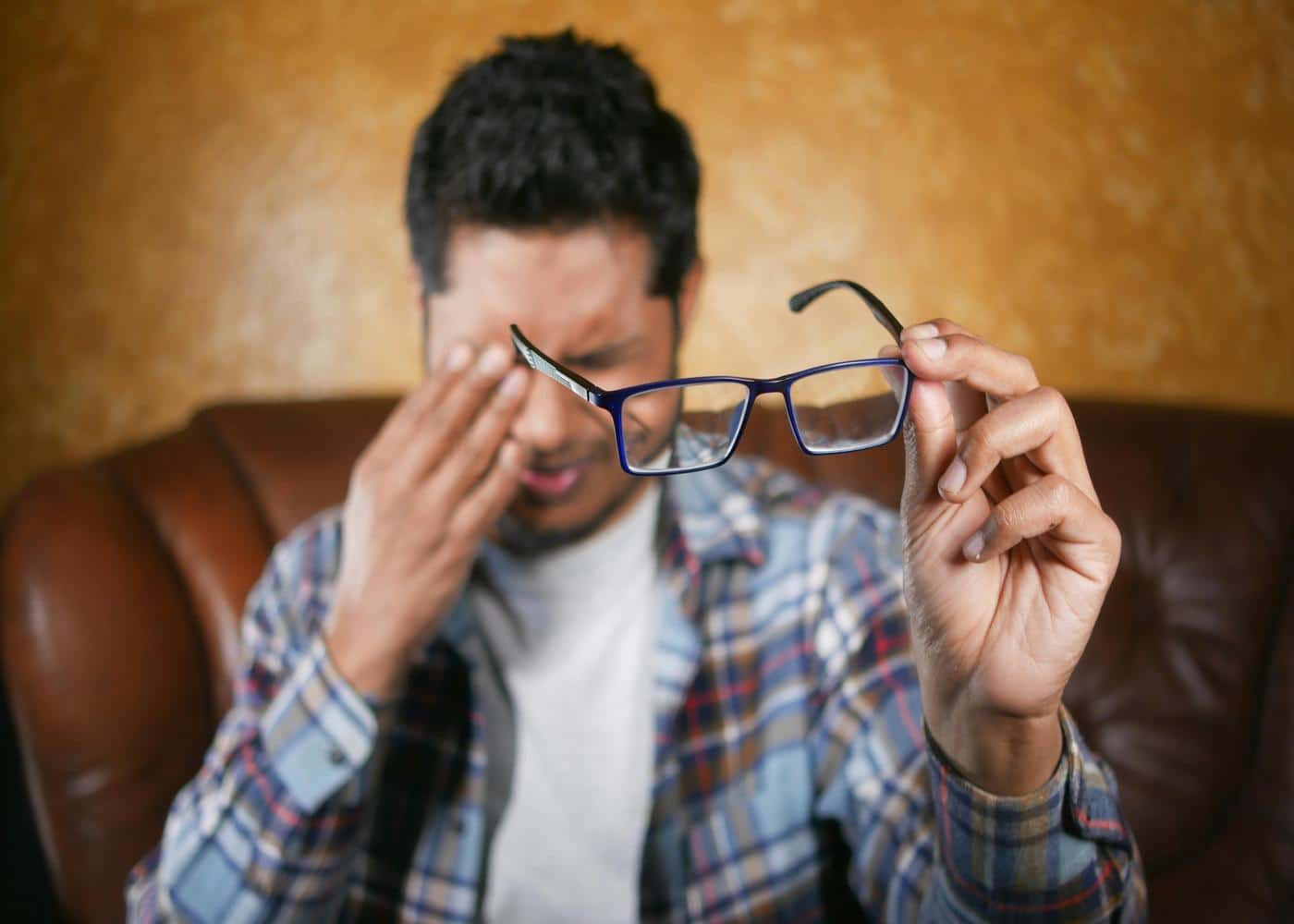
Man rubbing his eyes from eye strain while holding his glasses away from him

Key Findings

Eye strain is a form of ocular muscle fatigue that occurs when your eyes are overtaxed by intense focus. Most modern cases are driven by prolonged screen use and near-work that forces internal eye muscles to remain contracted for hours. Beyond simple tiredness, the condition frequently manifests as blurred vision, dry eyes, and tension headaches. The most effective relief is the 20-20-20 rule, which involves looking at an object 20 feet away for 20 seconds every 20 minutes.

Eye Strain: Causes and Cures

At its simplest, eye strain (clinically known as asthenopia) is a type of ocular fatigue that occurs when your eyes get tired from intense use. 

Think of it like a "charley horse" for your vision; just as your legs might ache after a long run, your eye muscles can become overworked and uncomfortable after prolonged periods of focus. 

Whether you are staring at a computer screen for an eight-hour shift, driving long distances, or reading in dim light, eye strain is the body’s way of signaling that your visual system needs a break.

While it is undeniably frustrating and can interfere with your productivity, the good news is that eye strain is rarely a permanent condition. It is a functional issue rather than a structural one, meaning it usually disappears once you rest your eyes or take steps to reduce the demand on your vision.

What Does Eye Strain Feel Like?

Eye strain doesn't always present as a simple ache in the eyeballs. It often manifests through a variety of secondary symptoms that people might not initially link to their vision. Recognizing these signs is the first step toward finding relief.


Physical Discomfort and "Grittiness"

The most obvious indicators are localized. You might experience soreness, a burning sensation, or itchiness. 

Many people describe a feeling of "heaviness" in their eyelids or a gritty sensation, as if there is sand in their eyes. This grittiness is often a byproduct of dryness. 

Research shows that our blink rate drops by nearly 66% when we are focused on a digital task, preventing the eye from being properly lubricated.


Visual Disturbances

Blurred or double vision is a hallmark of overworked eyes. 

When the muscles responsible for focusing (the ciliary muscles) and the muscles responsible for alignment (the extraocular muscles) become fatigued, they struggle to maintain a sharp, single image. 

You might find that text starts to "swim" on the page or that it takes a few seconds for your vision to clear when you look up from your work to a distant object.


Referred Pain and Tension

Surprisingly, eye strain often causes pain in areas other than the eyes. Tension headaches are incredibly common, usually localized behind the eyes or in the brow region. 

Because we often lean forward or slouch to see a screen more clearly, eye strain is frequently accompanied by neck, shoulder, and back pain. 

If you find yourself rubbing your temples or the back of your neck by 3:00 PM, your eyes might be the primary culprit.

What Causes Eye Strain?

Understanding the "why" behind eye strain can help you identify the specific triggers in your daily environment. While digital devices are the primary culprit today, they are not the only cause.


Excessive Near-Work

The human eye is naturally relaxed when looking at a distance (about 20 feet or further). When we look at something close up, like a smartphone, a tablet, or a book, the muscles inside the eye must contract to change the shape of the lens and bring the object into focus. 

Holding this "contraction" for hours on end leads to muscle fatigue, similar to holding a bicep curl for an entire afternoon.


The Digital Factor

We live in a world where screens are our primary interface for work, education, and entertainment. Digital eye strain (Computer Vision Syndrome) is unique because digital characters often have less definition than printed text. 

The glare and reflections on screens, combined with the high-energy visible (HEV) blue light emitted by many devices, create a "perfect storm" for ocular fatigue.


Poor Lighting and Glare

Working in an environment that is too bright or too dim forces the eyes to work harder. Glare on a computer screen from an overhead fluorescent light or an unshaded window creates "visual noise" that the brain must filter out, leading to faster exhaustion. 

Conversely, reading in low light requires the pupils to dilate significantly, which can also be taxing over time.


Underlying Vision Issues

Sometimes, eye strain is a symptom of an uncorrected vision problem. If you have a slight degree of farsightedness (hyperopia) or astigmatism that hasn't been addressed with glasses, your eyes are constantly overcompensating to provide a clear image. 

Even a minor prescription can make a massive difference in how tired your eyes feel at the end of the day.

How to Relieve Eye Strain

If you cannot reduce your screen time, you must improve the conditions under which you use those screens. Small ergonomic changes and behavioral shifts can yield significant results.


The 20-20-20 Rule

One of the most effective and widely recommended methods for combating eye strain is the 20-20-20 Rule. It is designed to interrupt the prolonged muscle contraction required for near-work and allow the eyes to reset. 

Every 20 minutes, look away from your screen or book and focus on an object at least 20 feet away for at least 20 seconds. This brief interval allows the ciliary muscles to relax.


Optimize Your Workstation

Your computer monitor should ideally be about 20 to 28 inches away from your eyes, roughly an arm’s length. The top of the screen should be at or slightly below eye level. 

We naturally look slightly downward when we read; positioning the monitor this way reduces the strain on the muscles that move the eyes and allows the eyelids to cover more of the eyeball, reducing evaporation of the tear film.


Adjust Environment and Settings

Use a matte screen filter if you work in a high-glare environment. Position your desk so that windows are to your side rather than directly in front of or behind your screen. 

Additionally, don't settle for factory settings on your devices. Increase the contrast on your screen to make text easier to read and adjust the brightness so it matches the surrounding light levels in your room. If your screen looks like a glowing light box in a dark room, it’s too bright.


Use Artificial Tears

If dryness is a major factor in your discomfort, over-the-counter artificial tears can help. These provide the lubrication that your eyes miss out on when your blink rate slows down during intense focus. 

Avoid "redness-relief" drops, as these often contain vasoconstrictors that can actually worsen dryness over time.

When to See a Professional

While most eye strain is temporary and manageable at home, it can sometimes mask more serious issues. You should schedule an appointment with an optometrist or ophthalmologist if you experience persistent headaches that occur daily and aren't relieved by taking breaks.

Any sudden blurring or loss of vision requires immediate medical attention. Actual pain within the eyeball, rather than just a tired sensation, can indicate inflammation or high intraocular pressure. 

An eye exam can determine if your strain is caused by a need for "computer glasses", specialized lenses designed specifically for the intermediate distance of a monitor, which can drastically reduce the effort your eyes have to exert.


Summary of Best Practices

To reduce the risk of eye strain, try to:


  • Blink more often to keep the surface of the eye moist.

  • Adjust font sizes so you don't have to lean forward to read.

  • Use blue light filters or "Night Mode" settings in the evening.

  • Ensure regular eye exams to keep your prescription up to date.

Eye strain is a hallmark of the modern age, a physical response to the demands we place on our visual system. 

By understanding that it is a form of muscle fatigue, you can treat it with the same respect you would a strained muscle in your body: through rest, proper positioning, and environmental adjustments. 

Your eyes are your primary window to the world; taking a few seconds to let them rest is a small price to pay for long-term comfort and clarity.

Final Thoughts: Living with Eye Strain

Eye strain is a nearly unavoidable part of modern life for many of us, but it absolutely does not have to be a daily, painful struggle.

By understanding exactly what causes your eye muscles to tire out and taking proactive, simple steps to give them the breaks they need, you can maintain your focus, boost your productivity, and keep your eyes feeling fresh all day long.

Article FAQ

Can eye strain cause blurry vision?

Yes. When the ciliary muscles that control your eye’s lens become fatigued, they struggle to maintain a sharp focus. This results in intermittent blurred vision, especially when shifting your gaze from a screen to a distant object.

When does eye strain go away?

Most symptoms resolve within 30 to 60 minutes of resting your eyes. If the strain is caused by a full day of digital work, a standard night of sleep typically clears the fatigue by the following morning.

Where do you feel eye strain?

Discomfort is primarily felt in the eyeballs and eyelids, but it frequently "refers" pain to other areas. This commonly manifests as tension headaches behind the brow or temples, as well as stiffness in the neck and shoulders.

What helps relieve eye strain?

The most effective relief is the 20-20-20 rule: every 20 minutes, look at an object 20 feet away for 20 seconds. Using lubricating eye drops and matching your screen brightness to your room’s ambient light also provides immediate comfort.

Can eye strain cause dizziness?

Yes. When your eyes struggle to coordinate or focus, it can create a sensory conflict in the brain. This often leads to lightheadedness, motion sickness, or a mild sense of vertigo after long periods of intense visual concentration.

Do blue light glasses actually work?

Blue light glasses are not a "cure," as the strain usually comes from how long you focus rather than the light itself. However, they can help reduce glare and improve screen contrast, which may decrease the effort your eyes exert during the day.

Got Questions? We've Got Answers

What exactly is Neura app?

Neura is a holistic AI health assistant that acts as your personal wellness coach. It combines your wearable data, lifestyle habits, and health metrics to deliver personalized plans, daily micro-tasks, mini-podcasts, and actionable insights to improve sleep, fitness, recovery, and longevity.

How does Neura work?

1. Answer a quick onboarding quiz (1–2 min). 2. Set your goals (e.g., better sleep, running a 5K). 3. Connect your wearables or apps for real-time health data. 4. Receive a daily, AI-personalized plan and mini-podcasts. 5. Track progress on your dashboard while Neura optimizes automatically.

Do I need a wearable or fitness tracker to use Neura?

No. You can start with just your phone and basic input. Wearables like Apple Watch, Garmin, Oura, or Fitbit unlock deeper, real-time insights and premium metrics, but they are optional.

Is my data safe and private?

Absolutely. Neura uses end-to-end encryption, is GDPR/HIPAA compliant, and gives you full control over data exports and deletion. Only anonymized data is processed for AI improvements.

What kind of results can I expect with Neura?

Most users report noticeable improvements in sleep quality, daily energy, and habit consistency within 2–3 weeks. Real-time insights help you save hours each week by replacing endless self-tracking and guesswork with an AI-driven health plan.

What devices and apps can Neura connect to?

Neura integrates with 90+ apps and devices like Apple Health, Google Fit, Garmin, Oura, Fitbit, Polar, Suunto, Peloton, Zwift, Withings, Eight Sleep, and more. You can also upload lab results for advanced analysis.

What’s included in the free plan?

The free Neura Plan comes with all the basic features you need to kickstart your holistic health and fitness journey. Those include our core AI chat (single-chat memory), a standard health plan with one active goal, up to 5 customizable Health Hub widgets, and daily auto-sync with limited integrations. Upgrade to Neura iQ for unlimited AI chat with persistent multi-session memory, multiple simultaneous Health Plans, and real-time data sync from 100+ integrations with 360° Health Sync, alongside all other premium features.

How is Neura different from other health apps or trackers?

Neura isn’t just a tracker – it’s a smart health operating system. It pulls together your data, analyzes it in real time, and gives you proactive, science-backed recommendations tailored to your lifestyle, without the hassle of manual research or multiple apps.

Can I cancel if I am not satisfied?

Yes. Neura Free is free forever, and Neura iQ comes with a 7-day free trial. After upgrading, you can cancel anytime. If you’re not satisfied within 30 days, we offer a full refund—no questions asked.

How do I get started with Neura?

Simply sign up with your email to claim free early access. You can start in less than 2 minutes, connect your wearables later, and immediately receive your personalized plan and first mini-podcast.

Got Questions? We've Got Answers

What exactly is Neura app?

Neura is a holistic AI health assistant that acts as your personal wellness coach. It combines your wearable data, lifestyle habits, and health metrics to deliver personalized plans, daily micro-tasks, mini-podcasts, and actionable insights to improve sleep, fitness, recovery, and longevity.

How does Neura work?

1. Answer a quick onboarding quiz (1–2 min). 2. Set your goals (e.g., better sleep, running a 5K). 3. Connect your wearables or apps for real-time health data. 4. Receive a daily, AI-personalized plan and mini-podcasts. 5. Track progress on your dashboard while Neura optimizes automatically.

Do I need a wearable or fitness tracker to use Neura?

No. You can start with just your phone and basic input. Wearables like Apple Watch, Garmin, Oura, or Fitbit unlock deeper, real-time insights and premium metrics, but they are optional.

Is my data safe and private?

Absolutely. Neura uses end-to-end encryption, is GDPR/HIPAA compliant, and gives you full control over data exports and deletion. Only anonymized data is processed for AI improvements.

What kind of results can I expect with Neura?

Most users report noticeable improvements in sleep quality, daily energy, and habit consistency within 2–3 weeks. Real-time insights help you save hours each week by replacing endless self-tracking and guesswork with an AI-driven health plan.

What devices and apps can Neura connect to?

Neura integrates with 90+ apps and devices like Apple Health, Google Fit, Garmin, Oura, Fitbit, Polar, Suunto, Peloton, Zwift, Withings, Eight Sleep, and more. You can also upload lab results for advanced analysis.

What’s included in the free plan?

The free Neura Plan comes with all the basic features you need to kickstart your holistic health and fitness journey. Those include our core AI chat (single-chat memory), a standard health plan with one active goal, up to 5 customizable Health Hub widgets, and daily auto-sync with limited integrations. Upgrade to Neura iQ for unlimited AI chat with persistent multi-session memory, multiple simultaneous Health Plans, and real-time data sync from 100+ integrations with 360° Health Sync, alongside all other premium features.

How is Neura different from other health apps or trackers?

Neura isn’t just a tracker – it’s a smart health operating system. It pulls together your data, analyzes it in real time, and gives you proactive, science-backed recommendations tailored to your lifestyle, without the hassle of manual research or multiple apps.

Can I cancel if I am not satisfied?

Yes. Neura Free is free forever, and Neura iQ comes with a 7-day free trial. After upgrading, you can cancel anytime. If you’re not satisfied within 30 days, we offer a full refund—no questions asked.

How do I get started with Neura?

Simply sign up with your email to claim free early access. You can start in less than 2 minutes, connect your wearables later, and immediately receive your personalized plan and first mini-podcast.

Got Questions? We've Got Answers

What exactly is Neura app?

Neura is a holistic AI health assistant that acts as your personal wellness coach. It combines your wearable data, lifestyle habits, and health metrics to deliver personalized plans, daily micro-tasks, mini-podcasts, and actionable insights to improve sleep, fitness, recovery, and longevity.

How does Neura work?

1. Answer a quick onboarding quiz (1–2 min). 2. Set your goals (e.g., better sleep, running a 5K). 3. Connect your wearables or apps for real-time health data. 4. Receive a daily, AI-personalized plan and mini-podcasts. 5. Track progress on your dashboard while Neura optimizes automatically.

Do I need a wearable or fitness tracker to use Neura?

No. You can start with just your phone and basic input. Wearables like Apple Watch, Garmin, Oura, or Fitbit unlock deeper, real-time insights and premium metrics, but they are optional.

Is my data safe and private?

Absolutely. Neura uses end-to-end encryption, is GDPR/HIPAA compliant, and gives you full control over data exports and deletion. Only anonymized data is processed for AI improvements.

What kind of results can I expect with Neura?

Most users report noticeable improvements in sleep quality, daily energy, and habit consistency within 2–3 weeks. Real-time insights help you save hours each week by replacing endless self-tracking and guesswork with an AI-driven health plan.

What devices and apps can Neura connect to?

Neura integrates with 90+ apps and devices like Apple Health, Google Fit, Garmin, Oura, Fitbit, Polar, Suunto, Peloton, Zwift, Withings, Eight Sleep, and more. You can also upload lab results for advanced analysis.

What’s included in the free plan?

The free Neura Plan comes with all the basic features you need to kickstart your holistic health and fitness journey. Those include our core AI chat (single-chat memory), a standard health plan with one active goal, up to 5 customizable Health Hub widgets, and daily auto-sync with limited integrations. Upgrade to Neura iQ for unlimited AI chat with persistent multi-session memory, multiple simultaneous Health Plans, and real-time data sync from 100+ integrations with 360° Health Sync, alongside all other premium features.

How is Neura different from other health apps or trackers?

Neura isn’t just a tracker – it’s a smart health operating system. It pulls together your data, analyzes it in real time, and gives you proactive, science-backed recommendations tailored to your lifestyle, without the hassle of manual research or multiple apps.

Can I cancel if I am not satisfied?

Yes. Neura Free is free forever, and Neura iQ comes with a 7-day free trial. After upgrading, you can cancel anytime. If you’re not satisfied within 30 days, we offer a full refund—no questions asked.

How do I get started with Neura?

Simply sign up with your email to claim free early access. You can start in less than 2 minutes, connect your wearables later, and immediately receive your personalized plan and first mini-podcast.

Got Questions? We've Got Answers

What exactly is Neura app?

Neura is a holistic AI health assistant that acts as your personal wellness coach. It combines your wearable data, lifestyle habits, and health metrics to deliver personalized plans, daily micro-tasks, mini-podcasts, and actionable insights to improve sleep, fitness, recovery, and longevity.

How does Neura work?

1. Answer a quick onboarding quiz (1–2 min). 2. Set your goals (e.g., better sleep, running a 5K). 3. Connect your wearables or apps for real-time health data. 4. Receive a daily, AI-personalized plan and mini-podcasts. 5. Track progress on your dashboard while Neura optimizes automatically.

Do I need a wearable or fitness tracker to use Neura?

No. You can start with just your phone and basic input. Wearables like Apple Watch, Garmin, Oura, or Fitbit unlock deeper, real-time insights and premium metrics, but they are optional.

Is my data safe and private?

Absolutely. Neura uses end-to-end encryption, is GDPR/HIPAA compliant, and gives you full control over data exports and deletion. Only anonymized data is processed for AI improvements.

What kind of results can I expect with Neura?

Most users report noticeable improvements in sleep quality, daily energy, and habit consistency within 2–3 weeks. Real-time insights help you save hours each week by replacing endless self-tracking and guesswork with an AI-driven health plan.

What devices and apps can Neura connect to?

Neura integrates with 90+ apps and devices like Apple Health, Google Fit, Garmin, Oura, Fitbit, Polar, Suunto, Peloton, Zwift, Withings, Eight Sleep, and more. You can also upload lab results for advanced analysis.

What’s included in the free plan?

The free Neura Plan comes with all the basic features you need to kickstart your holistic health and fitness journey. Those include our core AI chat (single-chat memory), a standard health plan with one active goal, up to 5 customizable Health Hub widgets, and daily auto-sync with limited integrations. Upgrade to Neura iQ for unlimited AI chat with persistent multi-session memory, multiple simultaneous Health Plans, and real-time data sync from 100+ integrations with 360° Health Sync, alongside all other premium features.

How is Neura different from other health apps or trackers?

Neura isn’t just a tracker – it’s a smart health operating system. It pulls together your data, analyzes it in real time, and gives you proactive, science-backed recommendations tailored to your lifestyle, without the hassle of manual research or multiple apps.

Can I cancel if I am not satisfied?

Yes. Neura Free is free forever, and Neura iQ comes with a 7-day free trial. After upgrading, you can cancel anytime. If you’re not satisfied within 30 days, we offer a full refund—no questions asked.

How do I get started with Neura?

Simply sign up with your email to claim free early access. You can start in less than 2 minutes, connect your wearables later, and immediately receive your personalized plan and first mini-podcast.