Can you do Pilates when pregnant?
Fitness
Key Findings
Yes, Pilates is generally safe during pregnancy and is often recommended for strength, posture, pelvic floor support, and overall comfort. With proper modifications and guidance, it can help reduce pain, improve mobility, and prepare the body for birth.
Is Pilates Safe While Pregnant?
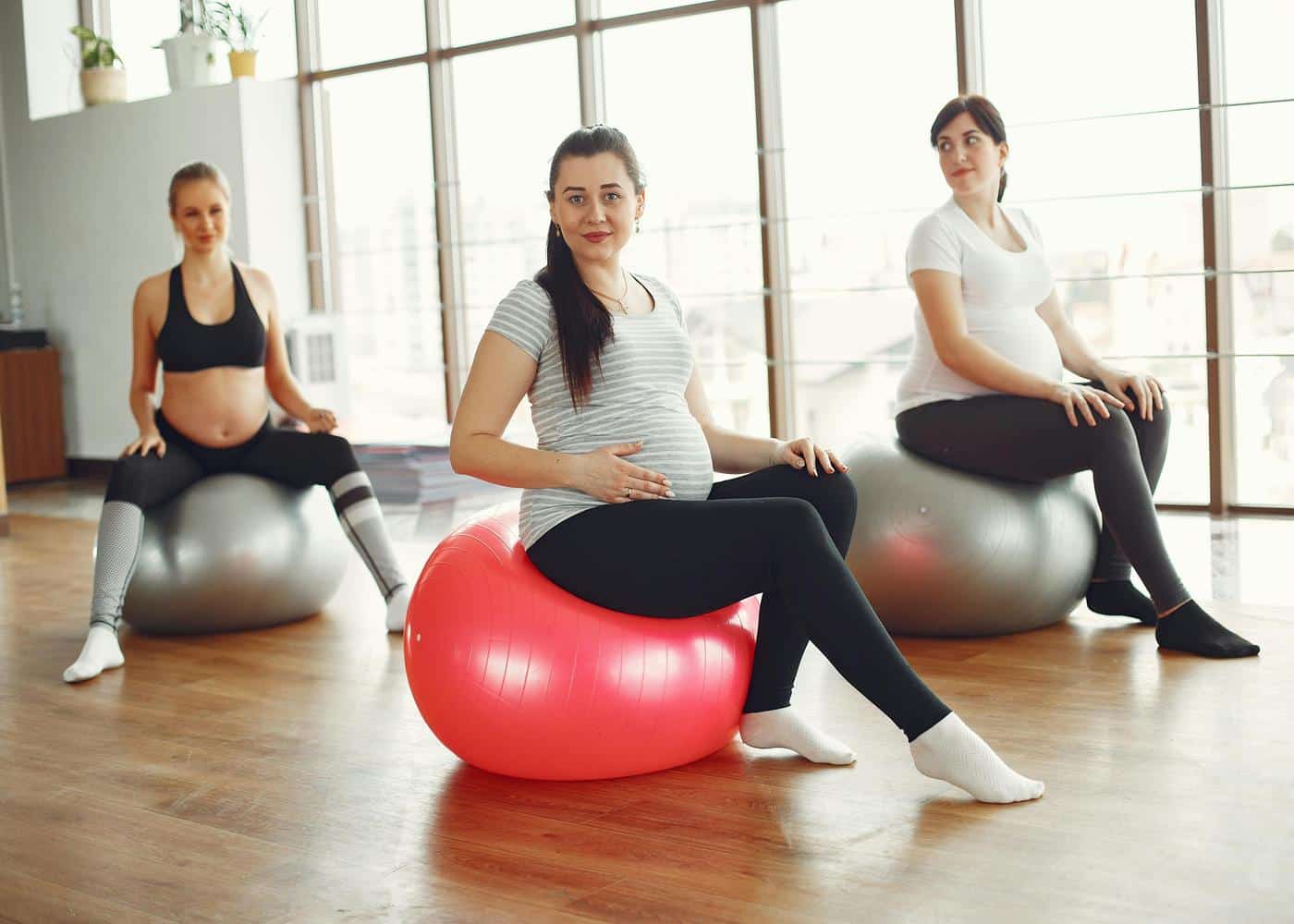
Pregnancy changes the body in profound ways, and many people want to stay active while keeping themselves and their baby safe. Pilates is often considered one of the most supportive forms of exercise during pregnancy because it strengthens deep stabilising muscles, protects posture, and improves breathing patterns.
That said, not every Pilates exercise is suitable for every trimester, and technique matters more than ever. Understanding how Pilates can help, what modifications are needed, and when to avoid certain movements allows you to practice safely and confidently.
Why Pilates Works Well During Pregnancy
Pilates focuses on breath, control, alignment, and slow, mindful movement. These qualities make it adaptable and safe for pregnancy, where the goal is not intensity but stability and comfort.
During pregnancy, the ligaments loosen and the centre of gravity shifts. The deep abdominal muscles work differently, and the pelvis carries more weight. Pilates offers a way to stay active without high-impact strain. It builds strength without jumping, running, or heavy lifting, and teaches movements that support the spine as the belly grows.
The breath work in Pilates is also valuable. Learning to breathe deeply, relax the ribs, and engage the pelvic floor helps with both pregnancy discomfort and labor preparation.
Benefits of Doing Pilates While Pregnant
Pregnancy Pilates provides more than just gentle exercise. It supports the body in very specific, meaningful ways.
Improved Core Stability
The core works differently during pregnancy because the abdominal muscles stretch and separate to make room for the baby. Pilates strengthens the deeper muscles that support the spine, helping you stay stable even as your centre of gravity changes.
Reduced Back and Hip Pain
Lower back pain is extremely common in pregnancy. Pilates strengthens the glutes, back muscles, and pelvic floor, all of which help relieve strain and improve posture. Many people find that regular Pilates significantly reduces sciatic or pelvic discomfort.
Better Posture
As the belly grows, the spine naturally starts to tilt, and shoulders may round forward. Pilates helps counter these changes by strengthening postural muscles and improving awareness of alignment.
Pelvic Floor Support
Pilates teaches controlled engagement and relaxation of the pelvic floor. Both are important for childbirth and postpartum recovery. A strong yet flexible pelvic floor supports the bladder, uterus, and bowels during pregnancy.
Improved Circulation and Mobility
Gentle stretching and controlled movement help maintain circulation, reduce stiffness, and support healthy swelling management.
Trimester by Trimester: What Changes?
Pilates can be practiced throughout pregnancy, but modifications become more important as the body changes.
First Trimester
Most movements are safe during the first trimester, although fatigue may limit intensity. This is a good time to establish technique and learn modifications in advance.
Second Trimester
As the belly grows, exercises that require lying flat on the stomach or deep abdominal curls become uncomfortable or unsafe. Pilates shifts toward stability, posture work, and gentle strengthening.
Third Trimester
Movements become slower and more supportive. Balance challenges increase, so many people use props for stability. Side lying, seated, and hands and knees exercises are often preferred.
A certified prenatal Pilates instructor can adjust routines to each phase of pregnancy, ensuring comfort and safety.
Exercises to Approach With Caution
Although Pilates is safe, certain movements should be avoided or modified.
Deep Abdominal Curling
Crunches place pressure on the abdominal wall, increasing the risk of diastasis recti. Focus on deep core engagement without folding the torso.
Lying Flat on the Back After Mid-Pregnancy
After around 20 weeks, lying on the back for extended periods can compress blood vessels and reduce circulation. Short intervals may be fine, but modifications are recommended.
Strong Twisting Motions
Large, closed torso twists can strain the abdominal wall. Gentle, open twists are safer and still effective.
High Compression or Inversion Exercises
Movements that place excessive pressure on the abdomen or require being upside down are generally not recommended.
When You Should Avoid Pilates
Pilates may not be safe during pregnancy if you experience:
Unexplained bleeding
Dizziness or fainting
Severe pelvic pain
Placenta previa
High-risk complications
Preterm labor risk
In these cases, medical advice is essential before continuing exercise.
How to Practice Pilates Safely While Pregnant
Practicing with awareness is key. These simple strategies help you stay safe and comfortable:
Choose a certified prenatal Pilates instructor
Move slowly and stay aware of how your body feels
Avoid breath-holding or straining
Use props such as bolsters, cushions, or blocks
Stop immediately if something feels uncomfortable
Drink water and do not overheat
Focus on posture and controlled breathing
Pregnancy is not the time for intense abdominal work or physical extremes. It is about supporting the body through gradual, healthy movement.
Final Thoughts: Prenatal Pilates
Pilates is one of the most supportive forms of exercise during pregnancy. It strengthens the core and pelvic floor, improves posture, reduces pain, and prepares the body for birth. With proper instruction and thoughtful modifications, Pilates can be safely practiced throughout all trimesters.
Listening to your body, avoiding high-pressure movements, and focusing on stability ensures that your practice remains healthy, comfortable, and empowering.
Article FAQ
What is prenatal Pilates?
Prenatal Pilates is a modified form of Pilates designed specifically for pregnancy. It focuses on gentle strengthening, improved posture, pelvic floor support, breathing, and safe movement patterns that accommodate the growing belly. The exercises avoid deep abdominal compression and instead emphasise stability, mobility, and comfort throughout each trimester. Prenatal Pilates classes are typically taught by instructors trained in pregnancy-safe movement.
When should I start prenatal Pilates?
You can begin prenatal Pilates at any stage of pregnancy, but many people start in the first or early second trimester when energy levels are more stable. If you already practice Pilates, you can continue with modifications once you confirm your pregnancy. If you are new to Pilates, starting early helps you learn proper technique before the body undergoes larger physical changes. Always check with your healthcare provider before beginning a new exercise routine.
Is Pilates safe during all trimesters?
Yes, Pilates is generally safe throughout all three trimesters as long as the exercises are adjusted appropriately. Early pregnancy allows for a wider range of movements, while later stages focus more on support, side-lying positions, breathing, and pelvic floor awareness. A prenatal qualified instructor can guide you toward safe variations for each stage.
Can Pilates help with childbirth preparation?
Pilates can be very helpful for labor preparation. It teaches effective breathing, builds endurance in the core and legs, increases pelvic floor awareness, and improves overall body control. These skills support better pushing mechanics and make it easier to stay calm and focused during contractions.
Does Pilates help reduce pregnancy aches and pains?
Many pregnant individuals experience relief from common discomforts such as lower back pain, hip tightness, pelvic heaviness, and rib tension. Pilates strengthens stabilising muscles, improves alignment, and encourages gentle mobility, all of which reduce strain on the joints and spine. Consistent practice often leads to better comfort throughout daily activities.
Can beginners do Pilates while pregnant?
Yes. Pilates is accessible for beginners as long as the exercises are appropriate for pregnancy. A prenatal class is an ideal starting point because it teaches safe foundations and avoids movements that place pressure on the abdomen. Beginners often find Pilates easy to learn and calming, especially compared to higher-impact workouts.