
Get exclusive access and enjoy a 7-day Neura iQ trial — free, personalized, and powerful.
Get exclusive access and enjoy a 7-day Neura iQ trial — free, personalized, and powerful.
Get exclusive access and
enjoy a 7-day Neura iQ trial.
Get exclusive access and enjoy a 7-day
Neura iQ trial — free, personalized, and powerful.
Neura Health
/

Google Fit
Neura Health vs Google Fit: When Activity Tracking Stops, Progress Still Needs a System
Google Fit helps you keep an eye on your activity and build better habits. You can track movement, check your progress, and stay on top of simple goals like Move Minutes and Heart Points without a complicated setup.
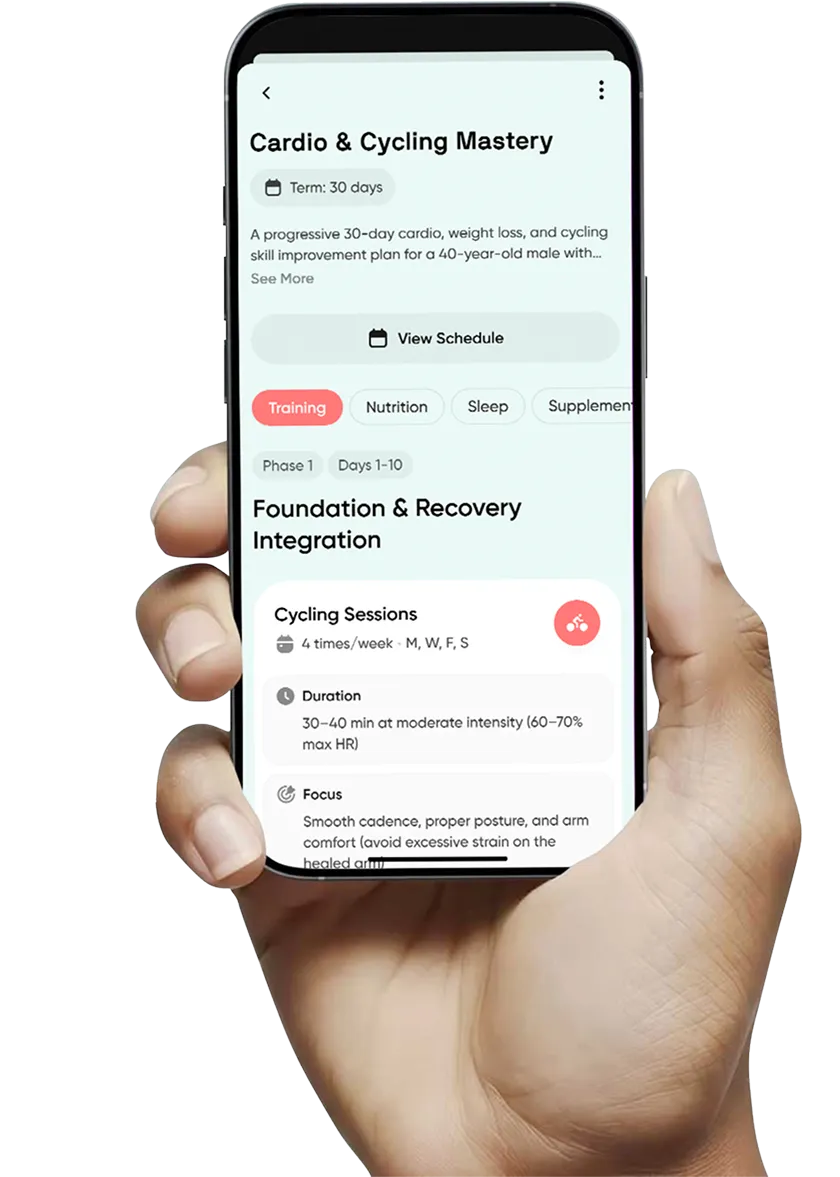
Neura helps you do more with that data by turning it into a personalized system for daily action, with tasks, reminders, and plan updates that adapt as your routine and recovery change.

Why choose Neura Health over Google FIt?
Google Fit helps you track movement. Neura helps you build momentum.
Google Fit helps you track movement. Neura helps you build momentum.
Google Fit is great for checking activity, progress, and fitness consistency. Neura turns that data into a daily plan with tasks, milestones, and updates so you know what to do next, not just what happened.
From activity history to a full health workflow
From activity history to a full health workflow
Google Fit is strongest as an activity and progress layer. Neura expands the workflow by connecting fitness data with sleep, recovery, meals, supplements, and medical context, so your plan reflects your real life, not just your step count.
Built for your full health workflow, not just fitness tracking
Built for your full health workflow, not just fitness tracking
Google Fit works well as a tracking layer, especially in Android workflows and with connected apps. Neura goes further by combining fitness data with labs, supplements, documents, and lifestyle inputs in one Health Profile to support long-term progress.
Neura Health vs Google Fit :
Where Fitness Tracking Ends and Daily Execution Begins
Core Experience
Main Purpose
How you use it
Connecting data
Motivation model
Data and inputs
Activity history
Sleep and recovery context
Meals and nutrition
Supplements and medications
Medical / wellness context
Uploads / documents
Action and follow-through
Daily action layer
Adaptive updates
Milestones / progress logic
Calendar-aware timing
Target-driven automation
Agents and Guidance Layer
Coaching style
Summaries and next steps
Voice / Agentic interaction
Health summaries
Health summaries
Proactive support
Daily Experience and Personalization
Dashboard experience
Content layer
Audio progress recap
Best fit
Google Fit
Track movement, review progress, and stay motivated
Track movement, review progress, and stay motivated
Track movement, review progress, and stay motivated
Check activity, goals, and trends in the app
Check activity, goals, and trends in the app
Check activity, goals, and trends in the app
Compatible apps can share data with Fit (especially via Health Connect on Android)
Compatible apps can share data with Fit (especially via Health Connect on Android)
Compatible apps can share data with Fit (especially via Health Connect on Android)
Movement goals and progress loops (Heart Points / Move Minutes)
Movement goals and progress loops (Heart Points / Move Minutes)
Movement goals and progress loops (Heart Points / Move Minutes)
Core strength for movement and progress history
Core strength for movement and progress history
Core strength for movement and progress history
Basic visibility depending on connected data
Basic visibility depending on connected data
Basic visibility depending on connected data
Not a full meals workflow
Not a full meals workflow
Not a full meals workflow
Not built for structured supplement/medication tracking
Not built for structured supplement/medication tracking
Not built for structured supplement/medication tracking
Not a structured health history workflow
Not a structured health history workflow
Not a structured health history workflow
No context-material upload workflow
No context-material upload workflow
No context-material upload workflow
No native daily task execution system
No native daily task execution system
Auto-sync once per day, only 1 integration
No native daily task execution system
No plan engine that recalibrates from changing conditions
No plan engine that recalibrates from changing conditions
No plan engine that recalibrates from changing conditions
Tracks progress, but not milestone-based plan execution
Tracks progress, but not milestone-based plan execution
Tracks progress, but not milestone-based plan execution
Not a planning workflow
Not a planning workflow
Not a planning workflow
No structured target/task auto-completion system
No structured target/task auto-completion system
No structured target/task auto-completion system
Helpful fitness tips and motivation cues
Helpful fitness tips and motivation cues
Helpful fitness tips and motivation cues
No Agentic health summaries with action-oriented next-step logic
No Agentic health summaries with action-oriented next-step logic
No Agentic health summaries with action-oriented next-step logic
No Agentic coach voice workflow
No Agentic coach voice workflow
No Agentic coach voice workflow
Reminders and motivation loops
Reminders and motivation loops
Reminders and motivation loops
Useful tracking views, limited workflow customization
Useful tracking views, limited workflow customization
Useful tracking views, limited workflow customization
Reminders and motivation loops
Reminders and motivation loops
Reminders and motivation loops
Reminders and motivation loops
Reminders and motivation loops
Reminders and motivation loops
You want simple activity tracking and fitness visibility
You want simple activity tracking and fitness visibility
You want simple activity tracking and fitness visibility
You want simple activity tracking and fitness visibility
Neura Health
Turn health signals into tasks, milestones, and adaptive plan updates
Turn health signals into tasks, milestones, and adaptive plan updates
Unlimited messages, multi-session memory
Turn health signals into tasks, milestones, and adaptive plan updates
Follow tasks, complete actions, and receive plan updates
Follow tasks, complete actions, and receive plan updates
Follow tasks, complete actions, and receive plan updates
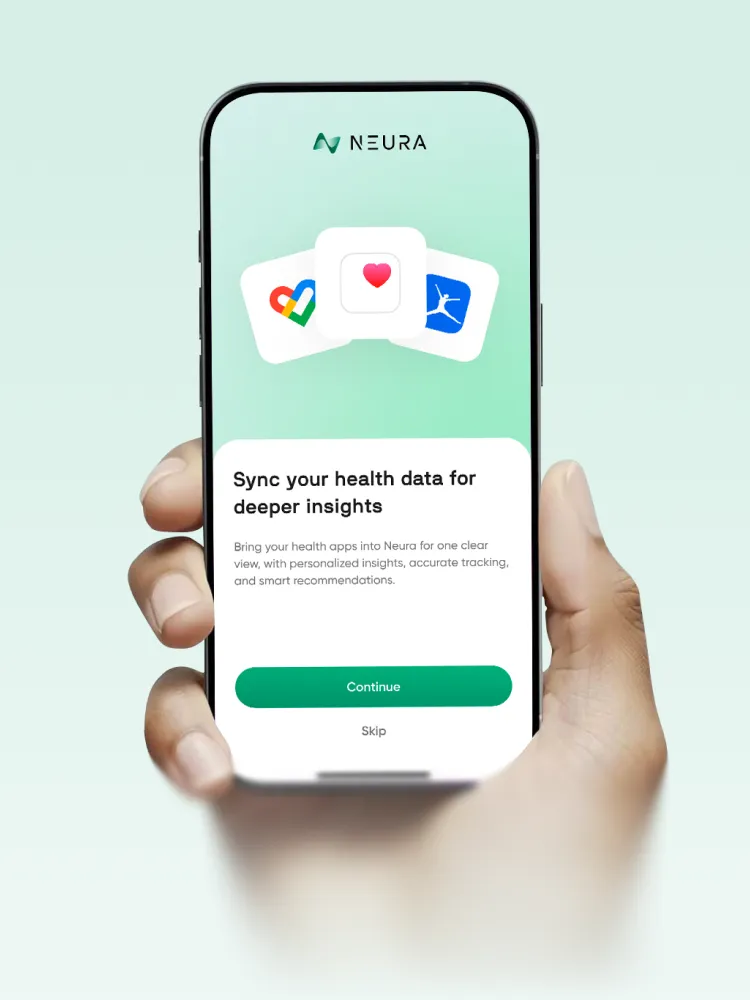
Unified Health Profile across wearables, apps, labs, docs, and manual inputs
Unified Health Profile across wearables, apps, labs, docs, and manual inputs
Unified Health Profile across wearables, apps, labs, docs, and manual inputs
Goal progress, milestones, reminders, and adaptive follow-through
Goal progress, milestones, reminders, and adaptive follow-through
Goal progress, milestones, reminders, and adaptive follow-through
Activity is one signal inside a broader health workflow
Activity is one signal inside a broader health workflow
Activity is one signal inside a broader health workflow
Sleep and recovery can directly influence tasks and plan updates
Sleep and recovery can directly influence tasks and plan updates
Sleep and recovery can directly influence tasks and plan updates
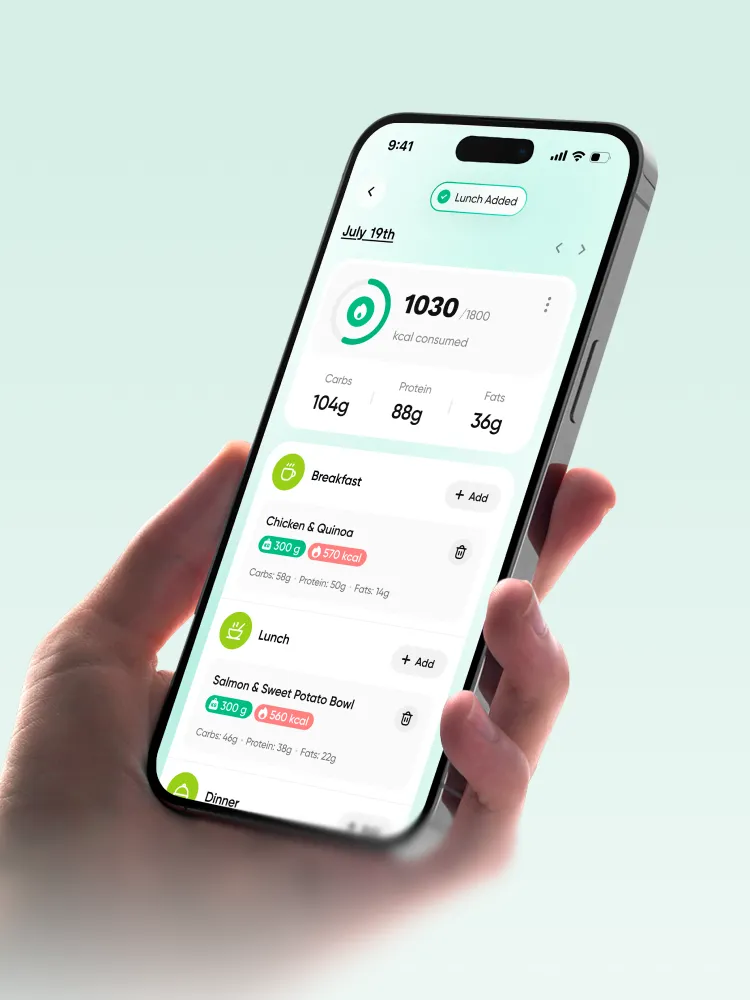
Meals tracking, calorie goals, search, barcode scan, and meal logging
Meals tracking, calorie goals, search, barcode scan, and meal logging
Meals tracking, calorie goals, search, barcode scan, and meal logging
Dedicated supplement and medication flows with reminders, timing, and notes
Dedicated supplement and medication flows with reminders, timing, and notes
Dedicated supplement and medication flows with reminders, timing, and notes
Medical & wellness history, allergies, vaccines, and context records
Medical & wellness history, allergies, vaccines, and context records
Medical & wellness history, allergies, vaccines, and context records
Upload context materials and discuss them with Neura
Upload context materials and discuss them with Neura
Upload context materials and discuss them with Neura
Daily tasks tied to goals, routines, and health context
Daily tasks tied to goals, routines, and health context
Daily tasks tied to goals, routines, and health context
Plans update when metrics, recovery, or schedule changes
Plans update when metrics, recovery, or schedule changes
Plans update when metrics, recovery, or schedule changes
Adaptive milestones built into Health Plans
Adaptive milestones built into Health Plans
Adaptive milestones built into Health Plans
Calendar sync can help Neura time tasks around your day
Calendar sync can help Neura time tasks around your day
Calendar sync can help Neura time tasks around your day
Built to support target-driven progress and data-based task completion
Built to support target-driven progress and data-based task completion
Built to support target-driven progress and data-based task completion
Context-aware Health coaching tied to your goals and health profile
Context-aware Health coaching tied to your goals and health profile
Context-aware Health coaching tied to your goals and health profile
Agentic summaries explain what changed and what to do next
Agentic summaries explain what changed and what to do next
Agentic summaries explain what changed and what to do next
Voice and text interaction with Neura Agent
Voice and text interaction with Neura Agent
Voice and text interaction with Neura Agent
Proactive nudges tied to plan status, goals, and changing conditions
Proactive nudges tied to plan status, goals, and changing conditions
Proactive nudges tied to plan status, goals, and changing conditions
Proactive nudges tied to plan status, goals, and changing conditions
Custom Health Hub with widgets, templates, and drag-and-drop layout
Custom Health Hub with widgets, templates, and drag-and-drop layout
Custom Health Hub with widgets, templates, and drag-and-drop layout
Custom Health Hub with widgets, templates, and drag-and-drop layout
Health Feed with relevance score, filters, confidence score, and favorites
Health Feed with relevance score, filters, confidence score, and favorites
Health Feed with relevance score, filters, confidence score, and favorites
Personalized Health Podcasts with in-app player flow
Personalized Health Podcasts with in-app player flow
Personalized Health Podcasts with in-app player flow
You want a connected health workflow with execution and follow-through
You want a connected health workflow with execution and follow-through
You want a connected health workflow with execution and follow-through
You want a connected health workflow with execution and follow-through
What this means for you
What this means
What means for you
Go from tracking to daily progress
Go from tracking to daily progress
Go from tracking to daily progress
Less interpreting, more doing
Less interpreting, more doing
Less interpreting, more doing
One clear system across your health stack
One clear system across your health stack
One clear system across your health stack
Move from motivation to execution
Move from motivation to execution
Move from motivation to execution
Your activity can shape more than fitness tracking
Your activity can shape more than fitness tracking
Your activity can shape more than fitness tracking
Recovery changes what you do next
Recovery changes what you do next
Recovery changes what you do next
Connect food choices to outcomes
Connect food choices to outcomes
Connect food choices to outcomes
Keep intake routines in one place
Keep intake routines in one place
Keep intake routines in one place
Guidance can reflect your real constraints
Guidance can reflect your real constraints
Guidance can reflect your real constraints
Use your files to improve guidance
Use your files to improve guidance
Use your files to improve guidance
Know what to do today
Know what to do today
Auto-sync once per day, only 1 integration
Know what to do today
Stay on track when life changes
Stay on track when life changes
Stay on track when life changes
Progress stays structured, not random
Progress stays structured, not random
Progress stays structured, not random
Better timing, less friction
Better timing, less friction
Better timing, less friction
More automation as your setup grows
More automation as your setup grows
More automation as your setup grows
Guidance fits your situation better
Guidance fits your situation better
Guidance fits your situation better
Clear signal plus action
Clear signal plus action
Clear signal plus action
Use the format that fits your day
Use the format that fits your day
Use the format that fits your day
Get support at the right moment
Get support at the right moment
Get support at the right moment
Build around your priorities
Build around your priorities
Build around your priorities
Spend less time searching
Spend less time searching
Spend less time searching
Review progress without reading everything
Review progress without reading everything
Review progress without reading everything
Choose tracking only or a full system
Choose tracking only or a full system
Choose tracking only or a full system
Choose tracking only or a full system
Google Fit vs Neura: : Your Activity Tracker or Your Health Workflow?
Google Fit is built to help you track movement and monitor progress. It gives you a simple way to review activity history, stay motivated with Move Minutes and Heart Points, and manage connected app data in Fit on Android through Health Connect support.
Neura is built to help you act on that data. It combines activity tracking with sleep, recovery, meals, supplements, records, and goals, then turns everything into an adaptive daily plan with tasks, reminders, and AI guidance that updates as your real-life conditions change.
Google Fit is built to help you track movement and monitor progress. It gives you a simple way to review activity history, stay motivated with Move Minutes and Heart Points, and manage connected app data in Fit on Android through Health Connect support.
Neura is built to help you act on that data. It combines activity tracking with sleep, recovery, meals, supplements, records, and goals, then turns everything into an adaptive daily plan with tasks, reminders, and AI guidance that updates as your real-life conditions change.
100+
100+
Connected inputs Neura can use for context and planning
4
4
Health Hub widget templates for different tracking and care priorities4

What changes when you use Neura instead of only Google Fit?
What changes when you use Neura instead of only Google Fit?
Google Fit
Great for tracking movement and fitness progress
Google Fit is useful when you want a simple place to check activity, trends, and progress over time.
Helps you see your activity trends
You can review how active you have been and stay motivated by your progress.
Strong for activity visibility
It is a solid tracking layer for movement and fitness goals.
You still manage most planning yourself
Google Fit helps you track progress, but it does not build an evolving plan around your goal.
Good for keeping fitness habits visible
It helps you stay aware of movement and basic trends.
Neura Health
Built to help you follow through on a goal
Neura turns your health data into daily tasks, reminders, and next steps you can actually use.
Helps you respond to what your data shows
Neura uses changes in your data to adjust your plan and what you should do next.
Built as an execution layer
Neura adds planning, milestones, adaptive updates, and follow-through support.
Neura builds the action layer for you
It can turn your goals and data into an adaptive Health Plan that changes as your routine and metrics change.
Designed for long-term progress across domains
Neura can support not only movement goals, but also recovery, nutrition, supplements, and broader health workflows.
Designed for long-term progress across domains
Neura can support not only movement goals, but also recovery, nutrition, supplements, and broader health workflows.
The Structural Difference
Google Fit helps you see your activity. Neura helps you coordinate what to do next.
Google Fit is a strong choice when your main need is activity tracking and fitness visibility. It helps you monitor progress, stay motivated, and review movement trends over time, especially in Android-based workflows.
Neura is built for a different job. It is designed to turn health data into action across your full routine, not only movement. That includes adaptive plans, daily tasks, reminders, scheduling context, AI guidance, and structured health modules that support follow-through over time.
The difference is not just "more features." It is the system logic. Google Fit helps you track. Neura helps you execute.
Track movement. Review trends. Stay motivated.
Then decide your next step on your own.


Unify your data. Follow daily tasks. Adjust your plan automatically.
Get guidance that adapts with your routine, recovery, and goals.
Unify your data. Follow daily tasks. Adjust your plan automatically.
Get guidance that adapts with your routine, recovery, and goals.
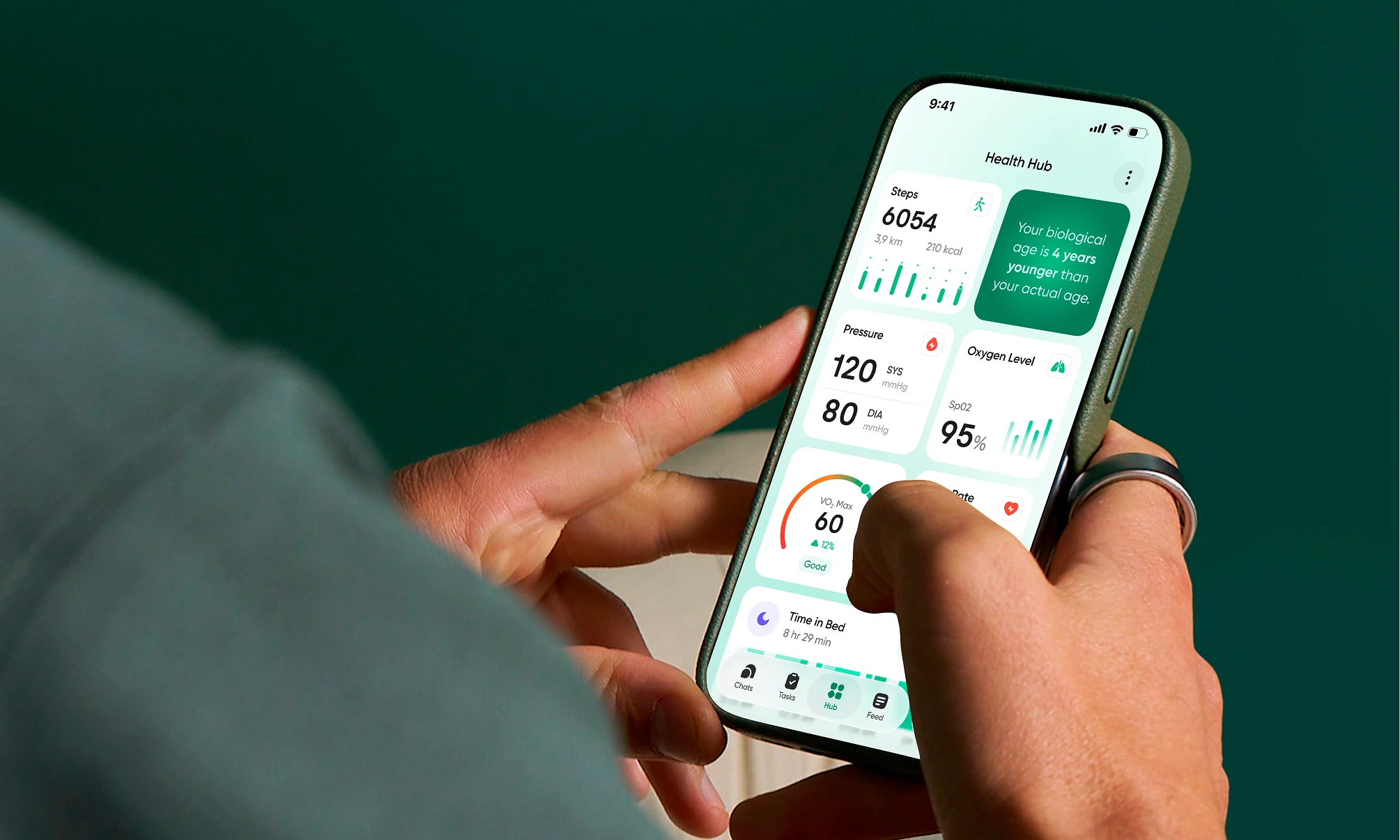
Join Neura
Turn activity tracking into daily follow-through
Build a health system that helps you act on your data, stay consistent, and make progress across fitness, recovery, nutrition, and your wider health workflow.
Join Neura
Turn activity tracking into daily follow-through
Build a health system that helps you act on your data, stay consistent, and make progress across fitness, recovery, nutrition, and your wider health workflow.
Join Neura
Turn activity tracking into daily follow-through
Build a health system that helps you act on your data, stay consistent, and make progress across fitness, recovery, nutrition, and your wider health workflow.
Join Neura
Turn activity tracking into daily follow-through
Build a health system that helps you act on your data, stay consistent, and make progress across fitness, recovery, nutrition, and your wider health workflow.
Got Questions? We've Got Answers
Is Neura replacing Google Fit?
Not always. It depends on what you need. If you mainly want a simple way to track activity, review movement trends, and stay motivated, Google Fit may already be enough. If you want a system that helps you turn that data into daily tasks, adaptive plans, and follow-through across more than fitness, Neura is the upgrade.
What is the main difference?
Google Fit is mainly a tracking layer. It helps you measure activity and review progress. Neura adds an execution layer. It uses your health data to help you decide what to do next through tasks, reminders, plan updates, and AI guidance. In practice: Google Fit shows progress. Neura helps you act on it.
Which is better for basic tracking?
Choose Google Fit if your main goal is simple activity tracking and visibility. Choose Neura if you want activity tracking to influence a broader health workflow like sleep, recovery, meals, supplements, and goal-based planning.
Can I use both together?
Yes, that is a strong setup for many people. Google Fit can remain part of your tracking stack, while Neura can use connected data as context for planning, coaching, and daily execution.
What does Neura add?
Neura is built to help you follow through, not just track. Depending on your setup and plan, Neura can add: - Adaptive daily tasks and milestones - Plan updates based on changing recovery or routine - Broader health context (meals, supplements, medications, records) - Agentic guidance tied to your goals and health profile - Customizable Health Hub widgets and templates - Personalized summaries and podcasts
What about Heart Points?
Google Fit’s Heart Points and Move Minutes are a core part of its activity motivation model and one of its biggest strengths. Neura is not built around Google Fit scoring as the main experience. Instead, Neura focuses on what happens after activity data is collected, like planning, task timing, recovery-aware adjustments, and goal progress.
Is Neura too advanced?
No. Neura can support advanced users, but it is also built for people who want clearer guidance without manually interpreting every chart. If you want help turning your data into a practical day-to-day plan, Neura is designed for that, even if you are not deeply technical.
Which is better for a goal?
If your goal is specific and outcome-focused, Neura is usually the better fit. Google Fit is excellent for tracking movement and staying aware of activity progress. Neura is better when you want a system that can coordinate multiple factors (activity, sleep, meals, recovery, schedule, habits) around one goal.
Why switch from Google Fit?
You may not need to switch immediately. But you may want to upgrade when tracking alone stops being enough. Most people do not struggle because they lack charts. They struggle because they need: - A clear next step - Consistency support - Plan adjustments when life changes - Less decision fatigue That is the gap Neura is built to solve.
Got Questions? We've Got Answers
Is Neura replacing Google Fit?
Not always. It depends on what you need. If you mainly want a simple way to track activity, review movement trends, and stay motivated, Google Fit may already be enough. If you want a system that helps you turn that data into daily tasks, adaptive plans, and follow-through across more than fitness, Neura is the upgrade.
What is the main difference?
Google Fit is mainly a tracking layer. It helps you measure activity and review progress. Neura adds an execution layer. It uses your health data to help you decide what to do next through tasks, reminders, plan updates, and AI guidance. In practice: Google Fit shows progress. Neura helps you act on it.
Which is better for basic tracking?
Choose Google Fit if your main goal is simple activity tracking and visibility. Choose Neura if you want activity tracking to influence a broader health workflow like sleep, recovery, meals, supplements, and goal-based planning.
Can I use both together?
Yes, that is a strong setup for many people. Google Fit can remain part of your tracking stack, while Neura can use connected data as context for planning, coaching, and daily execution.
What does Neura add?
Neura is built to help you follow through, not just track. Depending on your setup and plan, Neura can add: - Adaptive daily tasks and milestones - Plan updates based on changing recovery or routine - Broader health context (meals, supplements, medications, records) - Agentic guidance tied to your goals and health profile - Customizable Health Hub widgets and templates - Personalized summaries and podcasts
What about Heart Points?
Google Fit’s Heart Points and Move Minutes are a core part of its activity motivation model and one of its biggest strengths. Neura is not built around Google Fit scoring as the main experience. Instead, Neura focuses on what happens after activity data is collected, like planning, task timing, recovery-aware adjustments, and goal progress.
Is Neura too advanced?
No. Neura can support advanced users, but it is also built for people who want clearer guidance without manually interpreting every chart. If you want help turning your data into a practical day-to-day plan, Neura is designed for that, even if you are not deeply technical.
Which is better for a goal?
If your goal is specific and outcome-focused, Neura is usually the better fit. Google Fit is excellent for tracking movement and staying aware of activity progress. Neura is better when you want a system that can coordinate multiple factors (activity, sleep, meals, recovery, schedule, habits) around one goal.
Why switch from Google Fit?
You may not need to switch immediately. But you may want to upgrade when tracking alone stops being enough. Most people do not struggle because they lack charts. They struggle because they need: - A clear next step - Consistency support - Plan adjustments when life changes - Less decision fatigue That is the gap Neura is built to solve.
Got Questions? We've Got Answers
Is Neura replacing Google Fit?
Not always. It depends on what you need. If you mainly want a simple way to track activity, review movement trends, and stay motivated, Google Fit may already be enough. If you want a system that helps you turn that data into daily tasks, adaptive plans, and follow-through across more than fitness, Neura is the upgrade.
What is the main difference?
Google Fit is mainly a tracking layer. It helps you measure activity and review progress. Neura adds an execution layer. It uses your health data to help you decide what to do next through tasks, reminders, plan updates, and AI guidance. In practice: Google Fit shows progress. Neura helps you act on it.
Which is better for basic tracking?
Choose Google Fit if your main goal is simple activity tracking and visibility. Choose Neura if you want activity tracking to influence a broader health workflow like sleep, recovery, meals, supplements, and goal-based planning.
Can I use both together?
Yes, that is a strong setup for many people. Google Fit can remain part of your tracking stack, while Neura can use connected data as context for planning, coaching, and daily execution.
What does Neura add?
Neura is built to help you follow through, not just track. Depending on your setup and plan, Neura can add: - Adaptive daily tasks and milestones - Plan updates based on changing recovery or routine - Broader health context (meals, supplements, medications, records) - Agentic guidance tied to your goals and health profile - Customizable Health Hub widgets and templates - Personalized summaries and podcasts
What about Heart Points?
Google Fit’s Heart Points and Move Minutes are a core part of its activity motivation model and one of its biggest strengths. Neura is not built around Google Fit scoring as the main experience. Instead, Neura focuses on what happens after activity data is collected, like planning, task timing, recovery-aware adjustments, and goal progress.
Is Neura too advanced?
No. Neura can support advanced users, but it is also built for people who want clearer guidance without manually interpreting every chart. If you want help turning your data into a practical day-to-day plan, Neura is designed for that, even if you are not deeply technical.
Which is better for a goal?
If your goal is specific and outcome-focused, Neura is usually the better fit. Google Fit is excellent for tracking movement and staying aware of activity progress. Neura is better when you want a system that can coordinate multiple factors (activity, sleep, meals, recovery, schedule, habits) around one goal.
Why switch from Google Fit?
You may not need to switch immediately. But you may want to upgrade when tracking alone stops being enough. Most people do not struggle because they lack charts. They struggle because they need: - A clear next step - Consistency support - Plan adjustments when life changes - Less decision fatigue That is the gap Neura is built to solve.
Got Questions? We've Got Answers
Is Neura replacing Google Fit?
Not always. It depends on what you need. If you mainly want a simple way to track activity, review movement trends, and stay motivated, Google Fit may already be enough. If you want a system that helps you turn that data into daily tasks, adaptive plans, and follow-through across more than fitness, Neura is the upgrade.
What is the main difference?
Google Fit is mainly a tracking layer. It helps you measure activity and review progress. Neura adds an execution layer. It uses your health data to help you decide what to do next through tasks, reminders, plan updates, and AI guidance. In practice: Google Fit shows progress. Neura helps you act on it.
Which is better for basic tracking?
Choose Google Fit if your main goal is simple activity tracking and visibility. Choose Neura if you want activity tracking to influence a broader health workflow like sleep, recovery, meals, supplements, and goal-based planning.
Can I use both together?
Yes, that is a strong setup for many people. Google Fit can remain part of your tracking stack, while Neura can use connected data as context for planning, coaching, and daily execution.
What does Neura add?
Neura is built to help you follow through, not just track. Depending on your setup and plan, Neura can add: - Adaptive daily tasks and milestones - Plan updates based on changing recovery or routine - Broader health context (meals, supplements, medications, records) - Agentic guidance tied to your goals and health profile - Customizable Health Hub widgets and templates - Personalized summaries and podcasts
What about Heart Points?
Google Fit’s Heart Points and Move Minutes are a core part of its activity motivation model and one of its biggest strengths. Neura is not built around Google Fit scoring as the main experience. Instead, Neura focuses on what happens after activity data is collected, like planning, task timing, recovery-aware adjustments, and goal progress.
Is Neura too advanced?
No. Neura can support advanced users, but it is also built for people who want clearer guidance without manually interpreting every chart. If you want help turning your data into a practical day-to-day plan, Neura is designed for that, even if you are not deeply technical.
Which is better for a goal?
If your goal is specific and outcome-focused, Neura is usually the better fit. Google Fit is excellent for tracking movement and staying aware of activity progress. Neura is better when you want a system that can coordinate multiple factors (activity, sleep, meals, recovery, schedule, habits) around one goal.
Why switch from Google Fit?
You may not need to switch immediately. But you may want to upgrade when tracking alone stops being enough. Most people do not struggle because they lack charts. They struggle because they need: - A clear next step - Consistency support - Plan adjustments when life changes - Less decision fatigue That is the gap Neura is built to solve.